
- A daily routine is a chain of repeating tasks automated with a repeat formula, without daily decisions.
- Each plan has two modes: priority in the Today list and hourly with an on-time reminder.
- For special days use even-odd or a fixed weekday such as Sundays.
- Add an inner checklist to any plan, such as gym-bag items reminded before leaving.
Online Daily Routine Builder with Automatic Reminders
Design your morning, workout, study, or evening routine once with daily recurrence and save it straight to your timeline.
Live preview of your schedule
What is a daily routine?
Most daily plans fall apart not from lack of discipline, but from overloading a flat list with twenty competing tasks before 9 a.m. In this practical 5-minute guide, we strip away productivity fluff and build a realistic rhythm using clear priorities and visual time blocks.
Most daily plans fall apart not from lack of discipline, but from overloading a flat list with twenty competing tasks before 9 a.m. In this practical 5-minute guide, we strip away productivity fluff and build a realistic rhythm using clear priorities and visual time blocks.
How to build a daily routine?
Building a good routine has five steps: pick one small chain, attach a time cue, set the repeat formula, prepare the environment, and review after two weeks. Start small: twenty minutes of walking on even days beats one ambitious hour that stops after three days. Small starts lower resistance and raise continuity, and continuity keeps a routine alive.
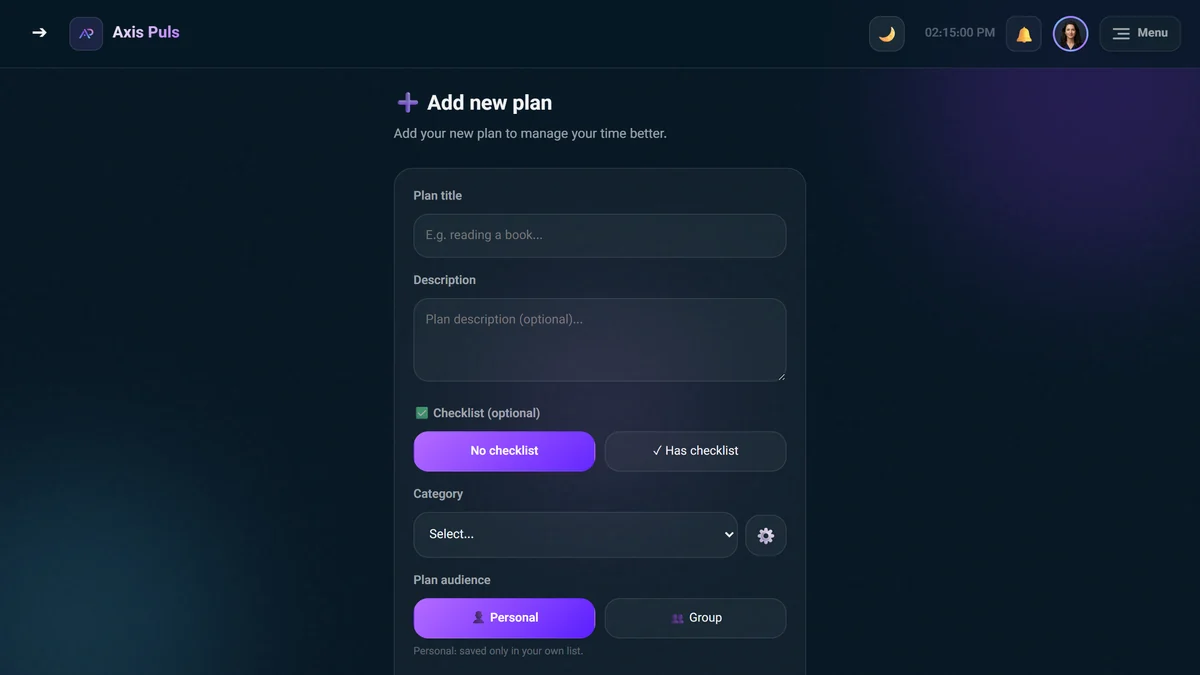
To build even-day gym, write a clear title and choose hourly mode with a 16:30 reminder. Set repeat to even days and attach the bag checklist: towel, bottle, shoes, training clothes, shampoo, locker lock and headphones. Run only this routine for two weeks and review it in Today. For timeless tasks choose priority mode so they sit in the Today list. You can create both in add plan.
| Daily Planning Method | Real Practical Strength | Hidden Pitfall | Best Everyday Use Case |
|---|---|---|---|
| Plain Paper To-Do List | Zero friction and satisfying checkmarks | No time slots; urgent trivia crowds out deep work | Top 3 desk priorities for the morning |
| Calendar Slots Only | Clear view of fixed appointments | Treats low-impact errands the same as critical goals | Meetings, classes, and work shifts |
| Timeline + Eisenhower Priority (Axis Puls) | Combines time order in Today view with clear urgency/importance | Takes 30 seconds to tag priority when adding a plan | Busy workdays and rotating shift schedules |
| Weekly Review + Buffer Blocks | Absorbs unexpected delays without derailing the week | Requires a 15-minute weekly reset habit | Balancing career, study, and family life |
How to plan for even and odd days?
The even-odd pattern suits every-other-day repetition, such as gym on even days and language on odd days. It follows the calendar date and continues automatically in later weeks, lowering mental load. Do not confuse it with weekdays: even-odd follows the day number, so a boundary of the month can place two repeats close together, which is normal.
Set repeat to even or odd days with hour and checklist. From then on the plan appears only on those days. If a plan covers both, build two separate routines so each keeps its own checklist and hour.
Instead of designing an elaborate system you abandon by Thursday, spend just three minutes each evening closing open loops and picking tomorrow's top three items inside your personal planner. Small, steady habits beat occasional perfection every time.
How routines work in Axis Puls
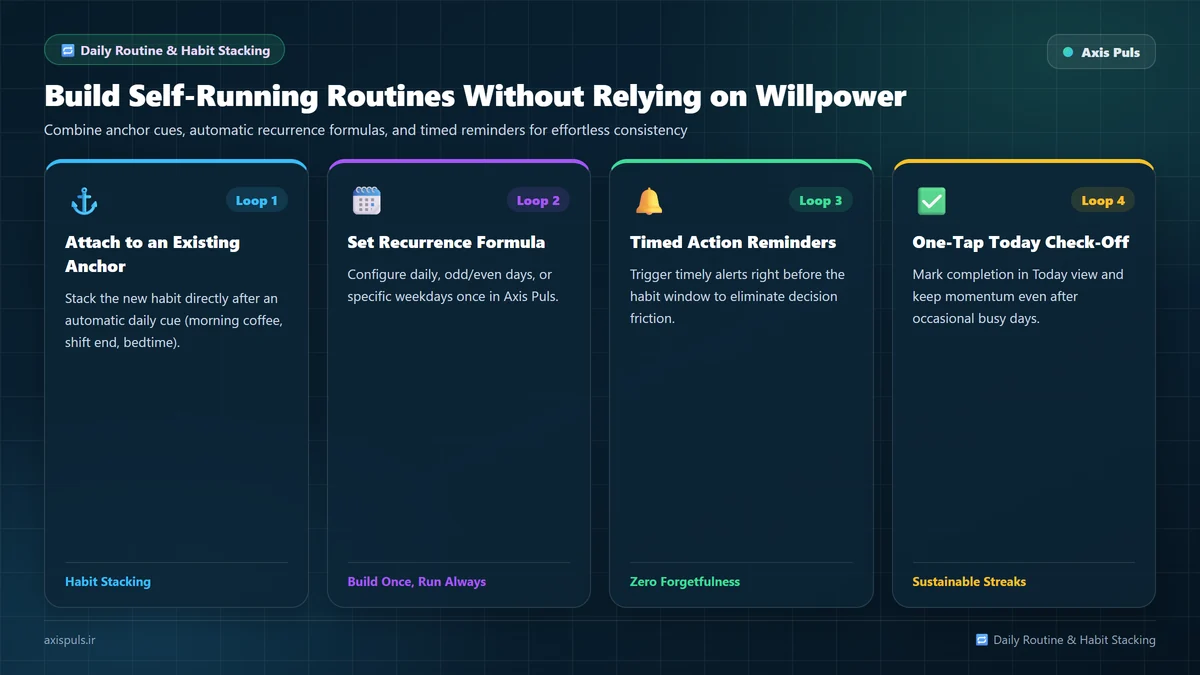
The suggested path has four steps: write the title and choose priority or hourly mode in add plan, set the repeat pattern (daily, even-odd or a weekday like Sunday), add the inner checklist for multi-item plans, and set reminders. From then on the routine appears automatically on its days. Each night in Today you see tomorrow routines plus room for variable tasks, and in timeline you can spot overloaded days. A realistic week could be: even-day gym at 17:00 with bag checklist, odd-day language in priority mode, and Sunday review at 20:00. Start today from add plan with one routine, run it for two weeks, then add the second.
Human memory is not built for long lists, and when several repeating tasks stay in mind, one of them is usually dropped. Busy-day experience shows that most lapses come from missing external cues rather than low attention. A routine creates that cue: a fixed hour, a fixed day and a clear checklist. Knowing that gym is at 17:00 on even days with a pre-packed bag removes the daily debate. If you want the bigger picture, see the complete personal planning guide.
| Preparation Wave | Critical Items & Actions | Common User Mistake | Practical Fix Inside Your Plan |
|---|---|---|---|
| Wave 1: 3–7 Days Ahead | IDs/documents, bookings, essential meds, budget, role split | Packing clothes first and leaving documents to the night before | Pin non-negotiable items at the top of the plan checklist |
| Wave 2: Night Before | Main bag/gear setup, charging devices, home/venue prep | Relying on tired late-night memory | Tick items off one by one as they enter the bag |
| Wave 3: Final 30 Minutes | Keys, phone, bank cards, charger in wall socket, meeting deck | Leaving everyday essentials plugged into the wall | Run a 2-minute doorway scan before stepping out |
| Post-Event Wrap-Up | Settle shared expenses and note missing items for next time | Rebuilding the same list from scratch next month | Reuse your saved plan checklist as a proven template |
A daily routine is a chain of repeating tasks defined once and then repeated automatically with a repeat formula. The key difference from a daily plan is scope: a daily plan answers variable tasks of today, while a routine answers fixed repeating tasks. With a routine, morning exercise, evening reading or gym-bag packing no longer needs a fresh decision each night. This reduction in repeated decisions can free mental energy for more important work and make days more predictable.
Instead of designing an elaborate system you abandon by Thursday, spend just three minutes each evening closing open loops and picking tomorrow's top three items inside your personal planner. Small, steady habits beat occasional perfection every time.
To connect this workflow with adjacent tools and real examples, explore Personal Planner, Eisenhower Matrix, Time-Blocking Guide, Weekly Planning, Smart Checklists, Group Planning.
❓ Frequently Asked Questions from Real Workflows
Build your first routine today
Pick one small routine, set even-odd or Sundays, and add a gym-bag checklist to be reminded on time.
Build a routine in Axis Puls