
- The brain is built for thinking, not holding; everything on a list leaves the mind and halves stress.
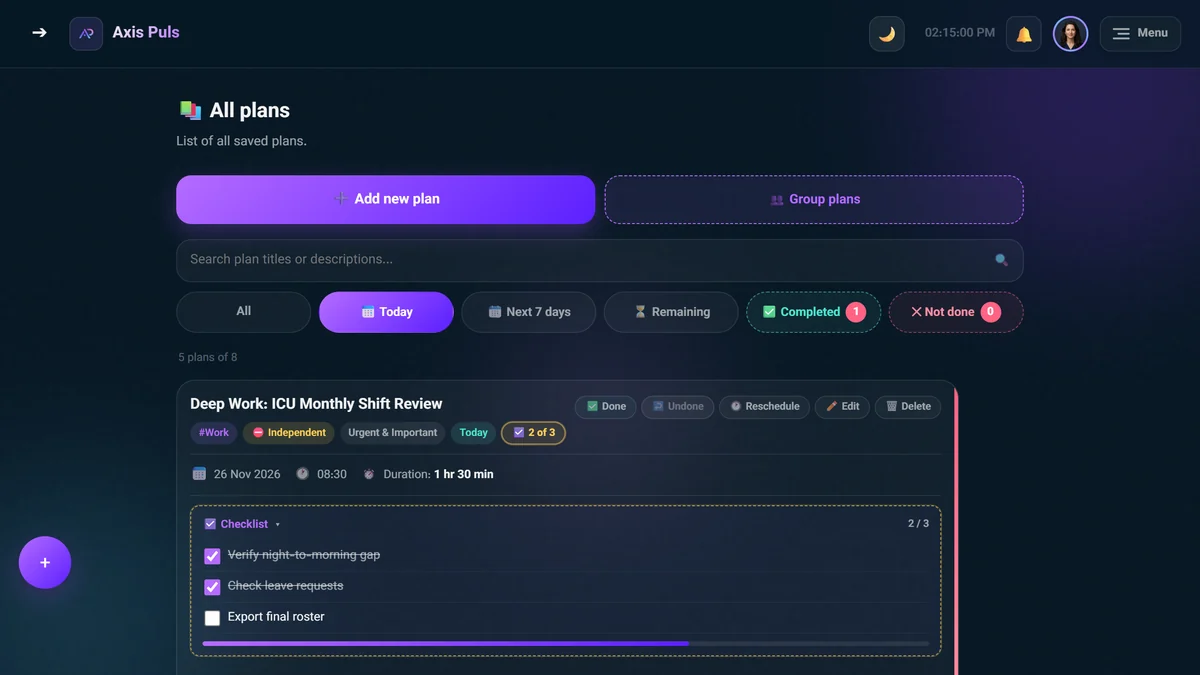
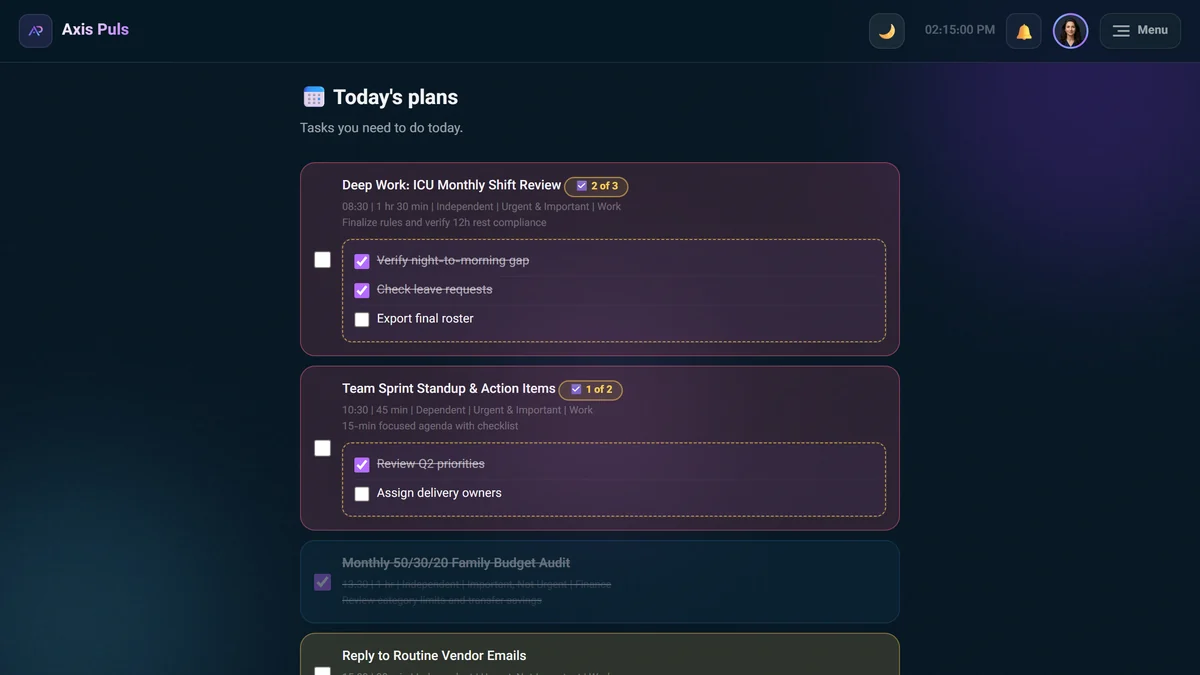
- In Axis Puls every plan has an inner checklist: type an item, hit Enter, tick when done.
- Mental templates: travel (documents, meds, charger), weekly shopping, daily work, parties.
- Golden rule: items short, verb-led and ordered, reviewed once before start.
Why the brain needs lists
Forgetting a passport, charger, or key project deliverable rarely happens because you don't care—it happens because working memory drops obvious details under time pressure. This 5-minute guide organizes your checklist into calm, timed waves so nothing slips through.
Forgetting a passport, charger, or key project deliverable rarely happens because you don't care—it happens because working memory drops obvious details under time pressure. This 5-minute guide organizes your checklist into calm, timed waves so nothing slips through.
Building a checklist inside any plan
In “Add plan”, the checklist (optional) section:
- Type an item, hit Enter; each becomes its own row.
- Tick on completion; progress shows right there.
- The list lives with the plan: date, reminders, people.
| Preparation Wave | Critical Items & Actions | Common User Mistake | Practical Fix Inside Your Plan |
|---|---|---|---|
| Wave 1: 3–7 Days Ahead | IDs/documents, bookings, essential meds, budget, role split | Packing clothes first and leaving documents to the night before | Pin non-negotiable items at the top of the plan checklist |
| Wave 2: Night Before | Main bag/gear setup, charging devices, home/venue prep | Relying on tired late-night memory | Tick items off one by one as they enter the bag |
| Wave 3: Final 30 Minutes | Keys, phone, bank cards, charger in wall socket, meeting deck | Leaving everyday essentials plugged into the wall | Run a 2-minute doorway scan before stepping out |
| Post-Event Wrap-Up | Settle shared expenses and note missing items for next time | Rebuilding the same list from scratch next month | Reuse your saved plan checklist as a proven template |

The Zeigarnik effect: why open loops eat your mind
In the 1920s, psychologist Bluma Zeigarnik noticed waiters remembered unpaid orders far better than settled ones. The brain keeps unfinished business on a background tab, burning energy; that is why a power bill pops into your head mid-movie. A checklist closes those tabs: once a task is recorded on paper (or in an app), the brain permits itself to forget it, knowing the system holds it.
The practical upshot: the busier your mind, the more detailed your list should be. On high-pressure days, write down even the obvious (charge your phone). The goal is emptying working memory completely, not proving it is strong.
- Type an item, hit Enter; each becomes its own row.
- Tick on completion; progress shows right there.
- The list lives with the plan: date, reminders, people.
Instead of designing an elaborate system you abandon by Thursday, spend just three minutes each evening closing open loops and picking tomorrow's top three items inside your personal planner. Small, steady habits beat occasional perfection every time.
- Type an item, hit Enter; each becomes its own row.
- Tick on completion; progress shows right there.
- The list lives with the plan: date, reminders, people.
- Type an item, hit Enter; each becomes its own row.
- Tick on completion; progress shows right there.
- The list lives with the plan: date, reminders, people.
- Type an item, hit Enter; each becomes its own row.
- Tick on completion; progress shows right there.
- The list lives with the plan: date, reminders, people.
- Type an item, hit Enter; each becomes its own row.
- Tick on completion; progress shows right there.
- The list lives with the plan: date, reminders, people.
- Keep it short: one line per item.
- Start with verbs: “book hotel”, not “hotel”.
- Order it: critical first.
- Review once before starting.
- Vague items: “trip” never gets ticked; “book the 8 a.m. train” does. Every item must be the next concrete action.
- 30-item lists: seeing a mountain freezes the brain. Cap at 7–10 items; park the rest in a “later” list.
- No priorities: star the three vital items; a successful day means those three, not everything.
- Write and abandon: an unreviewed list is a task graveyard. Review nightly for 2 minutes.
Maintaining lists: archive, search and share
A good list, like a good tool, needs maintenance. Three monthly habits suffice. First, archive finished lists: don't delete that trip list — archive it; six months later on the same route it is gold. Second, update templates: review each template twice a year; needs change, and a stale template is worse than none. Third, share smartly: share the family-trip template with your partner, groceries with your roommate, camping with your group, so everyone benefits from collective experience.
And one security note few people follow: lists holding sensitive data (documents, passwords, banking) must never live in an unlocked tool. Use apps with authentication for those, or at least write such items obliquely so only you understand them. Good organization without security is incomplete.
| Group Coordination Dimension | Scattered Messenger Group Chats | Structured Group Plan in Axis Puls |
|---|---|---|
| Headcount Confirmation | Vague 'maybe' replies buried under 200 off-topic messages | Clear invite flow with explicit Accept / Decline status |
| Shared Gear & Task Split | Two people buy charcoal while nobody brings the first-aid kit | One shared checklist attached directly to the event |
| Time or Venue Updates | Latecomers miss changes scrolled out of view | Single source of truth for date, time, and plan notes |
| Splitting Shared Costs | Awkward spreadsheet math days after the trip ends | Built-in group expense tracking and simplified settlement |
Instead of designing an elaborate system you abandon by Thursday, spend just three minutes each evening closing open loops and picking tomorrow's top three items inside your personal planner. Small, steady habits beat occasional perfection every time.
Working memory holds about four items; beyond that, forgetting is certain. Pilots and surgeons use checklists because memory is unreliable, systems aren’t.
Writing also silences “what if I forget” anxiety, freeing the mind for the work itself.
To connect this workflow with adjacent tools and real examples, explore Personal Planner, Eisenhower Matrix, Time-Blocking Guide, Weekly Planning, Group Planning, Personal Finance Tracker.