- Step one: The night before, pick three important tasks for tomorrow; a won day means doing those three.
- Step two: Block a clear time window for every important task and register it in the planner with date and time.
- Step three: Use Eisenhower priority to mark which task is truly important and which only looks urgent.
- Step four: Review for two minutes at night; see the ticks, move the unfinished, and write tomorrow three tonight.
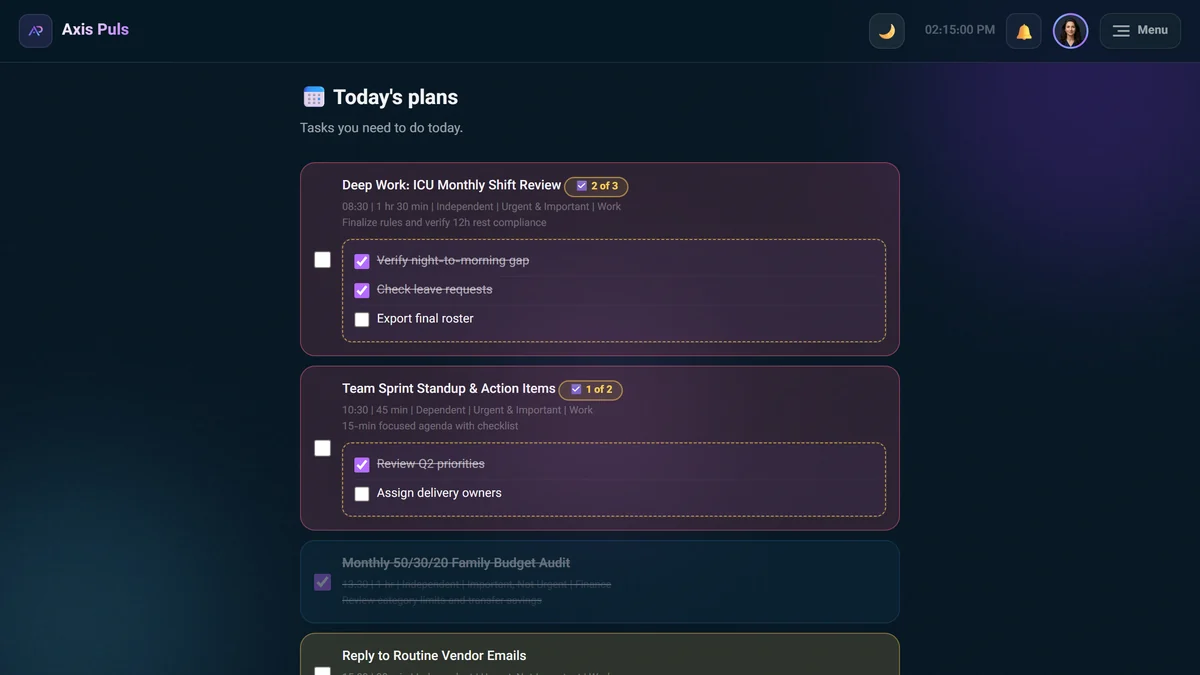
Free Online Daily Planner (3 MITs + Evening Review)
Organize today or tomorrow with a visual 24h bar, conflict alerts, calendar (.ics) export, and 1-click save to your timeline.
Live preview of your schedule
What is wrong with most days?
Planning sticks when it stays lightweight, flexible, and anchored to real priorities rather than rigid minute-by-minute perfectionism. In this 5-minute guide, build a calm daily and weekly execution system.
The problem for most of us is not missing tasks; it is seeing everything at once. A long mental list, partly in a notebook, partly on the phone, and partly in memory, changes priority every five minutes, and the day ends busy but with no progress. The mind keeps switching between tasks, and its energy goes to deciding what to do now instead of doing it. The result is familiar: ten small tasks done, the main task left, and nightly guilt.
Step one: Pick three important tasks of the day
The rule of this method is simple and non-negotiable: every day has only three important tasks. If only those three get done, the day counts as won, even if the rest of the list remains. Why three? Because a cap of three forces you to choose, and choosing means saying no to the rest. A day with twelve important tasks is mentally a failed day; the mind locks at the sight of a mountain of work and starts none of it. But a day with three clear tasks delivers a feelable sense of winning, and that feeling builds tomorrow too.
The night before or first thing in the morning, mark the three tasks that make the day.
| Eisenhower Quadrant | Quick Diagnostic Signal | Right Practical Action | Everyday Example |
|---|---|---|---|
| 1. Urgent & Important | Real deadline today with clear consequences | Do first during your peak focus block | Finalizing a ward roster, urgent client fix, medical errand |
| 2. Important, Not Urgent | Compounds long-term growth and prevents future crises | Schedule a protected slot on your timeline | Skill study, exercise, monthly budget check, weekly planning |
| 3. Urgent, Less Important | Noisy pings driven by other people's impulsiveness | Batch into a short window or delegate cleanly | Non-critical chat notifications, agenda-free status calls |
| 4. Neither Urgent nor Important | Pure distraction disguised as busywork | Drop intentionally without guilt | Mindless mid-work social scrolling or tweaking folder colors |
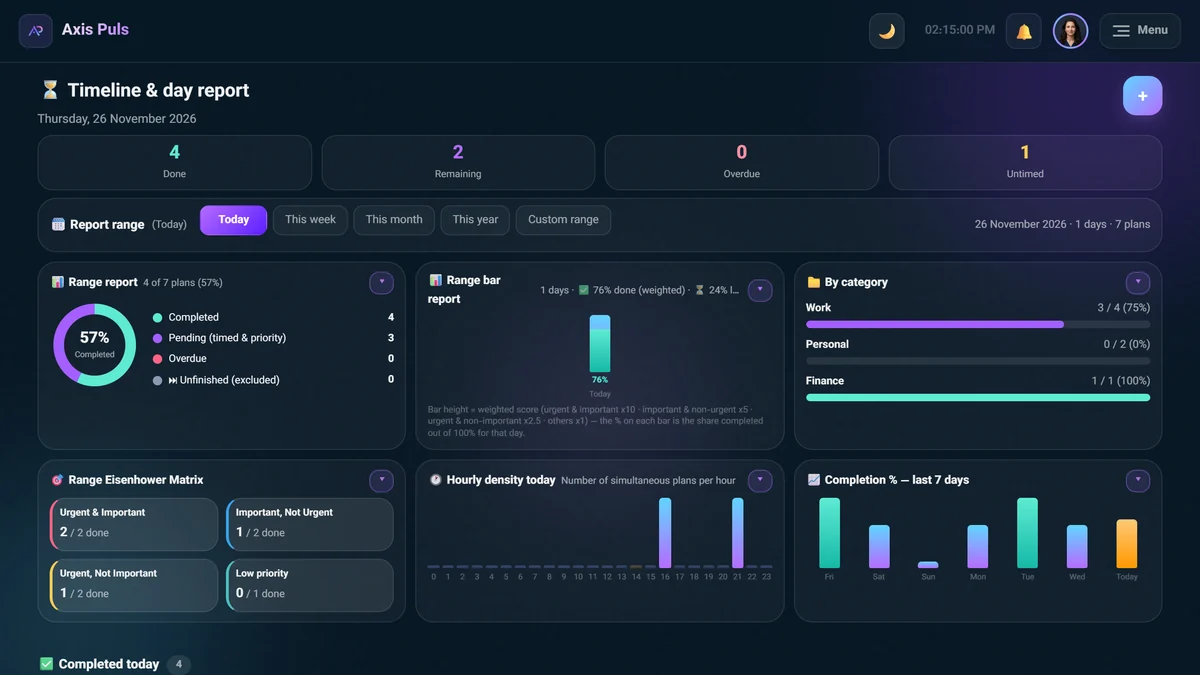
Step two: Block a time window for every important task
A task with no hour usually slides to the end of the day and then moves to tomorrow. Time blocking means reserving a clear window in the day for each of the three important tasks, for example writing the report from nine to eleven and reviewing lessons from six to seven in the evening. The window need not be exact; its function is making the important task the owner of the day rather than a guest of empty moments. Put the big task of the day in the most energetic hour, which for most people is the morning; when the three important tasks finish by noon, the rest of the day passes calmly.
In practice this step runs in the planner by registering date and time for every plan, while the timeline shows the order of the day; what comes first in the morning, what sits at noon, and what stands in the evening. Do small administrative tasks such as calls and messages in batches between the big blocks so focus does not fragment. If you work shifts, the same view shows what gaps remain before and after shifts for personal work; because the next shift shows on the dashboard, arranging the daily plan around shifts brings no surprises. You can also read the basics of this technique in the time blocking guide linked from the personal hub.
- Morning: open the today page and push the three important tasks forward.
- Noon: tick finished work off and review the evening block.
- Night: review for two minutes and write tomorrow three important tasks starting tonight.
Step four: The two-minute nightly review loop
A daily plan without review dies; unfinished tasks quietly pile up and tomorrow list grows heavier than today. The nightly review takes only two minutes and has three jobs: see today ticks and feel progress, move unfinished tasks to tomorrow or ruthlessly delete them, and write tomorrow three important tasks starting tonight. This small loop is the backbone of daily order. Set one rule for it too: any task moved three days in a row is either too big and must be broken down or not truly important and must go.
If you fall behind, stay calm and first rescue the three important tasks; move the rest and start the next day light. Falling behind is not the end of the world, only a signal that either the plan was overloaded or the day was eventful; both are fixable with the nightly review. Read the complete recovery tactics in falling behind the plan. And one important transparency note: the smart planning assistant, automatic reminders, automatic task repeats, and full offline work are currently coming soon; what is truly in your hands today is plan registration with Eisenhower priority, the today page and timeline, the daily dashboard, and the installable web app. See the complete feature details in the personal planner introduction and the personal planning hub.
| Real User Situation | Common Emotional Trap | Sustainable Practical Response |
|---|---|---|
| Falling behind by mid-afternoon | Doubling tomorrow's workload and burning midnight oil | Prune low-value tasks immediately and rescue 1–2 core items |
| Setting monthly or quarterly goals | Writing vague wishes like 'get organized' with no calendar slot | Break each goal into concrete weekly milestones on your timeline |
| Running meetings or group plans | Open-ended calls with no agenda, owner, or stop time | Attach a 3-bullet agenda, hard end time, and action checklist |
| Choosing planning software | Juggling four complex apps until tool fatigue wins | Keep daily tasks, Eisenhower priority, and shifts in one place |
To connect this workflow with adjacent tools and real examples, explore Personal Planner, Task Prioritization, Weekly Planning, Group Planning.
❓ Frequently Asked Questions from Real Workflows
Write tomorrow three important tasks starting tonight
Open the planner and build your first organized day tonight.
Open the personal planner