- Problem: mental and scattered to-do lists across notebooks and apps cause forgetting and late starts on important work.
- Solution: every plan is logged in one place with title, category, date and time plus Eisenhower priority.
- Tracking: the “Today” page and timeline show only this day, and ticking things off makes progress visible.
- Honesty: the AI assistant, automatic reminders, repeating tasks and full offline work are “coming soon” for now; what you read is what is live today.
Interactive Personal Planner (Try Live Without Sign-Up)
Build your day right here with Eisenhower priority, live 24h overlap detection, and calendar export — then save directly to your timeline.
Live preview of your schedule
What does the Axis Puls personal planner do?
A good workflow tool removes daily mental clutter instead of becoming another chore to maintain. In this clear 5-minute overview, see what is live today, how it compares side-by-side against manual habits, and get straight answers to common user questions.
Personal planner is where daily tasks, appointments and small goals come together. Instead of keeping part of your plan in your head, part in a notebook and part in your phone calendar, you log everything in one Persian, right-to-left space with a Jalali calendar. That simple unity is the first step of time management: when every task is in front of your eyes, deciding “what first?” gets much easier.
Logging plans with category and Eisenhower priority
Adding a plan in Axis Puls is deliberately simple so logging never becomes heavy work itself. For every plan you write a title, pick a category (personal, work, study or health), set the date and time on the Jalali calendar, and finally assign the Eisenhower priority. Those four steps turn a floating mental task into a concrete, trackable plan.
Every task has a clear title and a category so you can later separate work, personal and study plans.
| Module Capability | Current Live Status | Day-One Problem Solved | Best Fit For |
|---|---|---|---|
| Structured Logging & Unified Dashboard | Live & ready today | Replaces scattered paper notes and buried chat threads | Individuals, teams, and clinical staff |
| Calendar & Clear Priority Tagging | Live (installable PWA) | Prevents schedule clashes and keeps high-impact work visible | Shift nurses, ward leads, and households |
| Role Permissions & Invite Workflows | Live with invite codes | Protects sensitive records while keeping team status transparent | Head nurses, HR leads, and project groups |
| Advanced AI Assistant & Full Offline Mode | Coming soon (in development) | Communicated honestly upfront with zero exaggerated claims | Transparent evaluation before rollout |
The “Today” page, timeline and ticking off tasks
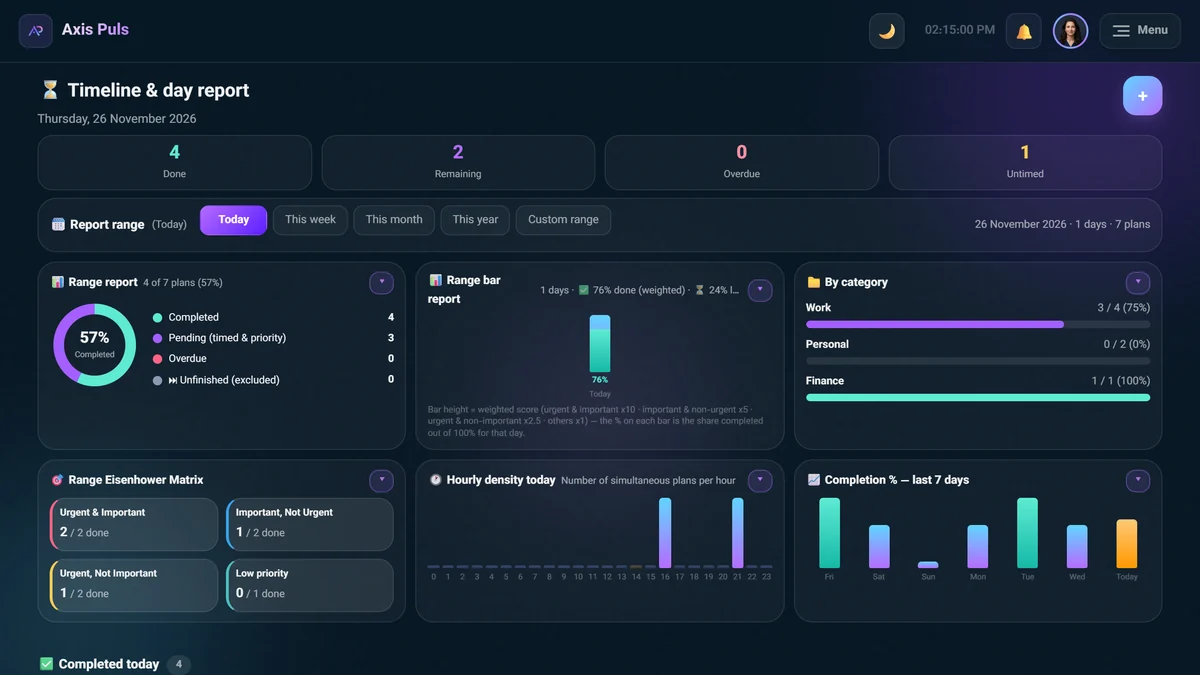
Many of us carry long task lists, but the real problem isn't “not seeing” — it's “seeing everything at once”. The “Today” page exists exactly for this: it shows only this day's plans. When you arrive in the morning you know exactly what today holds, no digging through next week's tasks. Every finished task gets ticked off the open list; that small motion builds a clear “what I did” picture by evening.
The timeline is another view of the same plans: it shows the day's chronological order — what is early morning, midday, evening. If you work shifts, you see what gaps for rest or personal work surround your shift. The “today + timeline + tick” combo makes a simple daily loop: see in the morning, tick through the day, review at night. For days you fall behind, the article Falling behind on plans suggests catch-up strategies.
Installable web app and coming-soon features
Axis Puls is an installable web app: without any app-store install you can install it on phone or desktop and open it like a standalone program. The main win of installing is faster access: planner, Today page and dashboard are always near you. The install file and needed service worker are in the product, and installing is simple and frictionless.
And now important honesty about things not in the product yet. The “AI planning assistant” that would propose an optimal day, “automatic reminders”, “automatic repetition” of routine tasks and “full offline work” are currently coming soon. We announce them deliberately with this label and no details or timelines; because we believe honesty about the product matters more than a long list of promises. What is truly in your hands today: logging with Eisenhower priority, the Today page and timeline, the Jalali dashboard and the installable web app.
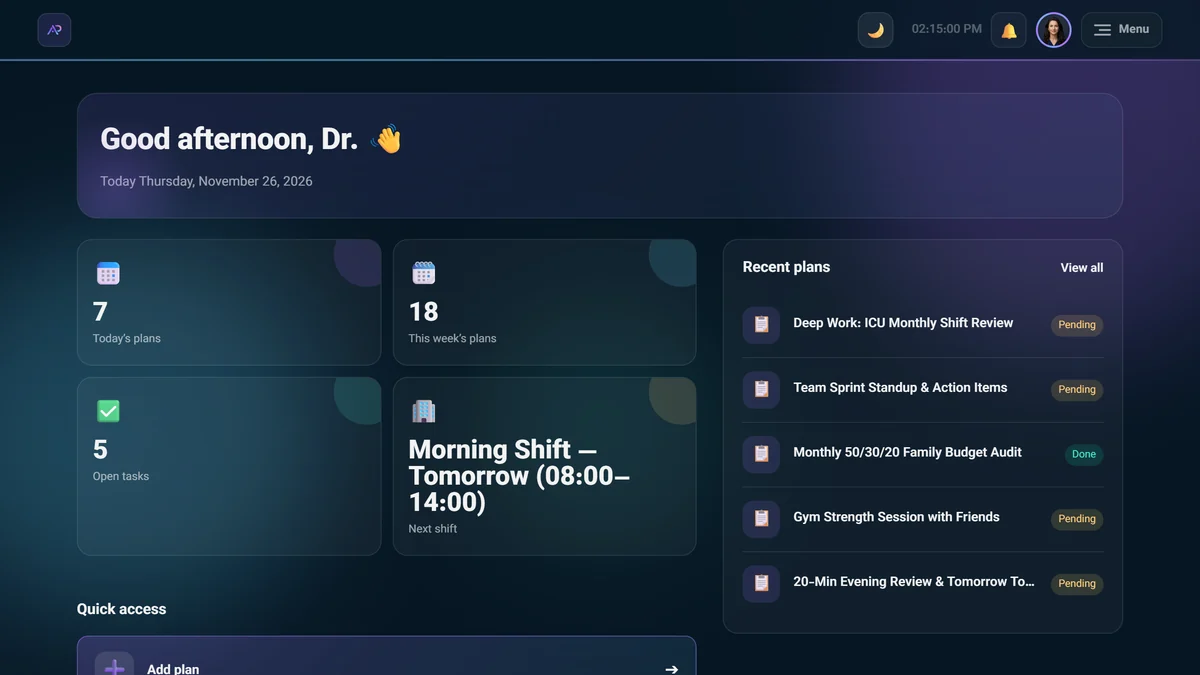
What sets this planner apart from a plain calendar is three things: first, every plan carries an Eisenhower priority; from the moment you log it you mark whether the task is important or urgent or both. Second, the “Today” page shows only this day's work so you never get lost among next week's tasks. Third, the dashboard — with daily greeting, Jalali date, live clock, today's and the week's plans, open tasks and even your next shift — gives the full picture of the day in one place. To learn planning basics, the article Planning is a good starting point.
This module is built for everyone, but it has a special use for clinicians on irregular shifts. A nurse on night shifts this week and evening shifts next cannot live on a fixed weekly routine. With the personal planner they can arrange sleep, rest, study, exercise and housework around shifts; because the next shift is always visible on the dashboard, personal plans clash with shifts less surprisingly. The article Important daily tasks talks about these daily choices too.
Each plan's time is logged on the Jalali calendar — right for your real appointments, deadlines and daily plans.
For every task you mark important or urgent; that choice lights up the day's order.
Tick finished work off the open list so the day's progress stays visible.
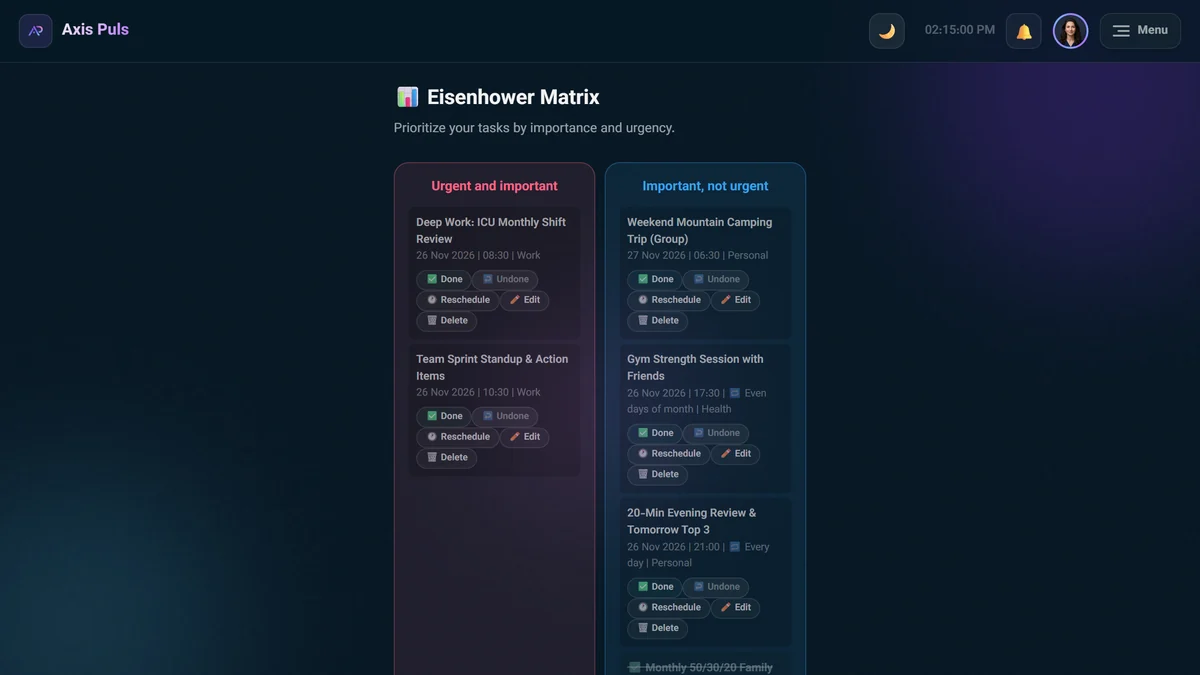
The Eisenhower matrix sorts tasks into four boxes: important and urgent (do today), important but not urgent (schedule it), urgent but not important (delegate if you can) and neither (delete or defer). You don't need to memorize the model; when logging, just ask yourself two questions: “what happens if this isn't done?” and “when is it due?”. Those two answers pick the right box. Read the full model in Eisenhower matrix and practice prioritizing in Prioritization.
To connect this workflow with adjacent tools and real examples, explore Live Shift Arranger Demo, Nurse Shift Guide, Head Nurse Software, Matron Oversight Guide, Clinical Productivity Law.
❓ Frequently Asked Questions from Real Workflows
An orderly day starts with one simple log
Log today's plan with Eisenhower priority and track it on the timeline.
Log in to the personal planner