
- Give a fixed hour only to time-bound tasks; keep the rest on the priority list.
- Every hourly block has three parts: start hour, approximate length and reminder.
- Manage meetings with a reminder shortly before the start so you join prepared.
- Use time blocking to divide the day into work, rest and transition pieces.
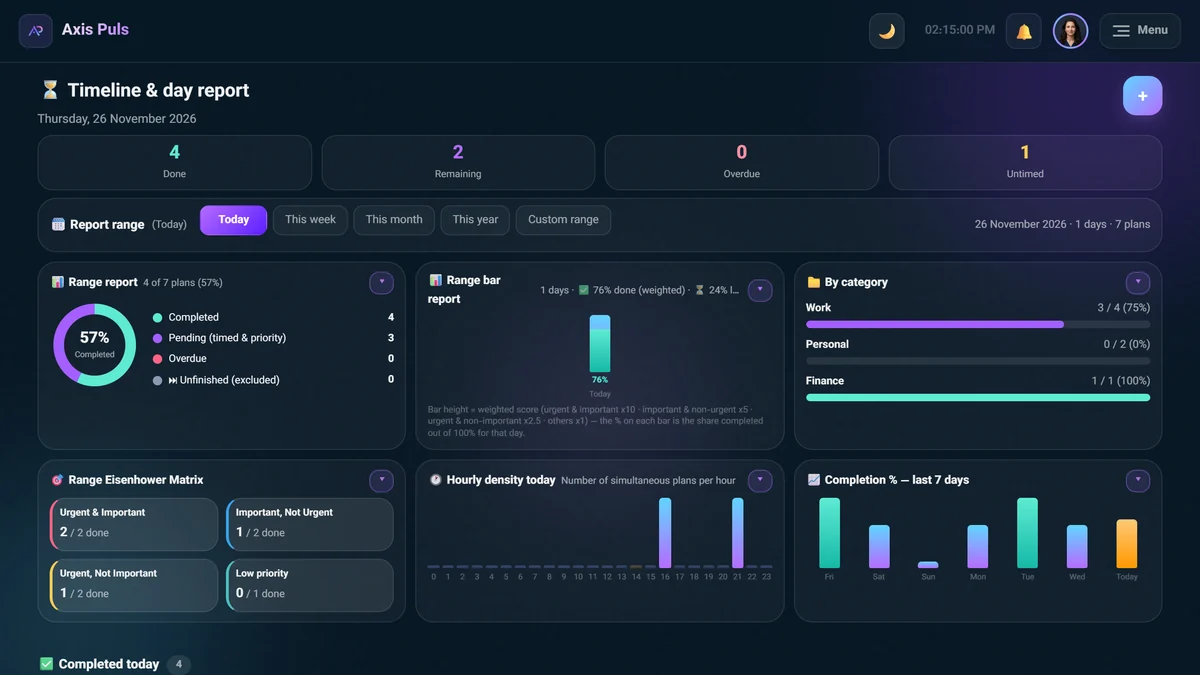
Free Online Daily Hourly Schedule Builder
Map out your day's time blocks right here, inspect your live 24h visual timeline and overlap alerts, copy or download .ics instantly, and save in one click.
Live preview of your hourly day
How do I set a fixed hour for tasks?
Most daily plans fall apart not from lack of discipline, but from overloading a flat list with twenty competing tasks before 9 a.m. In this practical 5-minute guide, we strip away productivity fluff and build a realistic rhythm using clear priorities and visual time blocks.
The working rule is simple: assign a fixed slot in your hourly schedule only to tasks with a real clock anchor—meetings, deep-focus blocks, classes, or hard deadlines. Keep flexible errands on your priority list so they fill open gaps between blocks instead of turning your timetable into a brittle wall of overdue alarms.
How do I timetable daily tasks?
Daily timetabling means deciding in advance what each part of the day is roughly for. Its difference from a wish list is exactly this prior decision: when the morning starts without a map, every new message changes the day's priority and the evening arrives with little real progress. But when three blocks are on paper — for example deep work in the morning, follow-ups at noon and meetings in the afternoon — momentary decisions shrink and saying no to the margins gets easier. A good timetable makes the day predictable, not fully controlled, and that relative predictability builds calm.
The common mistake is planning with ideal hours: eight hours are assumed to be eight hours of useful work, while meetings, messages, commuting and energy dips take a large share. A rule of thumb is that three to four hours of real deep work is a fair cap for a normal working day; the rest goes to meetings, coordination, light tasks and rest. So if you placed three one-hour deep-work blocks plus two meetings, do not add a fourth block. A quiet day can be filled with priority tasks, but a busy day should not be made heavier with extra blocks.
- Give morning energy to the hardest timed or most important block.
- After lunch, gather light work, follow-ups and messages into one short block.
- Keep transition gaps between blocks instead of gluing them together.
- Close the day with a short review and tomorrow-preparation block.
| Daily Planning Method | Real Practical Strength | Hidden Pitfall | Best Everyday Use Case |
|---|---|---|---|
| Plain Paper To-Do List | Zero friction and satisfying checkmarks | No time slots; urgent trivia crowds out deep work | Top 3 desk priorities for the morning |
| Calendar Slots Only | Clear view of fixed appointments | Treats low-impact errands the same as critical goals | Meetings, classes, and work shifts |
| Timeline + Eisenhower Priority (Axis Puls) | Combines time order in Today view with clear urgency/importance | Takes 30 seconds to tag priority when adding a plan | Busy workdays and rotating shift schedules |
| Weekly Review + Buffer Blocks | Absorbs unexpected delays without derailing the week | Requires a 15-minute weekly reset habit | Balancing career, study, and family life |

How do I manage time-bound tasks?
A timed task has a start hour, a finish limit or both without necessarily being a meeting: delivering a report by a set hour, paying a bill on a given day, or preparing slides for tomorrow morning. Managing them rests on three pillars: a fixed hour, a time buffer, and a fallback path. The hour clarifies the start, the buffer absorbs common delays such as traffic or queues, and the fallback answers what-if-it-fails in advance. A day with these pillars does not collapse on one surprise.
Allow ten to thirty percent more than your first estimate: a one-hour guess usually becomes about seventy-five minutes with setup and wrap-up. Take larger buffers for outdoor tasks with more external variables, and for important deadlines set a personal deadline earlier than the real one — for example 15:00 personal against a 17:00 real delivery — to keep a safety margin. This margin is professionalism, not laziness.
- Each timed task: start hour + realistic length + on-the-hour reminder.
- Each important deadline: an earlier personal deadline as a safety margin.
- Each busy day: at most two heavy timed tasks, no more.
- Each conflict: move the least important block, not the whole day.
Instead of designing an elaborate system you abandon by Thursday, spend just three minutes each evening closing open loops and picking tomorrow's top three items inside your personal planner. Small, steady habits beat occasional perfection every time.
Nightly review, rescheduling and keeping the plan alive
A good hourly plan is one you can keep, not one that merely looks beautiful on paper. Consistency needs three small habits: a five-minute nightly review, clean block rescheduling, and a weekly cap revision. The review looks at today and decides tomorrow; clean rescheduling moves one block without breaking the day; the weekly revision adjusts caps from last week's reality. These three habits turn planning from a short project into a lifestyle.
Three questions suffice: what got done today, what remains, what to lighten tomorrow? Tick finished items so progress is recorded; consciously roll leftovers to tomorrow while dropping one less important item so the cap holds; and if a day keeps breaking, cut one hourly block from the cap. Keep the review short: an honest five minutes beats a perfectionist half hour that gets abandoned after a few nights. Apply the outcome the same night rather than next morning, because night moves are calm while morning moves are rushed. A block postponed three days in a row is a sign it is too big — split it or defer it a week.
| Time Window | Recommended Block Type | Length & Reminder | Role in a Balanced Day |
|---|---|---|---|
| 08:30 – 10:00 | Deep-Focus Block (Urgent & Important) | 90 min · 10 min before | Tackle your highest-impact cognitive task at peak morning energy |
| 10:15 – 11:00 | Meeting or Timed Coordination | 45 min · 15 min before | Enter prepared after a built-in 15-minute transition buffer |
| 14:30 – 15:30 | Admin Batch, Calls & Messages | 60 min · 10 min before | Group light work during afternoon energy dips without fragmenting focus |
| 21:00 – 21:15 | Evening Review & Tomorrow Prep (Routine) | 15 min · 5 min before | Check off completed blocks and roll leftovers cleanly to tomorrow |
To connect this workflow with adjacent tools and real examples, explore Personal Planner, Eisenhower Matrix, Time-Blocking Guide, Weekly Planning, Smart Checklists, Group Planning.
❓ Frequently Asked Questions from Real Workflows
Plan tomorrow hour by hour
Put two or three hourly blocks on timed tasks, keep the rest on the priority list, and get reminded on the hour.
Start today's plan