- Problem: manually collecting requests by SMS and paper takes days, and every change wrecks the whole table.
- Solution: structure, rules and capacities are defined once; requests register inside the system and are checked against rules automatically.
- Two methods: suggested shifts (priority logging + system arrangement) and preferred shifts (picking from allowed options, like seat selection).
- Trust guarantee: the system never violates rules to fill the table; it reports uncompletable shifts and explains arrangement reasons.
What is shift management and why is it vital?
Choosing shift scheduling software gets tricky when every vendor promises effortless automation, yet your head nurses still face complex night rotations, holiday multipliers, and sudden sick calls. In this practical 5-minute guide, we break down what actually matters on a real ward—and how to test your own staffing mix in the live Shift Arranger demo before committing.
Shift management is the process of planning, rule-based arrangement, conflict resolution and monitoring of shift workers' hours. Axis Puls is a web system for planning, arranging, managing and controlling shifts of large organizations — especially hospitals and care centers — and is not limited to nurses: physicians, security, guards, services and administrative shift workers are managed with the same system.
Organization structure and rule & capacity definition
The system's most important concept is this: “a rule is defined once, but executed every month.” Managers never re-check every rule monthly from scratch.
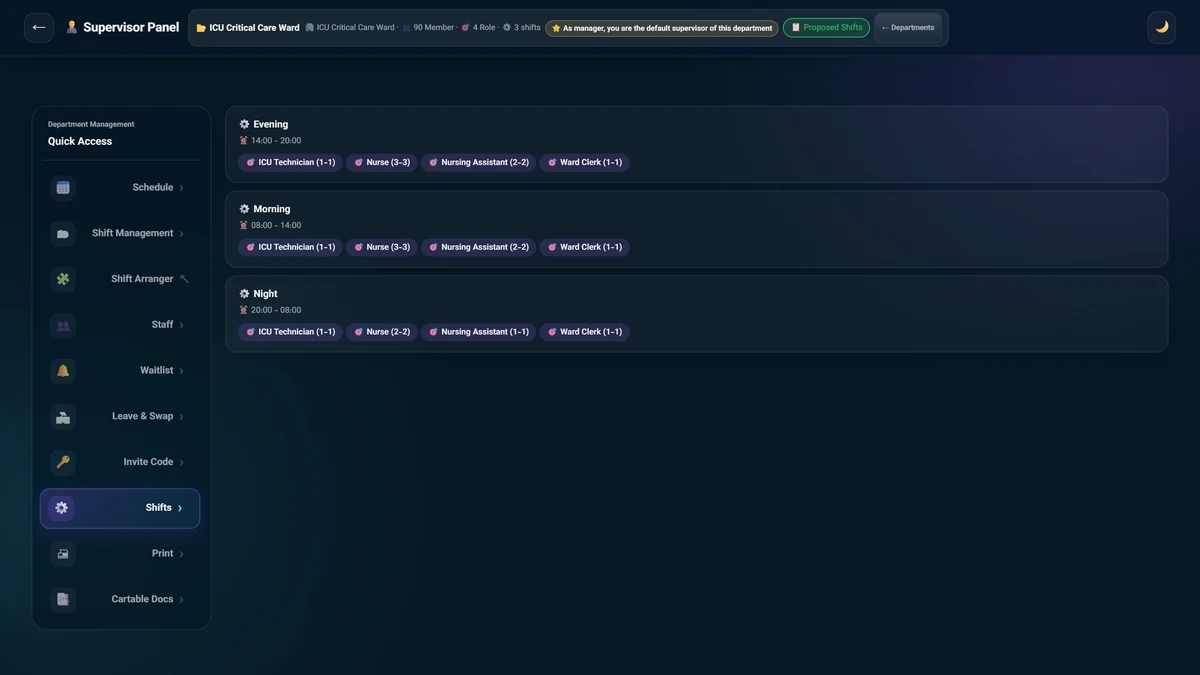
A hospital is defined; then each ward (like ICU) is built with its own rules and conditions.
| Buyer Criterion | Excel & Chat Apps | Generic Time-Clock Tools | Clinical Shift Platform (Axis Puls) |
|---|---|---|---|
| 12h Rest & No Night-to-Morning | Manual visual checks prone to fatigue | Logs punches only after violations happen | Preventive rule check before roster sign-off |
| 1.5x Night/Holiday Factor & Hour Caps | Fragile hand-written formulas | Lacks ward-specific clinical rules | Configurable per ward, role, and seniority |
| Staff Shift Preferences | Scattered across paper notes and DMs | Rigid or nonexistent | Priority 1–3 requests inside one calendar |
| Pre-Purchase Validation | No automated constraint check | Requires server setup & sales call | Instant live Shift Arranger demo + 2-month pilot |
Leave, shift transfer and automatic re-planning
Staff pick leave from inside their own shift list; the system identifies and suggests people who, under rules, limits, capacity, role and shift status, can take it, and after approval the plan is rewritten to the new state. In transfers too, staff or the head nurse create requests, eligible people are identified, and after acceptance the plan updates. The step-by-step guide is in the article Leave and shift transfer management.
Rollout, trial period and pricing model
Starting covers structure discovery, defining the hospital and wards, rules and limits, roles, shifts and capacities, adding staff, user training, then trial use. New organizations use the system two months on trial under real conditions and compare metrics like plan-prep time, change counts and head-nurse experience. Under the current model, capacity up to 75 people: 2,500,000 Toman monthly and 19,000,000 Toman yearly; other capacities are priced per contract. Full details in the article Rollout, trial and pricing.
To know the system deeper read: Suggested shifts, Preferred shifts, Leave & transfer, Fairness & access, Rollout & pricing and Nurse shift management.
| Hospital Role | Core Monthly Priority | Manual Bottleneck Today | Practical Outcome in Axis Puls |
|---|---|---|---|
| Shift Nurse / Staff | Predictable schedule and fair night rotation | Sending WhatsApp notes with no confirmation trail | Submit ranked preferences and track approval status |
| Head Nurse (Ward Lead) | Safe coverage across every shift without conflicts | Days spent rebuilding spreadsheets after one leave | Define ward rules once, generate drafts fast, sign off |
| Matron (Nursing Director) | Cross-ward balance and overtime visibility | Chasing mismatched Excel sheets across 10+ wards | Unified multi-ward oversight and clean sign-off trail |
| Hospital / HR Director | Compliance, cost control, and staff retention | Late attendance reconciliations and payroll disputes | Role-based access, audit logs, and verified monthly rosters |
Traditionally, requests gather by paper, SMS, messenger or calls; the head nurse pieces them together, checks rules by hand, and with every leave or swap several table sections are corrected again. As headcount and rules grow, that same process can take days. Axis Puls turns this path into a structured process: define rules ← register requests ← automatic checks ← arrange ← constraint control ← approve ← manage changes and report.
Nurse, physician, guard, services and security; each ward has the roles it needs.
A shift can be defined for one role or for the whole ward.
Minimum and maximum headcount, role- and gender-based capacity, and daily, weekly and monthly limits.
So the system doesn't just know “this person must have a shift”; it knows who, in which ward, in which role, at what time, under which conditions and in what capacity can stand in a shift. Staff membership also happens with each ward's dedicated code: staff enter the code, pick a role, and managers review, correct if needed, then approve.
Staff pick the days and shifts they want and mark request priority (e.g., priority 1: highly desirable). Requests gather in the system, the head nurse sees them, and during arrangement the system checks requests against rules and capacities. Full details in the article Suggested shifts.
Staff pick directly from shifts selectable for them under the rules — like seat selection in a ticketing system. If capacity exists it is selectable, and completed capacity deactivates for newcomers. The full comparison is in the article Preferred shifts.
In both methods, organization rules outrank individual choice. In suggested mode staff say “I prefer these shifts”, and in preferred mode “from the allowed options, I pick this one”.
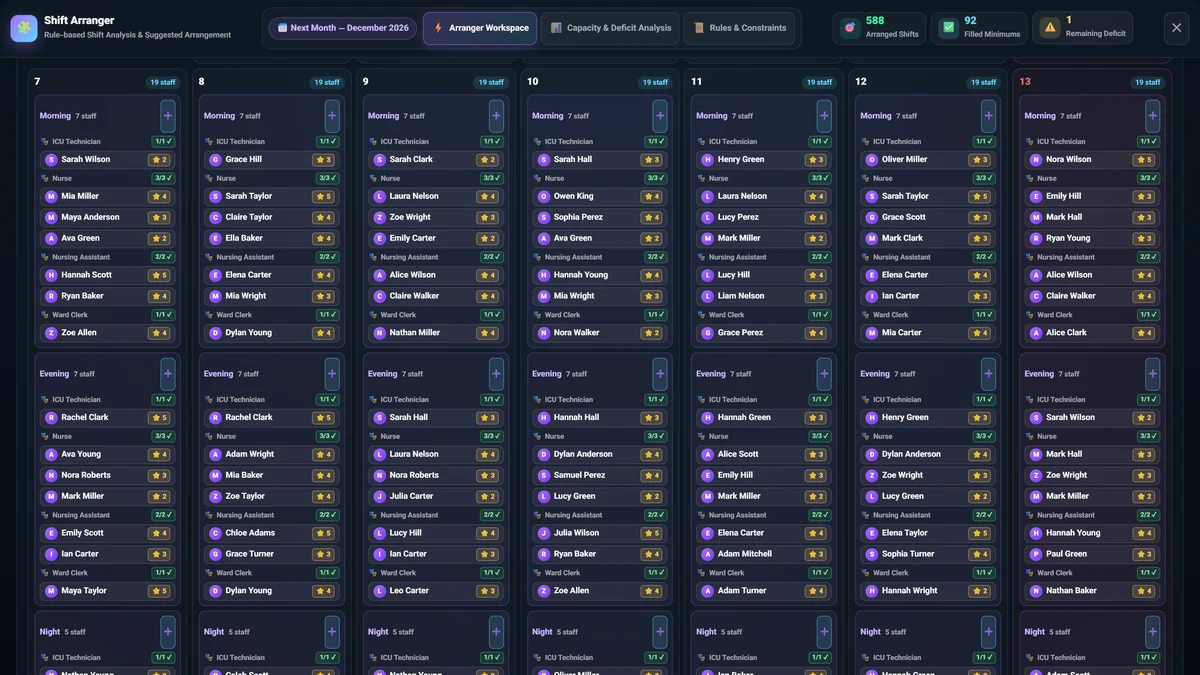
The arrangement engine places requests into the plan under rules and capacities, and can order requests by shift-capacity completion. With the re-arrange option managers build a fresh combination. As requests arrive, plan status is live visible: how many registered, how much capacity completed, which shifts still have room.
Two trust-building principles: first, if no suitable person can be placed under the conditions, instead of ignoring rules the system announces “this shift cannot be completed under the defined conditions”. Second, wherever logic is explainable, the system states why a person was or wasn't placed in a shift and which constraint blocked them; so managers never rely blindly on the final table.
To connect this workflow with adjacent tools and real examples, explore Live Shift Arranger Demo, Nurse Shift Guide, Matron Oversight Guide, Clinical Productivity Law.
❓ Frequently Asked Questions from Real Workflows
Define rules once; manage every month
Try two months in your own organization's real conditions, then decide.
Start trial periodOr test a simulated ward right now without signing up in the Live Interactive Shift Arranger Demo.