
- Software that suits a head nurse records each ward rule once and runs the same rule every month.
- The head nurse remains the ward manager: she sets the rules, reviews the output and makes the final decision; the system never replaces the head nurse.
- Staff contribute with a proposed shift (priority one to three) or a preferred shift from eligible options; rules stay above individual choice.
- Leave is recorded inside the same list and eligible staff from the same or authorized wards are suggested; the roster is rewritten.
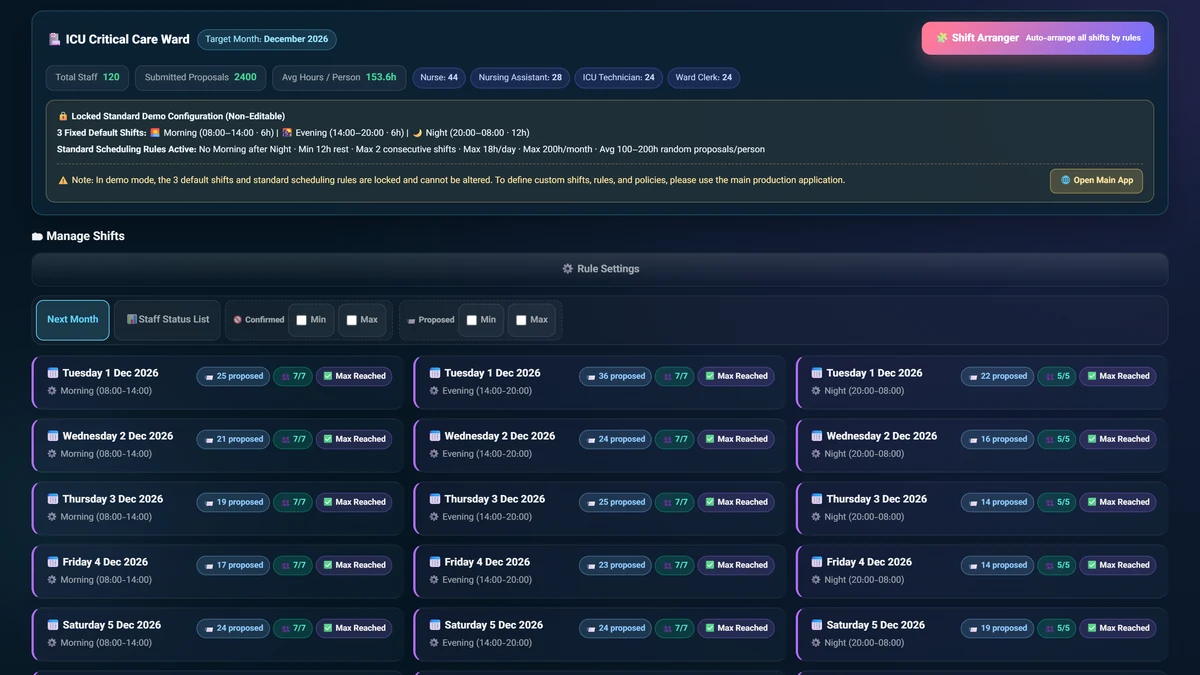
What is suitable head nurse software?
When ward rules live inside one person's memory, every month repeats the same cycle of scattered chat requests, manual spreadsheet edits, and night-shift fairness disputes. In this focused 5-minute read, see how head nurses, matrons, and hospital leads move from manual table-building to clear oversight—and test a live ward right away in the interactive shift demo.
Suitable head nurse software is a web-based system for planning, scheduling, managing and controlling ward staff shifts. It converts the traditional cycle of paper messages, request collection, manual review, table building, repeated corrections and approval into a structured cycle: rule definition, request recording, automatic review, scheduling, limit control, approval, change management and reporting. A table only says who works where and when; a system also manages everything around the table, from ward structure and roles to requests, scheduling, leave, handover, re-scheduling, reports and signing. Its core idea is simple: a rule is defined once, then enforced every month.
How should a head nurse manage nurse shifts?
Managing shifts from the head nurse view is a monthly cycle with a fixed discipline, not a one-time table. It starts with ward rules: minimum and maximum staff per shift, required roles, gender needs where relevant, and daily, weekly and monthly ceilings, all recorded in writing once. Next, staff enroll with the ward code and the manager confirms each role so scheduling runs on clean data. Then the request window is announced and staff record their view with one of two methods. Scheduling runs, sensitive assignment reasons are read, and when needed a re-run builds a fresh combination. Finally the list is signed in the outbox and announced to the team. Because the rule is already written, repeating this cycle never means starting from zero.
Know the two request methods precisely, because the choice shapes team experience. In the proposed-shift method, staff record desired days and shifts with priority one (most desired) to three (preferred), and the system weighs these against rules and fill levels during scheduling. In the preferred-shift method, each person picks directly from shifts eligible for her, like choosing a seat: a full seat cannot be chosen, and when capacity fills, the option closes for others. In both methods one rule is fixed: ward rules stay above individual choice. Opinions are heard and recorded, but execution follows ward law; this transparency keeps expectations realistic and turns later objections into documented dialogue.
| Hospital Role | Core Monthly Priority | Manual Bottleneck Today | Practical Outcome in Axis Puls |
|---|---|---|---|
| Shift Nurse / Staff | Predictable schedule and fair night rotation | Sending WhatsApp notes with no confirmation trail | Submit ranked preferences and track approval status |
| Head Nurse (Ward Lead) | Safe coverage across every shift without conflicts | Days spent rebuilding spreadsheets after one leave | Define ward rules once, generate drafts fast, sign off |
| Matron (Nursing Director) | Cross-ward balance and overtime visibility | Chasing mismatched Excel sheets across 10+ wards | Unified multi-ward oversight and clean sign-off trail |
| Hospital / HR Director | Compliance, cost control, and staff retention | Late attendance reconciliations and payroll disputes | Role-based access, audit logs, and verified monthly rosters |
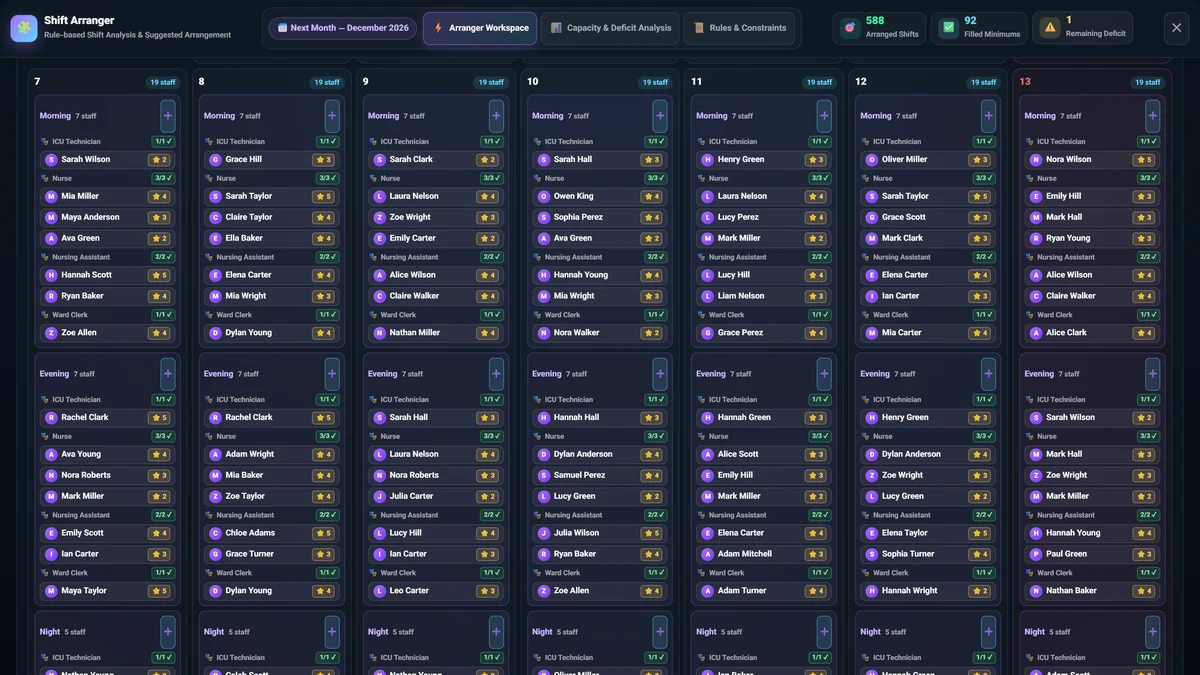
How do we find a shift replacement?
Replacement search is where the head nurse receives most calls and messages. See the scenario precisely: a nurse reports she cannot attend today. Manually, memory and contact-list search begins and usually ends in unanswered calls and a rushed pick. Structurally: a handover request is recorded inside the system, the system identifies staff qualified to receive that shift, the request goes to them, one person accepts, and the system applies the change to the roster. One shift change never demands a manual rebuild of the whole table. Eligibility is transparent: confirmed role, required gender where relevant, daily, weekly and monthly ceilings, rest and leave status, and remaining capacity of that shift.
Experienced head nurses stress keeping staff choice beside system discipline. Staff choice remains, but replacement search leaves manual hunting: the system first lists staff eligible under rules and conditions, then selection happens among eligible options. Neither the manager must call everyone nor staff must accept any offer; both sides decide on the eligible list. After the change the roster updates and internal announcements inform the replacement and shift colleagues. This cycle is automatic change management covering leave, handover, status, capacity and request changes without manual table rebuilds.
How do we review shift distribution?
Distribution is the most sensitive and misunderstanding-prone ward topic, and exactly here correct language is vital. The correct form is: the system provides roster distribution review and calculation so the manager can observe distribution more precisely. Calculation runs on shifts and the priorities staff set, and its goal is not to question head-nurse performance; the goal is to provide a better decision tool. Fairness tooling has three parts: distribution calculation on recorded shifts and priorities, a transparent report of nights, evenings, holidays and hours per person, and the managerial correction such as re-scheduling or rule adjustment. When the report shows one colleague carried most nights for months, the manager can consciously compensate; when it shows balance, the same report shields the manager against objections.
Review three reports monthly: night and holiday counts per person showing real pressure; daily, weekly and monthly hour totals warning before ceilings break; and recorded priorities against final assignments showing how much staff voice was heard. Review these three in the ward meeting; when staff see every hour calculated transparently and equally, roster trust rises and objections turn from emotional to reasoned. Where reports show a few people always touching ceilings while others stay distant, revisit rotation and capacity, and use re-scheduling to build a fresher combination to choose and sign in the outbox.
| Mid-Month Change Scenario | What Happens via Phone & Paper | Structured Leave & Replacement Flow |
|---|---|---|
| Sudden sick call before a shift | Frantic phone calls to every off-duty nurse | Instant list of eligible staff matching role, rest, and hour caps |
| Planned leave for next month | Paper slip forgotten while building the Excel sheet | Logged ahead of scheduling and respected automatically |
| Peer-to-peer shift swap | Informal trade that accidentally triggers a night-to-morning violation | Rule & cap validation on both colleagues before head-nurse approval |
| End-of-month reconciliation | Wall printout no longer matches actual shifts worked | Single live schedule with full change history |
To connect this workflow with adjacent tools and real examples, explore Live Shift Arranger Demo, Nurse Shift Guide, Matron Oversight Guide, Clinical Productivity Law, Excel vs. Shift Software, Smart Shift Management.
❓ Frequently Asked Questions from Real Workflows
Schedule next month roster with the head nurse input
Define the rules once and run them every month; requests, leave and replacements are managed in one system and the final decision stays with the ward manager.
Start your trialOr test a simulated ward right now without signing up in the Live Interactive Shift Arranger Demo.