- Issue: In the traditional method, vacation means manual search among colleagues and with each change, several parts of the table must be modified manually.
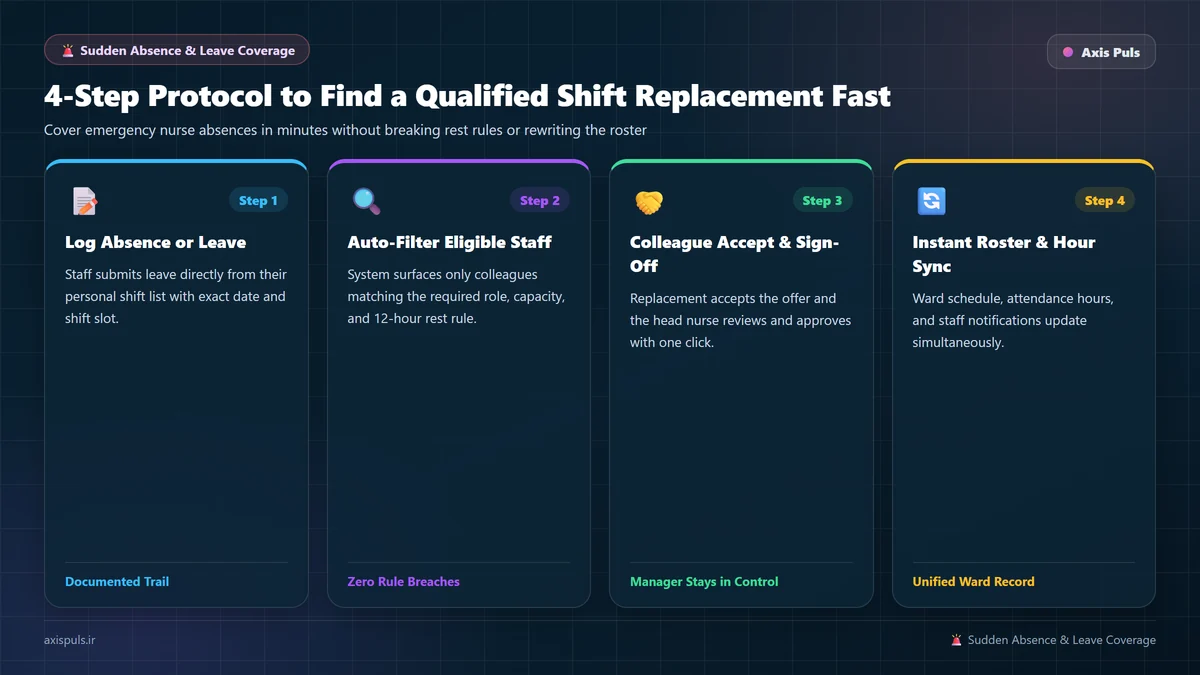
- Vacation route according to product documentation: The employee chooses leave from the list of his shifts and the system suggests eligible people to accept that shift.
- Delivery route: An assignment request is created, eligible individuals are identified, the candidate accepts it, and the application is updated.
- Result: Changing a shift does not require manual rebuilding of the entire table; Changes in the registration system and their effect on the program are managed.
Why is leave and handover management the bottleneck of the shift program?
No monthly roster survives contact with real life unchanged—one 6 a.m. sick call or family emergency can ripple through an entire Excel sheet. This 5-minute guide walks through finding eligible replacements and handling leave without breaking rest rules or rebuilding the table.
The shift schedule, which is confirmed and announced, is only halfway through; Because real life immediately begins to change that. Illness, family events, training assignments, vacation transfers, and dozens of other reasons cause multiple shifts to be called off or handed over during the month. In the traditional way, each of these changes activates a manual chain: one has to search among colleagues and ask one by one who can take their place; Headmasters must check whether the proposed alternative is compatible with the rules of the department or not; And after agreement, some parts of the table must be modified manually. When the number of changes increases, these successive corrections gradually move the table away from its original logic and create new errors.
Leave registration from the list of shifts
The starting point of the leave process is the individual himself. the employee selects the vacation option for the desired shift from the list of his shifts. This simple starting point has two important differences from the traditional method. First, the request for leave is tied to the person's identity, his role, the relevant department and the characteristics of the same shift from the beginning; So the system knows from the moment of registration exactly which vacancy was created in which section and under which conditions. Second, the request is registered in the same system where the rules and capacities are defined; So for the next step i.e. finding a replacement, all the necessary information is already available and there is no need to re-explain the shift specifications to different people.
The employee finds the desired shift among his shifts and registers the leave option.
| Mid-Month Change Scenario | What Happens via Phone & Paper | Structured Leave & Replacement Flow |
|---|---|---|
| Sudden sick call before a shift | Frantic phone calls to every off-duty nurse | Instant list of eligible staff matching role, rest, and hour caps |
| Planned leave for next month | Paper slip forgotten while building the Excel sheet | Logged ahead of scheduling and respected automatically |
| Peer-to-peer shift swap | Informal trade that accidentally triggers a night-to-morning violation | Rule & cap validation on both colleagues before head-nurse approval |
| End-of-month reconciliation | Wall printout no longer matches actual shifts worked | Single live schedule with full change history |
Identifying qualified people to cover the shift
After filing the leave request, the most important question is: Who can take this person's place? the system identifies the people who have the possibility to accept that shift according to the rules, restrictions, capacity, working conditions, role and shift status and suggests it to the employee. This means that instead of the person taking leave having to manually search among the employees and ask different people, a list of allowed options will be presented in front of him. Each name on this list is an individual for whom receiving that shift is not inconsistent with department rules; For example, the ceiling of his weekly shift is not filled, he has the required role of that shift and there is no conflict with his time limits.
The value of this clever suggestion lies in three points. First, Remove blind search; Instead of asking ten people, half of whom may not be allowed to take that shift at all, one speaks directly to real options. Second, Keeping the law in the moment of change; Because only authorized people are proposed, the alternative that is finally selected has also passed the filter of the rules and the coverage of the sector will not hide the violation of the law. third, Agreement speed; When both parties know that the system allows this transfer, the negotiation becomes shorter and more reliable. This alternative proposal logic is the same as in desired shift It is used for initial selection; With the difference that here it is applied to a specific and predetermined shift. For a complete picture of the planning process, Shift management guide See also
Request to transfer the shift and accept it by the colleague
Assignment is a close neighbor of leave but not exactly the same. On leave, one logs an excused absence for a shift and focuses on filling the vacancy; In handover, the shift itself is transferred from one person to another. the assignment path is as follows: employees or supervisors create a shift assignment request from within the system; The system identifies people with the necessary conditions to receive that shift and sends the request to them; People who are willing can accept it; And after this change, the app will be updated again. The goal is clear: changing a shift should not require manually rebuilding the entire table.
The product documentation scenario makes this path concrete: a nurse can't show up for a shift, requests a transfer from within the system, the system identifies eligible people and sends the request to them, someone accepts, and the system applies the change to the schedule. In all these steps, the final decision and approval is with the department manager, and the system plays the role of a rule-based facilitator. If your workforce falls under the category of service workers or shift workers, articles Staff shift and Shift workers and for the hospital environment, Nurses shift They are suitable supplements for this study. And remember: these features are described in the product documentation, and contact the Axis Puls product team for release status and activation details in your suite.
| Exhausting Manual Pattern | Real Impact on Nurses & Patient Care | Ergonomic Guardrail in Structured Rostering |
|---|---|---|
| Night-to-Morning Quick Returns | Acute sleep debt and higher medication-error risk | Hard 12-hour minimum rest rule between shifts |
| Uneven Night & Holiday Pile-Up | Perceived unfairness, resentment, and staff turnover | Monthly night cap and transparent rotation tracking |
| Last-Minute Roster Publication | Impossible family planning and chronic anxiety | Predictable request window and fast draft generation |
| Phone-Tag Shift Swapping | Constant interruptions for both nurses and head nurses | Rule-checked replacement list inside the workspace |
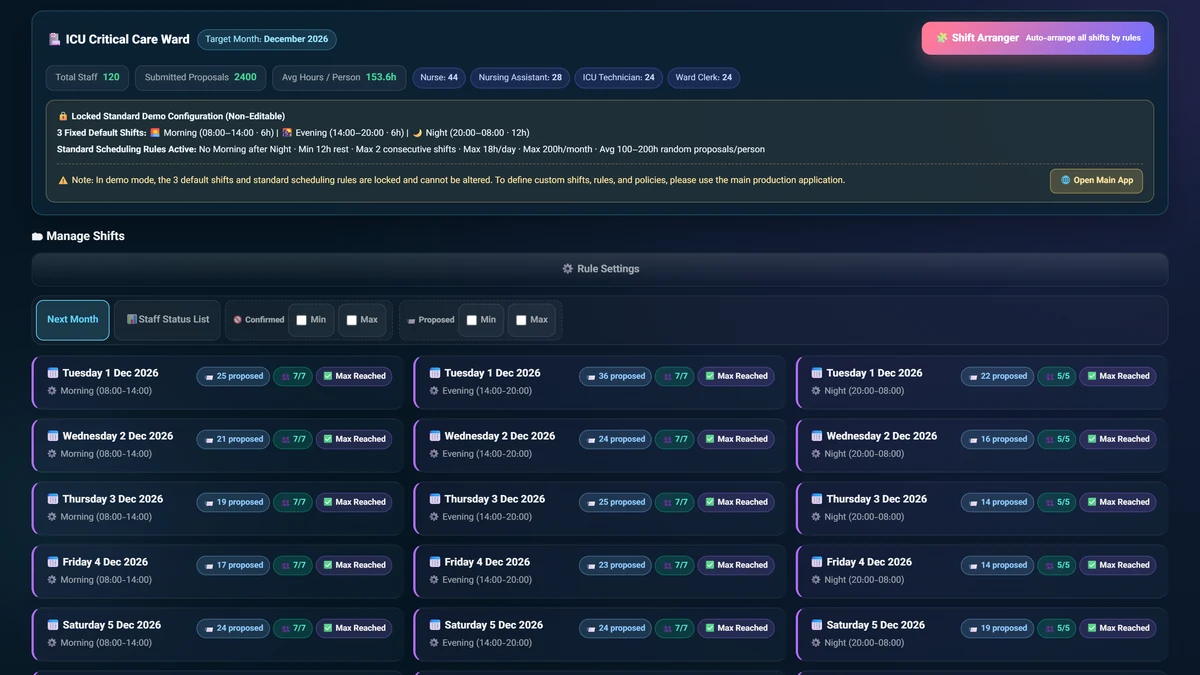
To connect this workflow with adjacent tools and real examples, explore Live Shift Arranger Demo, Nurse Shift Guide, Head Nurse Software, Matron Oversight Guide.
❓ Frequently Asked Questions from Real Workflows
Manage month changes in the same system
Try for two months in the real conditions of your collection and then decide.
Start of trial periodOr test a simulated ward right now without signing up in the Live Interactive Shift Arranger Demo.