- Setup: Eight steps in order: understanding the structure, defining the hospital and departments, rules, roles, shifts and capacities, adding staff, training and starting a trial.
- trial period: Two months of real use; Comparison of preparation time, changes, leave, compliance with restrictions and experience of managers.
- Price: According to the current model, for a capacity of up to 75 people, 2,500,000 tomans per month and 19,000,000 tomans per year; Other capacities according to the contract.
- Principle of sale: Experiment before deciding; No absolute claims and no promises about the features being developed.
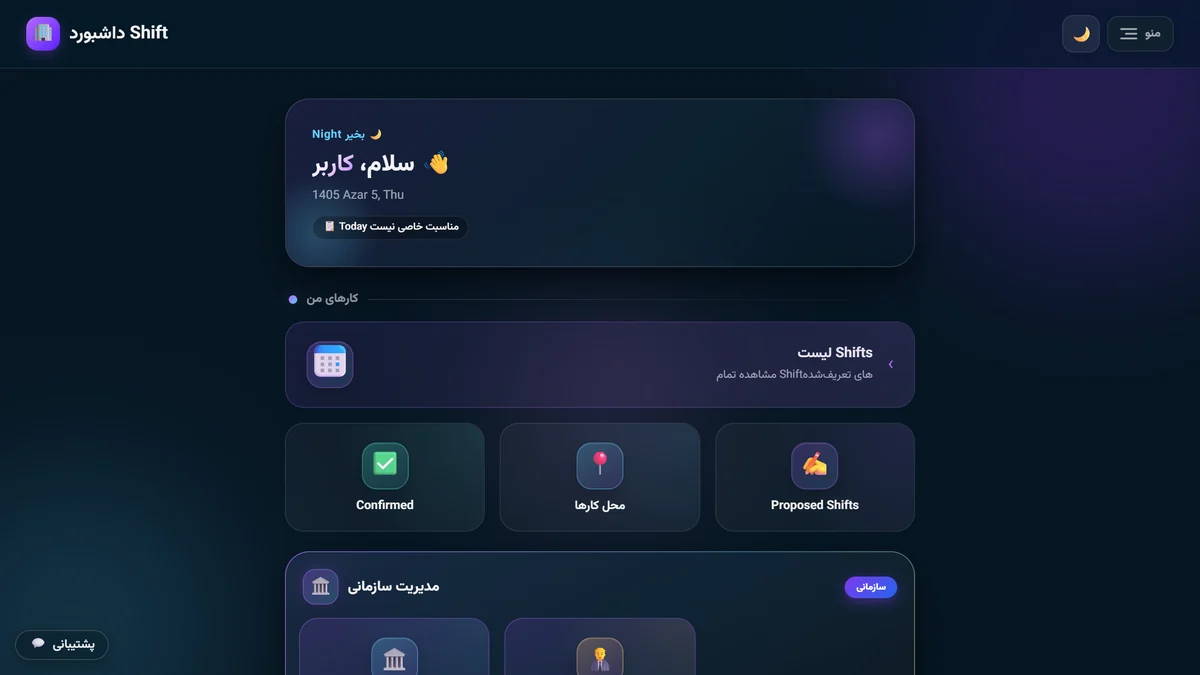
Eight setup steps for each set
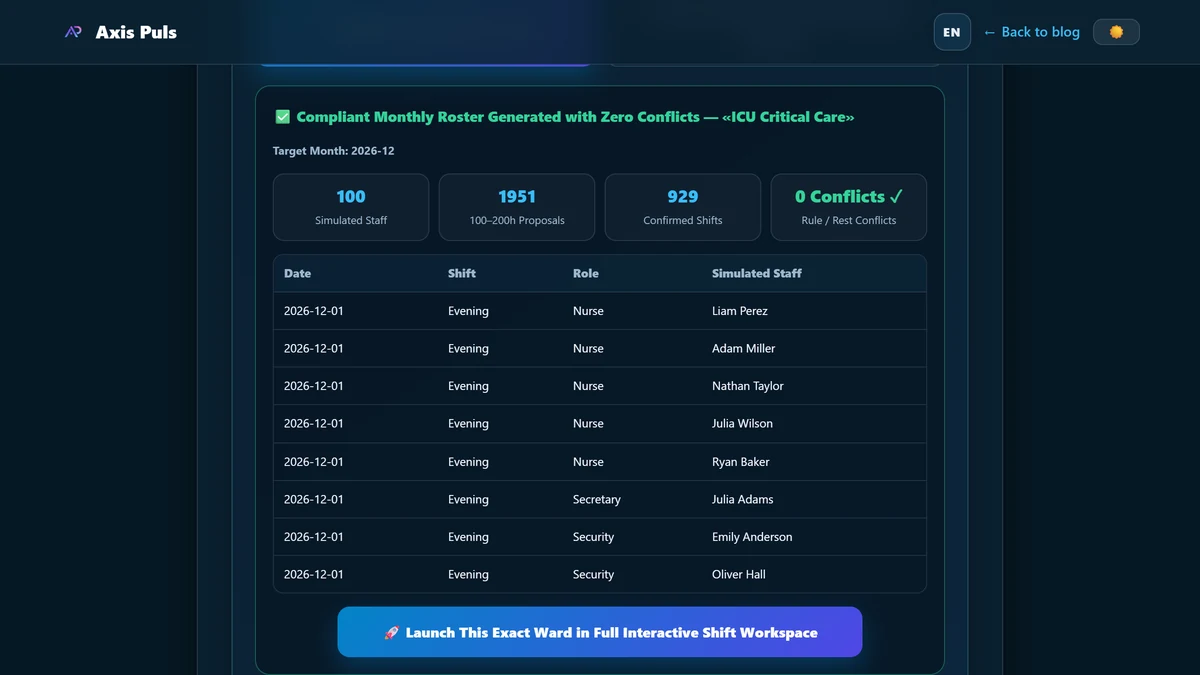
Choosing shift scheduling software gets tricky when every vendor promises effortless automation, yet your head nurses still face complex night rotations, holiday multipliers, and sudden sick calls. In this practical 5-minute guide, we break down what actually matters on a real ward—and how to test your own staffing mix in the live Shift Arranger demo before committing.
Getting started with a set in Axis Puls has a clear, step-by-step path; Not a single dry installation. This arrangement is designed in such a way that each step is the feed for the next step and at the end, the set is ready for trial use. The system is provided as a web app; Employees do not need to install heavy software and log in through a browser, and the user interface can be used for daily operations such as shift or leave registration without complex training; However, for each set, basic training is provided first.
Two-month trial period and comparison criteria
For new collections, Axis Puls for Two months on a trial basis It is provided to the group and the purpose of this course is clear: the group can test the system in its real conditions, experience the real process of planning with the system and evaluate its performance. After the trial period, if the group is satisfied, the system usage contract will be concluded. It is not necessary to make a purchase decision at first; The system is tested in real conditions and the decision is made based on the results.
In order for the evaluation to not be a matter of taste, the criteria that can be checked are already known: program preparation time, number of changes, leave management time, number of manual transfers, restrictions compliance status, staff usage rate, reporting status, and experience of supervisors and managers. It is suggested to estimate the same criteria in the last month of the previous method so that the comparison is number by number. This is the correct answer to the "we're just picking the shift" dilemma: the question is not whether the current method produces the program or not; The question is whether the same process can be done faster, more structured, more traceable, and with automatic control of constraints – and the pilot course is designed to answer exactly that question.
- Record the preparation time of each monthly plan from inception to signature.
- Count the number of manual table modifications and the number of moves.
- Note the time required to manage each leave and handover.
- Review limit violations or system warnings.
| Buyer Criterion | Excel & Chat Apps | Generic Time-Clock Tools | Clinical Shift Platform (Axis Puls) |
|---|---|---|---|
| 12h Rest & No Night-to-Morning | Manual visual checks prone to fatigue | Logs punches only after violations happen | Preventive rule check before roster sign-off |
| 1.5x Night/Holiday Factor & Hour Caps | Fragile hand-written formulas | Lacks ward-specific clinical rules | Configurable per ward, role, and seniority |
| Staff Shift Preferences | Scattered across paper notes and DMs | Rigid or nonexistent | Priority 1–3 requests inside one calendar |
| Pre-Purchase Validation | No automated constraint check | Requires server setup & sales call | Instant live Shift Arranger demo + 2-month pilot |
Development according to the real needs of the collection
One of the policies of Axis Puls is that the system is not a fixed and immutable system. If, in the course of use, a new capability is needed in order to improve shift management, solve an operational need, or upgrade existing facilities, the capabilities agreed upon in the framework of product development can be added to the system. The goal is for the system to be developed according to the real needs of the medical centers, not that the complex has to adapt itself to the fixed format of the software.
Along with this policy, transparency about product boundaries is also part of brand honesty. Patient management facilities and bed and room management Developing and the processes related to administrative letters - including sending letters for signature, letter boxes and administrative circulation - as well Developing are; No details are promised about them. The decision criterion in the trial period is the current active facilities: Suggested shift and desired shift, leave and surrender, Justice, report, cartable and signature of shift list.
Sales messages for Head Nurses, Matrons and Heads of Hospitals
The most important way to sell Axis Puls is that the marketer doesn't start by introducing all the features; He must find the problem first. Suggested order of the conversation: question ("How do you set up the shift schedule now?"), problem discovery ("How long does it take to collect requests?"), change discovery ("What happens if someone takes time off?"), constraint discovery ("How do you control the rules and capacities?"), system introduction, practical demonstration with the actual process of the same set, and finally a trial proposal ("Use two months in real conditions").
For headners: Your management is not going to be deleted; It is supposed to reduce the computational and repetitive work of planning. Headners is still the department manager, setting the rules, reviewing the schedule, making the final decision, and overseeing the department's performance; But repetitive calculations and checking a large amount of requests and restrictions are entrusted to the system, and he is closer to managing and controlling the program than manually arranging the table. For metro: Manage the planning of departments and the activities of the Headmasters in a visible and reporting structure. For the head of the hospital: Instead of several fragmented processes for scheduling shift staff, have a unified structure for defining rules, scheduling, changes, and reports; The whole set can use a single system.
| Hospital Role | Core Monthly Priority | Manual Bottleneck Today | Practical Outcome in Axis Puls |
|---|---|---|---|
| Shift Nurse / Staff | Predictable schedule and fair night rotation | Sending WhatsApp notes with no confirmation trail | Submit ranked preferences and track approval status |
| Head Nurse (Ward Lead) | Safe coverage across every shift without conflicts | Days spent rebuilding spreadsheets after one leave | Define ward rules once, generate drafts fast, sign off |
| Matron (Nursing Director) | Cross-ward balance and overtime visibility | Chasing mismatched Excel sheets across 10+ wards | Unified multi-ward oversight and clean sign-off trail |
| Hospital / HR Director | Compliance, cost control, and staff retention | Late attendance reconciliations and payroll disputes | Role-based access, audit logs, and verified monthly rosters |
To connect this workflow with adjacent tools and real examples, explore Live Shift Arranger Demo, Nurse Shift Guide, Head Nurse Software, Matron Oversight Guide.
❓ Frequently Asked Questions from Real Workflows
Experiment before deciding
Define the rules once; Manage the program with the same rules every month.
The beginning of the two-month trial periodOr test a simulated ward right now without signing up in the Live Interactive Shift Arranger Demo.