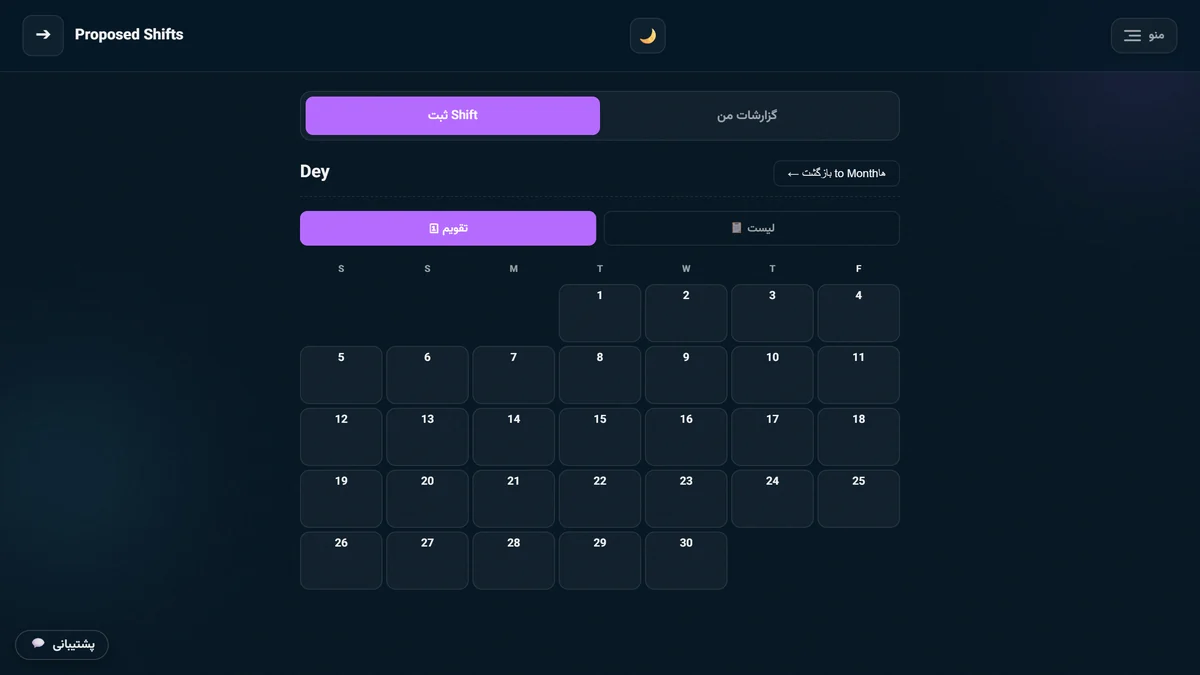
- What does the proposed shift mean: The employee says "I prefer these shifts" and indicates his preference on a scale of 1-3.
- Where applications go: Instead of SMS and paper, all requests are collected in a single structure inside the system and are visible to the headners.
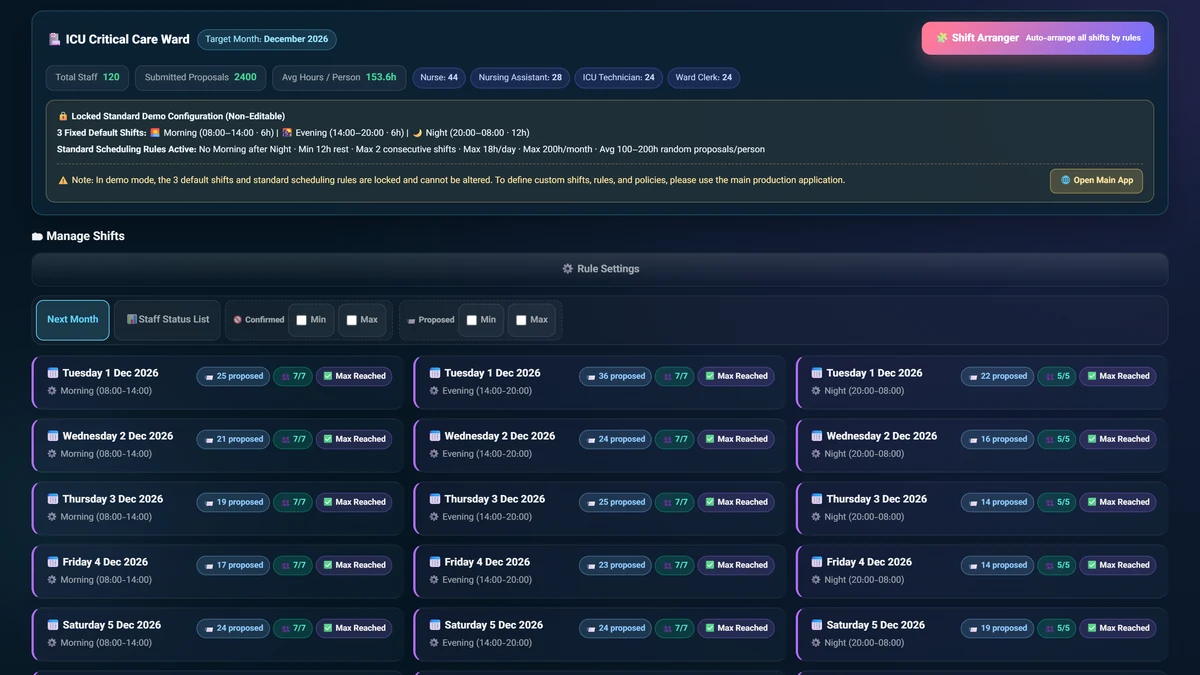
- How the layout is done: The layout engine checks requests against each shift's rules, role, department, and capacity and can sort based on capacity completion.
- Where does trust come from: The system does not violate the rule for filling the table, reports the uncompleted shift and explains the reason for the arrangement.
Method What is the proposed shift and what problem does it solve?
When ward rules live inside one person's memory, every month repeats the same cycle of scattered chat requests, manual spreadsheet edits, and night-shift fairness disputes. In this focused 5-minute read, see how head nurses, matrons, and hospital leads move from manual table-building to clear oversight—and test a live ward right away in the interactive shift demo.
In many hospitals and shift complexes, the month begins with a common pain: dozens of people apply for their shift from different directions; One sends text messages, one writes in the messenger group, one coordinates by phone, and one delivers on paper. The head nurse or shift manager must put together these scattered requests, remember the rules of each department and each role, control the capacity of each shift, and at the end make a schedule that both maintains the coverage of the department and respects people's preferences as much as possible. As the number of staff increases and the rules become more complex, this seemingly simple task turns into a multi-day process, with several parts having to be redone with each small change.
Registration of priority 1 to 3 and collection of requests in a structure
The heart of the proposed method is the concept of "priority". The employee doesn't just say which shift he wants; Rather it says every shift How much wants three priority levels are considered for requests: priority 1 meaning very desirable, priority 2 meaning desirable and priority 3 meaning preferred. This simple grading makes a big difference; Because the system understands during arrangement which requests are more critical for the person and in case of conflict between the requests of several people for a limited capacity, it can make a decision based on these priorities and department rules.
Shifts that are of great importance to the employee; The system gives more weight to these requests in the layout.
| Buyer Criterion | Excel & Chat Apps | Generic Time-Clock Tools | Clinical Shift Platform (Axis Puls) |
|---|---|---|---|
| 12h Rest & No Night-to-Morning | Manual visual checks prone to fatigue | Logs punches only after violations happen | Preventive rule check before roster sign-off |
| 1.5x Night/Holiday Factor & Hour Caps | Fragile hand-written formulas | Lacks ward-specific clinical rules | Configurable per ward, role, and seniority |
| Staff Shift Preferences | Scattered across paper notes and DMs | Rigid or nonexistent | Priority 1–3 requests inside one calendar |
| Pre-Purchase Validation | No automated constraint check | Requires server setup & sales call | Instant live Shift Arranger demo + 2-month pilot |
Rearrangement, instant viewing and uncompleted shift announcement
Shift planning is inherently repetitive work; It rarely happens that the composition made in the first step is the same as the final composition. That's why the option system Rearranging provides the administrator with: By running the process again, the system creates a new composition from scratch. This allows the administrator to test different deployment scenarios, see the effect of changing a rule or adding new requests, and finally choose a combination that is more acceptable in terms of segment coverage and respect for requests. Rearranging does not mean throwing away the previous work; It means having the opportunity to compare and make an informed choice.
Another feature, Instant view of program status It is at the same time as requests are received. The system does not need a separate and long "calculation start" step to generate the program; At the same time as each request is registered, the information can be processed and the manager can see how many people have sent their request, how much of the capacity of each shift has been completed, which shifts still have capacity and how the general status of the requests is. This momentary transparency removes the management of the month from the mode of "waiting until the end of the registration period and then starts picking" and enables active follow-up; For example, if three days before the end of the deadline, only half of the staff have registered, the manager will follow up sooner.
- If it is not possible to place the right person in a shift according to the defined conditions, the system does not violate the law and declares that shift cannot be completed.
- The manager always has a real-time view of the registration of requests and the percentage of completion of the capacity of each shift.
- By rearranging, new combinations can be made and options compared before final approval.
The ratio of the proposed shift to the desired shift and the starting steps
It is natural that the question arises: if there is a proposed shift, Desired shift What is its position? The short answer is that in the proposed method, the employee says "I prefer these shifts" and the system picks the schedule; But in the desired method, the employee says "I will choose this shift from the allowed options" and the system controls the capacity and rules at that moment. The proposed method is more suitable for departments where the manager wants to see all the requests at once, adjust the balance of the department himself and confirm the final composition; Especially in crowded hospital departments such as inpatient departments where round-the-clock coverage and combination of roles are sensitive. Read the full details of the second method in the Custom Shift article, and for a bigger picture, go to Shift Management Guide come back
| Hospital Role | Core Monthly Priority | Manual Bottleneck Today | Practical Outcome in Axis Puls |
|---|---|---|---|
| Shift Nurse / Staff | Predictable schedule and fair night rotation | Sending WhatsApp notes with no confirmation trail | Submit ranked preferences and track approval status |
| Head Nurse (Ward Lead) | Safe coverage across every shift without conflicts | Days spent rebuilding spreadsheets after one leave | Define ward rules once, generate drafts fast, sign off |
| Matron (Nursing Director) | Cross-ward balance and overtime visibility | Chasing mismatched Excel sheets across 10+ wards | Unified multi-ward oversight and clean sign-off trail |
| Hospital / HR Director | Compliance, cost control, and staff retention | Late attendance reconciliations and payroll disputes | Role-based access, audit logs, and verified monthly rosters |
To connect this workflow with adjacent tools and real examples, explore Live Shift Arranger Demo, Nurse Shift Guide, Matron Oversight Guide, Clinical Productivity Law, Excel vs. Shift Software.
❓ Frequently Asked Questions from Real Workflows
Collect requests in a structured manner; Leave the layout to the system
Try for two months in the real conditions of your collection and then decide.
Start of trial periodOr test a simulated ward right now without signing up in the Live Interactive Shift Arranger Demo.