- Issue: Without control, the program remains on paper; Lateness and absence are not recorded, and the work at the end of the month is a point of dispute.
- Solution: Defining performance indicators (presence, delay, absence, alternative coverage), recording all changes in a system and periodic reporting according to the level of access.
- Important principle: Transparent and uniform control builds trust; Hidden and tasteful control destroys trust.
- Role of Axis Puls: the changes are applied within the same management system and in the application, and each manager sees a report according to his access.
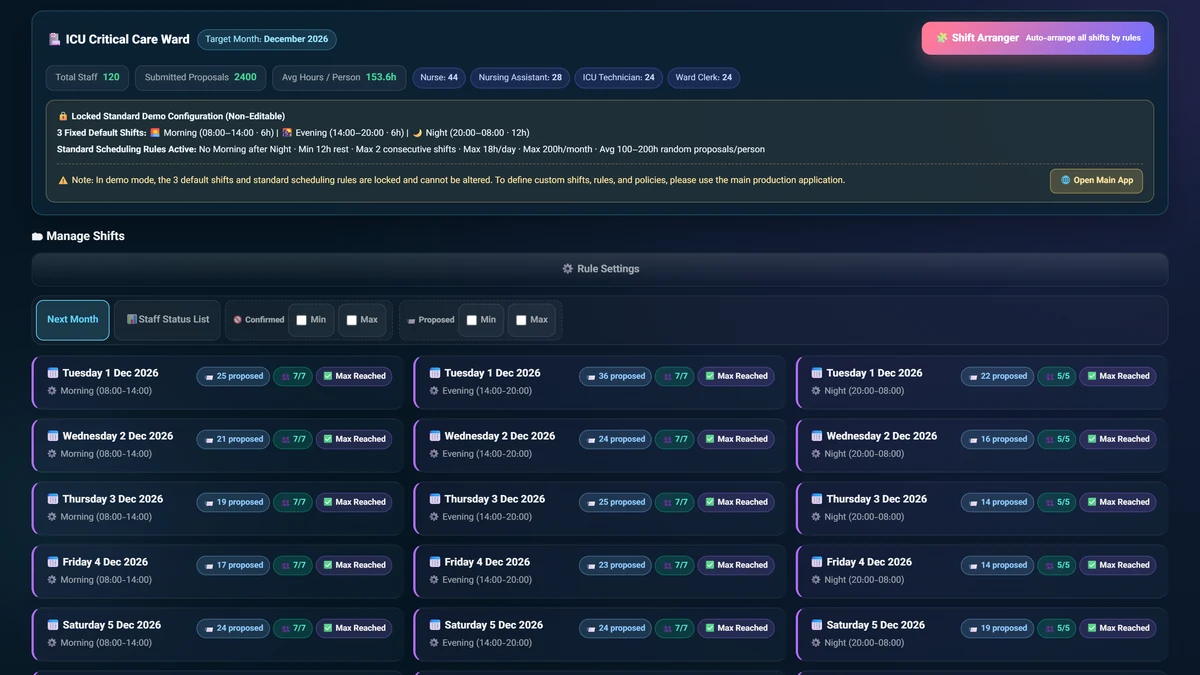
What is shift control and why is the program execution guaranteed?
When ward rules live inside one person's memory, every month repeats the same cycle of scattered chat requests, manual spreadsheet edits, and night-shift fairness disputes. In this focused 5-minute read, see how head nurses, matrons, and hospital leads move from manual table-building to clear oversight—and test a live ward right away in the interactive shift demo.
Shift control It means monitoring that the program in the stage Shift adjustment Arranged, put into practice: who showed up on time, who was late, which shift was left vacant and covered by what replacement, and what each person's actual performance number is at the end of the period. Without this layer, even the most fair table will lose its credibility over time; Because the staff see that there is a gap between "plan" and "reality" and no one follows it.
Indicators you should monitor every week
Control without numbers reverts to guesswork and verbal reporting. The following six indicators complete the implementation picture of the program and form the basis of a fair dialogue with the staff.
Proportion of shifts started fully staffed and on time; Its fall is the alarm of coverage or motivation.
| Hospital Role | Core Monthly Priority | Manual Bottleneck Today | Practical Outcome in Axis Puls |
|---|---|---|---|
| Shift Nurse / Staff | Predictable schedule and fair night rotation | Sending WhatsApp notes with no confirmation trail | Submit ranked preferences and track approval status |
| Head Nurse (Ward Lead) | Safe coverage across every shift without conflicts | Days spent rebuilding spreadsheets after one leave | Define ward rules once, generate drafts fast, sign off |
| Matron (Nursing Director) | Cross-ward balance and overtime visibility | Chasing mismatched Excel sheets across 10+ wards | Unified multi-ward oversight and clean sign-off trail |
| Hospital / HR Director | Compliance, cost control, and staff retention | Late attendance reconciliations and payroll disputes | Role-based access, audit logs, and verified monthly rosters |
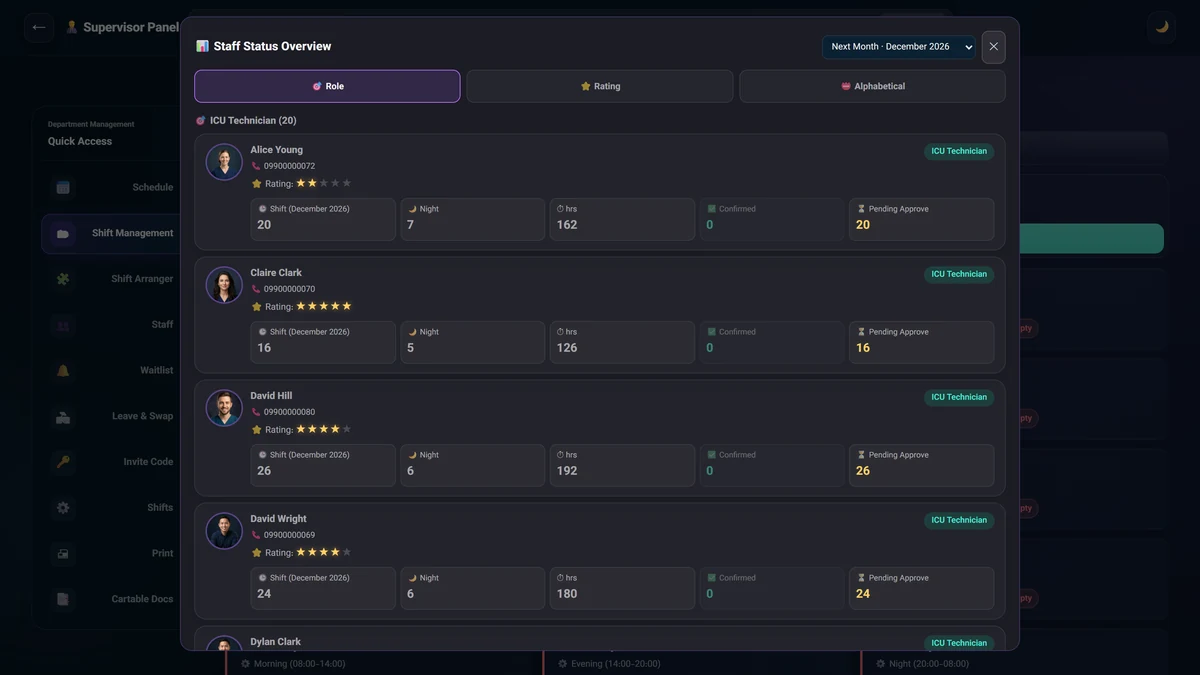
When the force does not show up for the shift; What is the correct scenario?
The most critical moment of control is sudden absence. In the traditional way, the manager starts calling this and that; Every call means wasting time and sometimes choosing a person who is not allowed to take that shift in terms of legality or capacity. The right scenario has three steps: Instant vacancy registration, Identification of qualified persons (in terms of role, capacity, limitation and status of that turn) and Substitute notification and confirmation By registering in the program.
In Axis Puls request Leave and assignment of shifts It is registered in the same system; The system identifies and suggests people who can accept that shift, and after acceptance and approval, the program is updated. That is, covering the empty space is done without manual reconstruction of the entire table, and the traces of the decision are also recorded: who, in whose place, with whose approval. This footprint is the basis of the month-end report.
- Was the vacancy immediately registered in the system?
- Was the replacement selected from among the qualified?
- Admin approval recorded?
- Was the program updated and communicated to relevant people?
From control to improvement; A cycle that makes the program better every period
The real value of control is not just recording violations; is learning At the end of each period, answer three questions with numbers: Which turns had the most deviation? Which layout rules were most violated or circumvented? Which changes (vacation, relocation) took the most time? The answers are the input to modifying the rules of the next period: maybe the capacity of a turn is low, maybe the rotation pattern of a group is abrasive, maybe the change registration channel is hard for the staff.
This cycle of "Layout ← Run ← Control ← Modify Rules ← Better Layout" is what turns a static table into a living system. because the rules are defined in the centralized system, their modification is done once and is automatically applied in subsequent deployments; There is no need to reteach everything every month. Collections that want to measure this cycle in practice can use the system on a trial basis for two months in real conditions and compare criteria such as time to cover vacancies and compliance with the program before and after.
| Mid-Month Change Scenario | What Happens via Phone & Paper | Structured Leave & Replacement Flow |
|---|---|---|
| Sudden sick call before a shift | Frantic phone calls to every off-duty nurse | Instant list of eligible staff matching role, rest, and hour caps |
| Planned leave for next month | Paper slip forgotten while building the Excel sheet | Logged ahead of scheduling and respected automatically |
| Peer-to-peer shift swap | Informal trade that accidentally triggers a night-to-morning violation | Rule & cap validation on both colleagues before head-nurse approval |
| End-of-month reconciliation | Wall printout no longer matches actual shifts worked | Single live schedule with full change history |
Effective control has three outputs. first, Timely coverage: The vacancy is quickly identified and filled with a qualified person. Second, Executive justice: Overtime, lateness and absenteeism are all registered with the same criteria and the right of regular staff is not lost. third, Organizational memory: Patterns of deviation (for example, a turn that always starts late) are observed and corrected in the next period layout. That is why shift management Complete is both planning and control; One is incomplete without the other.
The number and length of delay of each person and each turn; A repeated pattern of being late at a particular turn is indicative of a structural problem rather than an individual one.
To connect this workflow with adjacent tools and real examples, explore Live Shift Arranger Demo, Nurse Shift Guide, Head Nurse Software, Matron Oversight Guide, Clinical Productivity Law, Excel vs. Shift Software.
❓ Frequently Asked Questions from Real Workflows
Make the implementation of the program observable and referable
Try for two months in the real conditions of your collection and then decide.
Start free trialOr test a simulated ward right now without signing up in the Live Interactive Shift Arranger Demo.