- Shift fairness: calculating shift distribution based on shifts and staff priorities; a tool for better management decisions, not for judging people.
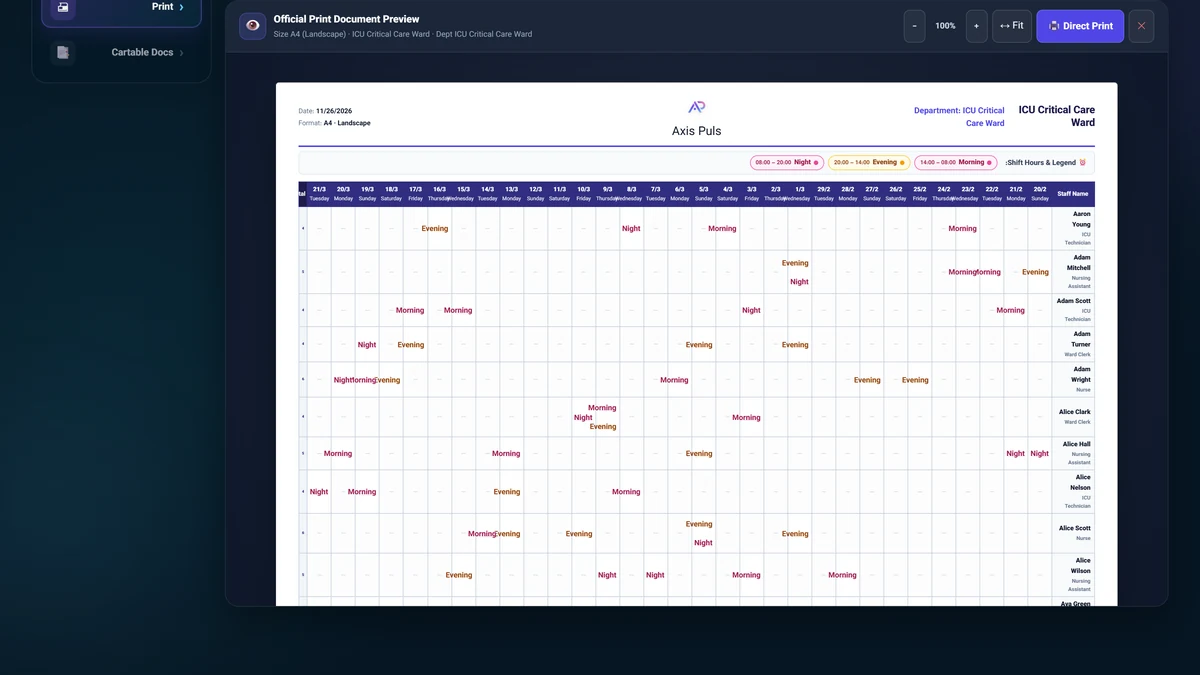
- Shift reports: each management level sees reports matching its access, from shift schedules to user activity.
- Access levels: hospital director to matron to head nurse to staff is the default path, but it is adjustable with no mandatory fixed structure.
- Cartable and signing: sending the ready list for review and signing through a security mechanism; administrative letters are under development.
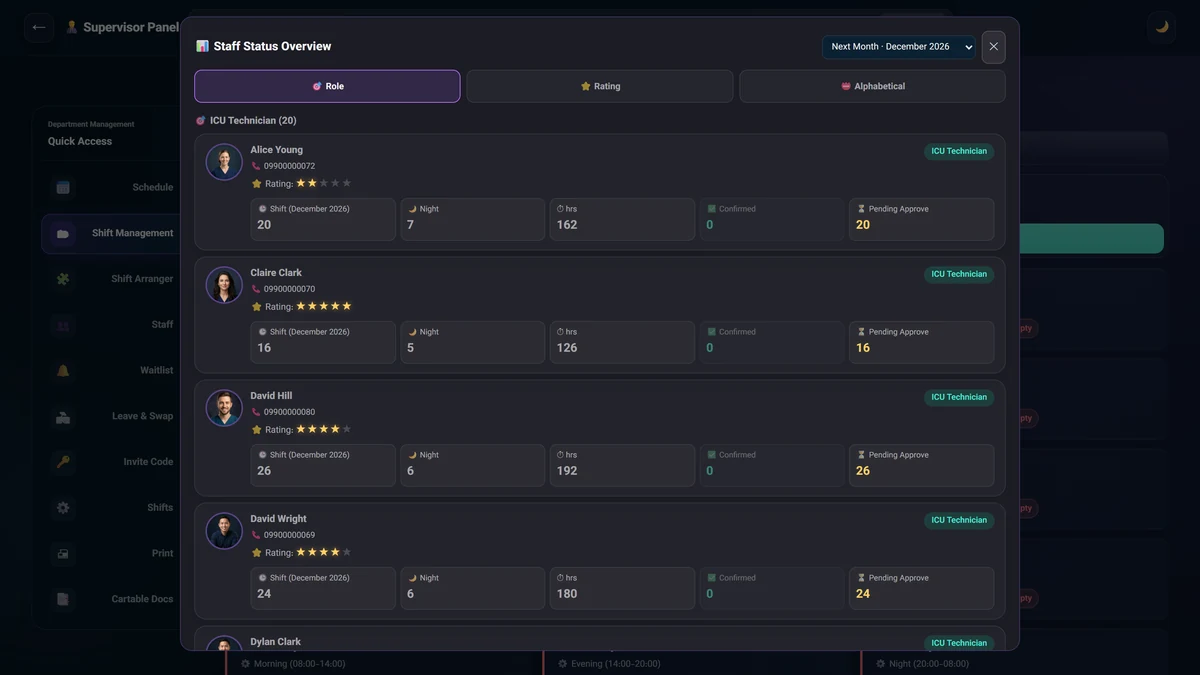
Calculating fairness in shift distribution
When ward rules live inside one person's memory, every month repeats the same cycle of scattered chat requests, manual spreadsheet edits, and night-shift fairness disputes. In this focused 5-minute read, see how head nurses, matrons, and hospital leads move from manual table-building to clear oversight—and test a live ward right away in the interactive shift demo.
One of the most sensitive topics in any ward is staff perception of shift-distribution fairness. Night shifts, holiday shifts and heavy shifts breed dissatisfaction without transparent division, even when decisions were correct. For exactly this point, Axis Puls offers fairness calculation in shift distribution; the calculation runs on shifts and the priorities staff set for them, so managers can see distribution more precisely.
Access-level reporting
Axis Puls has a reporting system for shift and user-activity information, and its key principle is simple: each management level views the information it needs according to its access. Reports can be used to review shift schedules, staff status, changes, ward performance, request status, user activity and other data recorded in the system. The head nurse sees her ward's operational report, the matron has the aggregated picture of wards, and the hospital director views the management activities performed in the system.
This access separation has two simultaneous benefits: sensitive information of each ward is not exposed to unrelated people, and no manager drowns in a flood of irrelevant data. When everyone sees exactly the report needed for their own decisions, decisions get faster and review meetings become shorter and more result-oriented. Reports also build organizational memory; the changes, leaves and swaps explained in the leave and shift-swap article are all traceable in reports.
| Hospital Role | Core Monthly Priority | Manual Bottleneck Today | Practical Outcome in Axis Puls |
|---|---|---|---|
| Shift Nurse / Staff | Predictable schedule and fair night rotation | Sending WhatsApp notes with no confirmation trail | Submit ranked preferences and track approval status |
| Head Nurse (Ward Lead) | Safe coverage across every shift without conflicts | Days spent rebuilding spreadsheets after one leave | Define ward rules once, generate drafts fast, sign off |
| Matron (Nursing Director) | Cross-ward balance and overtime visibility | Chasing mismatched Excel sheets across 10+ wards | Unified multi-ward oversight and clean sign-off trail |
| Hospital / HR Director | Compliance, cost control, and staff retention | Late attendance reconciliations and payroll disputes | Role-based access, audit logs, and verified monthly rosters |
Access levels; from hospital director to staff
Different access levels can be defined for different users, and the access structure can match the organization's chart. The default pattern is the familiar hospital path: hospital director, matron, head nurse and staff. But importantly, access rights are adjustable and are not necessarily limited to a fixed structure; each organization can arrange access to fit its real chart.
They view management activities performed in the system and hold an integrated big picture of all wards.
Internal and SMS notifications, multi-layered system security
A plan nobody hears about never gets executed. The system has internal notifications, and users can also enable SMS notifications for some events — where the feature is active. Important events such as leave approval, swap acceptance or list signing quickly reach the right people, and coordination leaves the manual follow-up mode.
On the protection side, Axis Puls secures the system with several layers: mobile-number authentication, login checks, access levels, activity-log recording, periodic backups, short-interval backups, IP control, work-location access zones, signature-related security mechanisms and security updates. The goal is clear: shift-schedule information and user activity should reach only authorized people. Timely notifications plus multi-layered security is what separates a hospital system from a simple table; see the full picture in the comprehensive shift management guide and follow the starting path in the setup, trial period and pricing article.
| Mid-Month Change Scenario | What Happens via Phone & Paper | Structured Leave & Replacement Flow |
|---|---|---|
| Sudden sick call before a shift | Frantic phone calls to every off-duty nurse | Instant list of eligible staff matching role, rest, and hour caps |
| Planned leave for next month | Paper slip forgotten while building the Excel sheet | Logged ahead of scheduling and respected automatically |
| Peer-to-peer shift swap | Informal trade that accidentally triggers a night-to-morning violation | Rule & cap validation on both colleagues before head-nurse approval |
| End-of-month reconciliation | Wall printout no longer matches actual shifts worked | Single live schedule with full change history |
Tone matters when introducing this feature and must be handled carefully. Never say the system detects that a head nurse is unfair; that is both wrong and insulting. The correct statement is: the system provides shift-distribution review and calculation so managers can see distribution more precisely. The system does not question head nurses' performance; it delivers a better decision-making tool. When distribution is visible in numbers, conversations with unhappy staff also leave emotions behind and proceed on data.
Say: “The system provides shift-distribution review and calculation so managers can see distribution more precisely.” Do not say the system judges whether people are fair. Fairness in Axis Puls is a transparent dashboard for better decisions, not a verdict on anyone's performance.
In practice, this feature helps managers spot hidden patterns: have undesirable shifts landed on the same few people for months? Has one group's registered priorities been systematically covered less? Seeing these patterns before they turn into complaints is the real value of fairness calculation. Combined with precise rules and capacities, it builds a defensible distribution.
To connect this workflow with adjacent tools and real examples, explore Live Shift Arranger Demo, Nurse Shift Guide, Clinical Productivity Law, Excel vs. Shift Software.
❓ Frequently Asked Questions from Real Workflows
See distribution clearly; decide precisely
Try it for two months under your organization's real conditions, then decide.
Start the trial periodOr test a simulated ward right now without signing up in the Live Interactive Shift Arranger Demo.