- Our position: Spreadsheets are enough for a small team with simple rules; this page is no enemy of spreadsheets.
- Three dimensions: Preparation and fixing time, overlap and rule-break errors, and coordination of requests and changes.
- Turning point: As staff numbers, rules, and monthly changes grow, manual control becomes costly and error-prone.
- Decision: The table on this page shows which side you are on and where the transition starts.
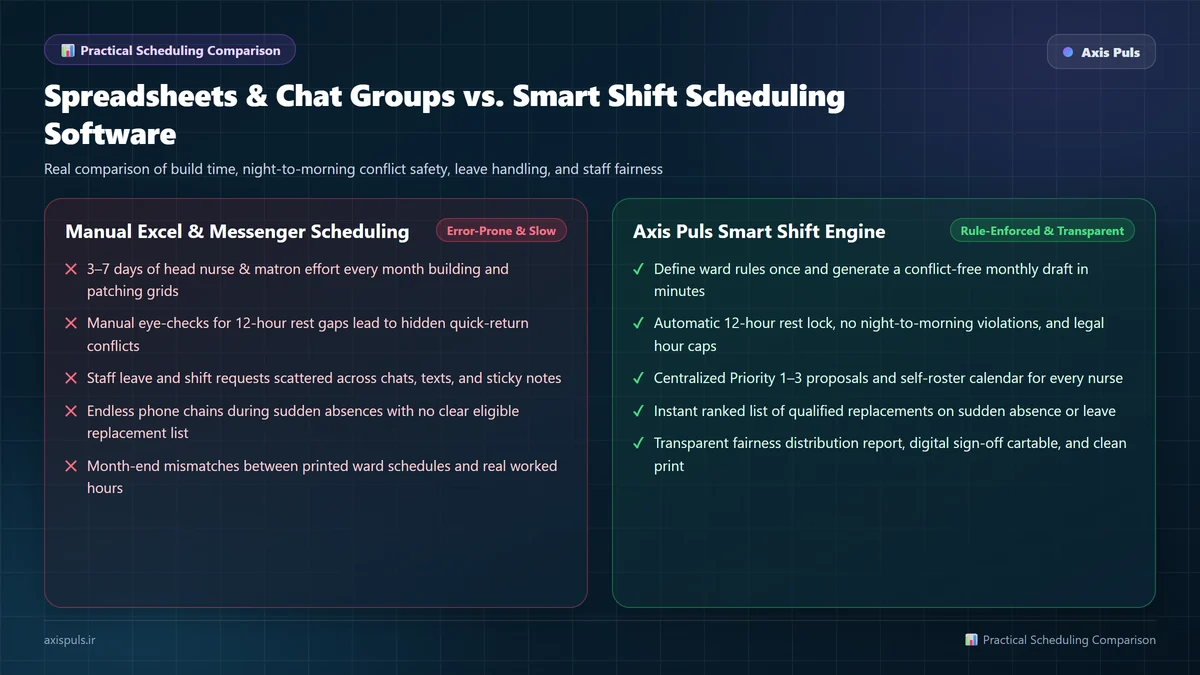
What is the manual method and why is it still alive?
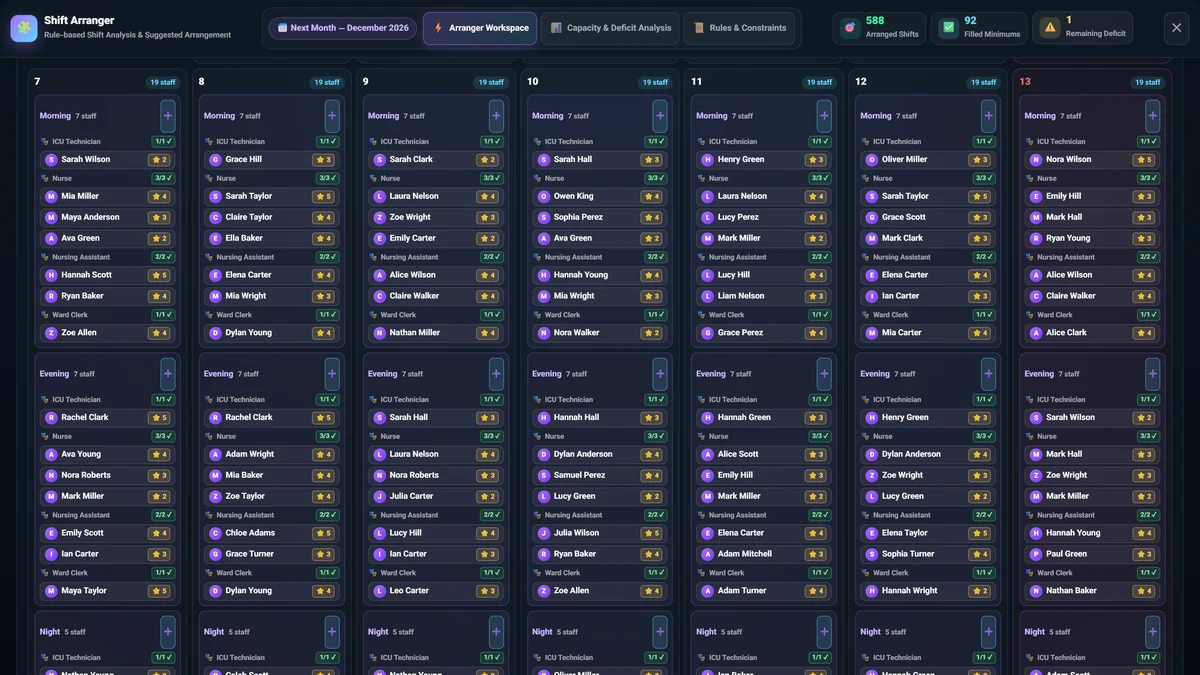
Choosing shift scheduling software gets tricky when every vendor promises effortless automation, yet your head nurses still face complex night rotations, holiday multipliers, and sudden sick calls. In this practical 5-minute guide, we break down what actually matters on a real ward—and how to test your own staffing mix in the live Shift Arranger demo before committing.
By the manual method we mean the familiar combination most organizations use: a spreadsheet file for the monthly table, paper and notebooks for notes, and messengers and calls for collecting requests and coordinating leave. This combination is not dead because it has three real advantages: it is familiar and everyone can use it, it starts cheap with no training or setup needed, and for a small scale it is sufficient. The supervisor of a small team holds every member and limit in mind and controls the table with that same mind.
Comparing across time, errors, and coordination
In the manual method a repeated cycle runs every month: collecting requests from different channels, putting them together, building the table, checking rules from memory and experience, and then repeated fixes with every leave and swap. As staff and rules grow, this cycle gets longer, and every small change moves several parts of the table. In the software path per the product documentation, rules are registered once and applied every month; the manager need not review every limit from scratch each month, and changes are registered in the system with their effects managed on the plan. The difference is negligible at a small scale, but it becomes meaningful as the organization grows.
A spreadsheet displays whatever you type, but it does not guarantee correctness; rule compliance depends entirely on manager care and patience. Fatigue, rush, and distraction leak directly into a manual table. In the software path, arrangement runs on the same registered rules, and one important principle governs: if a shift cannot be completed under the defined conditions, the system reports that same case to the manager instead of ignoring the rule. Errors turn from hidden rows into transparent management reports. Read the details of this logic in the shift management guide. The full system map is in the complete shift management software guide.
| Buyer Criterion | Excel & Chat Apps | Generic Time-Clock Tools | Clinical Shift Platform (Axis Puls) |
|---|---|---|---|
| 12h Rest & No Night-to-Morning | Manual visual checks prone to fatigue | Logs punches only after violations happen | Preventive rule check before roster sign-off |
| 1.5x Night/Holiday Factor & Hour Caps | Fragile hand-written formulas | Lacks ward-specific clinical rules | Configurable per ward, role, and seniority |
| Staff Shift Preferences | Scattered across paper notes and DMs | Rigid or nonexistent | Priority 1–3 requests inside one calendar |
| Pre-Purchase Validation | No automated constraint check | Requires server setup & sales call | Instant live Shift Arranger demo + 2-month pilot |
Decision table; Which side are you on?
Read this table honestly against the state of your own organization. If most rows sit in the right column, your manual method still works and there is no rush to change. If most rows sit in the left column, you pay the hidden cost of the manual method every month.
- Few and steady shift staff means spreadsheets suffice. Versus: staff numbers are large or constantly changing means a system becomes necessary.
- Limited and simple rules mean spreadsheets suffice. Versus: ceilings, rests, roles, and exceptions are complex means a system becomes necessary.
- Few monthly changes mean spreadsheets suffice. Versus: repeated leave and swaps keep breaking the table means a system becomes necessary.
- One steady, experienced table owner means spreadsheets suffice. Versus: owners change and table knowledge leaves with them means a system becomes necessary.
What exactly does the software path change?
If the decision table brought you toward a system, know exactly what you buy. Per the product documentation, the Axis Puls path is a clear chain: defining departments and roles, registering rules and capacities, registering shift requests with priority, head-nurse review, rule-based arrangement, monthly final approval, managing leave and handover with eligible replacements, reports and signing. None of these steps is magic; it is the same work an experienced supervisor does manually, only recorded, repeatable, and independent of one mind.
Two guarantees separate this path from a plain table. First, rules outrank choice; in every method department rules stand above personal choice, and the system never breaks rules to fill the table. Second, change needs no manual rebuild of the whole table; leave and handover are registered in the system and their effects are managed on the plan. Transition starts with understanding the organization structure, and then the organization uses the system on trial in real conditions to compare schedule preparation time and supervisor experience with the previous method. See the full picture in the complete shift management guide and the hospital experience in nurse shifts. The section roadmap lives in the shift and workforce hub and the executive features in the smart shift scheduling overview.
| Hospital Role | Core Monthly Priority | Manual Bottleneck Today | Practical Outcome in Axis Puls |
|---|---|---|---|
| Shift Nurse / Staff | Predictable schedule and fair night rotation | Sending WhatsApp notes with no confirmation trail | Submit ranked preferences and track approval status |
| Head Nurse (Ward Lead) | Safe coverage across every shift without conflicts | Days spent rebuilding spreadsheets after one leave | Define ward rules once, generate drafts fast, sign off |
| Matron (Nursing Director) | Cross-ward balance and overtime visibility | Chasing mismatched Excel sheets across 10+ wards | Unified multi-ward oversight and clean sign-off trail |
| Hospital / HR Director | Compliance, cost control, and staff retention | Late attendance reconciliations and payroll disputes | Role-based access, audit logs, and verified monthly rosters |
To connect this workflow with adjacent tools and real examples, explore Live Shift Arranger Demo, Nurse Shift Guide, Head Nurse Software, Matron Oversight Guide, Clinical Productivity Law, Smart Shift Management.
❓ Frequently Asked Questions from Real Workflows
See whether a system pays off for your scale
Try for two months in the real conditions of your organization and then decide.
Start the trial periodOr test a simulated ward right now without signing up in the Live Interactive Shift Arranger Demo.