
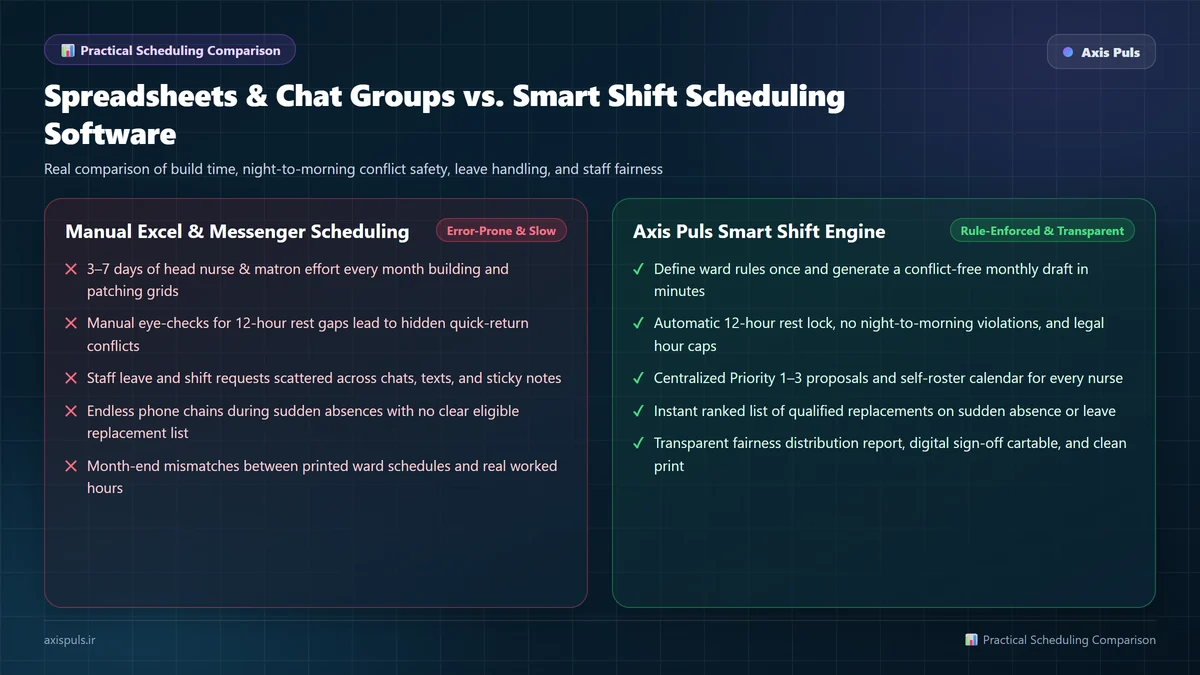
- The traditional flow has eight steps and each small change pushes several steps back; that is why planning can take up to seven days.
- The structured flow has four steps: register data and rules, collect requests, run assignment and review; a draft is built within minutes after complete inputs are registered.
- Two request modes exist: proposed shifts with priority 1 to 3 and chosen shifts from allowed options; rules stay above personal choice.
- Request counts and fill levels are visible in real time with no separate long calculation stage.
Why Does Nurse Scheduling Take Days?
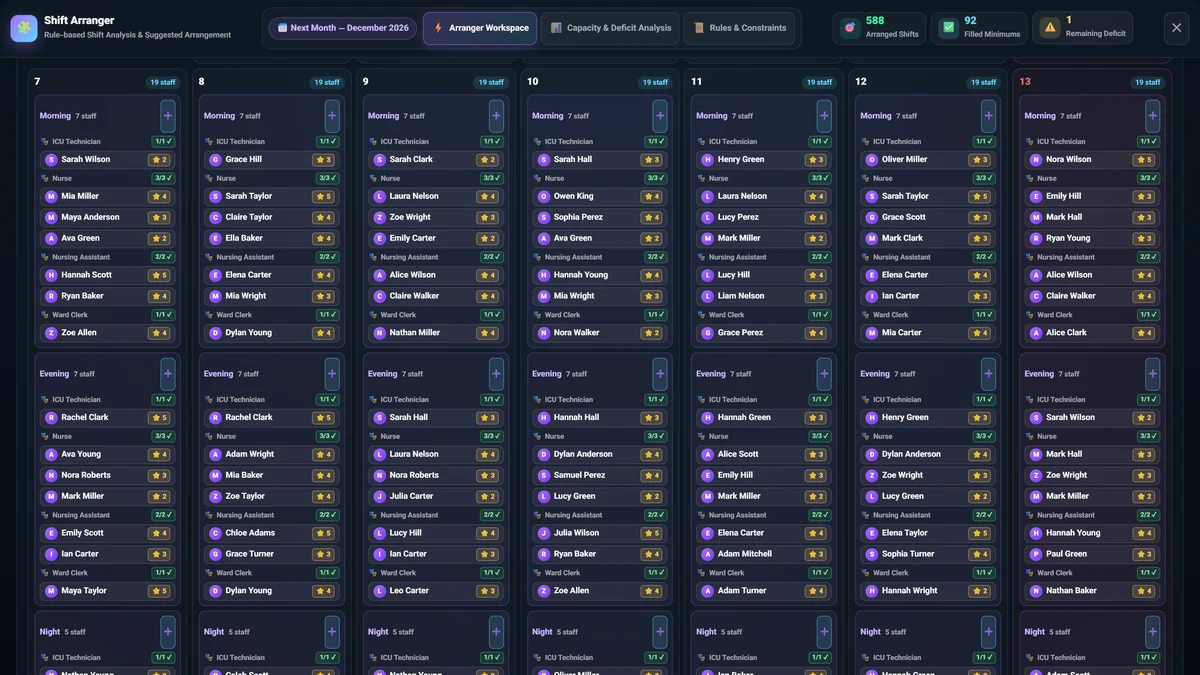
When ward rules live inside one person's memory, every month repeats the same cycle of scattered chat requests, manual spreadsheet edits, and night-shift fairness disputes. In this focused 5-minute read, see how head nurses, matrons, and hospital leads move from manual table-building to clear oversight—and test a live ward right away in the interactive shift demo.
The starting question for many head nurses is why scheduling takes so long. The answer lies in chained steps. The traditional flow starts from SMS and paper, collects requests, reviews staff, leaves, personal limits, past shifts and per-shift needs, then fixes overlaps and issues a final version. Each step waits for the previous one, and one late reply or late leave freezes everything after it. That is why planning in busy wards can take up to seven days; not because the manager works slowly, but because the process is fragile by design.
How to Schedule Nurses Faster?
The short answer to faster scheduling is that speed comes from input order, not from rushing. When staff data, ward rules, leaves and limits are already written, the engine only applies them. Then a draft is built within minutes after complete inputs are registered. Take that condition seriously: with incomplete inputs no system can build a complete output, and claiming otherwise would not be honest. Real speed comes from removing round-trips, not from calculation magic.
The structured flow has four steps. First, data and rules: ward structure, roles, shifts, min-max per shift, role and gender capacity and daily, weekly and monthly caps are defined once. Second, requests: staff join with a ward code, roles are confirmed and requests are filed in one window. Third, assignment: the system matches requests against rules and fill levels and builds a draft. Fourth, review and approval: the head nurse reads reasons, re-runs if needed and signs the list in the inbox. These four steps replace eight scattered ones.
| Buyer Criterion | Excel & Chat Apps | Generic Time-Clock Tools | Clinical Shift Platform (Axis Puls) |
|---|---|---|---|
| 12h Rest & No Night-to-Morning | Manual visual checks prone to fatigue | Logs punches only after violations happen | Preventive rule check before roster sign-off |
| 1.5x Night/Holiday Factor & Hour Caps | Fragile hand-written formulas | Lacks ward-specific clinical rules | Configurable per ward, role, and seniority |
| Staff Shift Preferences | Scattered across paper notes and DMs | Rigid or nonexistent | Priority 1–3 requests inside one calendar |
| Pre-Purchase Validation | No automated constraint check | Requires server setup & sales call | Instant live Shift Arranger demo + 2-month pilot |
How to Speed Up Hospital Scheduling?
One reason manual work is slow is waiting: for all messages, for leaves and for the final table. The system cuts waiting because incoming requests are processable as they arrive and status is visible live. The manager need not wait until window end; from day one they see counts, fill levels and open shifts. That early view allows timely reminders and earlier decisions.
No separate long calculation stage is needed. At any moment the manager sees four numbers: how many filed, how full each shift is, which shifts still have space and the overall request state. That dashboard drives daily action: if one shift stays empty, the team is pinged the same day, not at month end. Early prevention saves days of end-month fixes.
How to Compare Fairly in Trial?
We do not claim your current way cannot produce a plan. The question is whether the same process can run faster, more structured, more traceably and with automatic limit control. That is why the system is offered for two months in real conditions for self comparison. Fair comparison means preset criteria, counting month one as training and setup, and judging on real ward experience, not slogans.
Log eight metrics from the start: setup time from collection to signing, post-release change counts, per-leave handling time, manual move counts, limit and cap compliance, on-time staff participation, reporting state and head-nurse experience. Put one manual month beside one structured month. If setup time fell, fixes dropped and reports cleared, the effect is real. If inputs were incomplete, log that honestly for next-cycle fixes.
| Hospital Role | Core Monthly Priority | Manual Bottleneck Today | Practical Outcome in Axis Puls |
|---|---|---|---|
| Shift Nurse / Staff | Predictable schedule and fair night rotation | Sending WhatsApp notes with no confirmation trail | Submit ranked preferences and track approval status |
| Head Nurse (Ward Lead) | Safe coverage across every shift without conflicts | Days spent rebuilding spreadsheets after one leave | Define ward rules once, generate drafts fast, sign off |
| Matron (Nursing Director) | Cross-ward balance and overtime visibility | Chasing mismatched Excel sheets across 10+ wards | Unified multi-ward oversight and clean sign-off trail |
| Hospital / HR Director | Compliance, cost control, and staff retention | Late attendance reconciliations and payroll disputes | Role-based access, audit logs, and verified monthly rosters |
The traditional flow has eight steps: scattered collection, staff review, leave handling, personal limits, past-shift check, per-shift need analysis, overlap fixing and final version. Collection alone can take two days of chasing messages and confirming verbal notes. Limit checks are mental and depend on memory. After the first table is built, the fix loop starts: one change request, one table fix, one leave, one manual replacement and another fix. Each fix risks a new error because no human can hold dozens of limits in mind at once.
To connect this workflow with adjacent tools and real examples, explore Live Shift Arranger Demo, Nurse Shift Guide, Matron Oversight Guide, Clinical Productivity Law, Excel vs. Shift Software.
❓ Frequently Asked Questions from Real Workflows
Shorten Next Month Scheduling Time
Define rules once, collect requests in a structured way and build a draft within minutes after complete inputs are registered; leaves and handovers stay in the same system.
Start free trialOr test a simulated ward right now without signing up in the Live Interactive Shift Arranger Demo.