
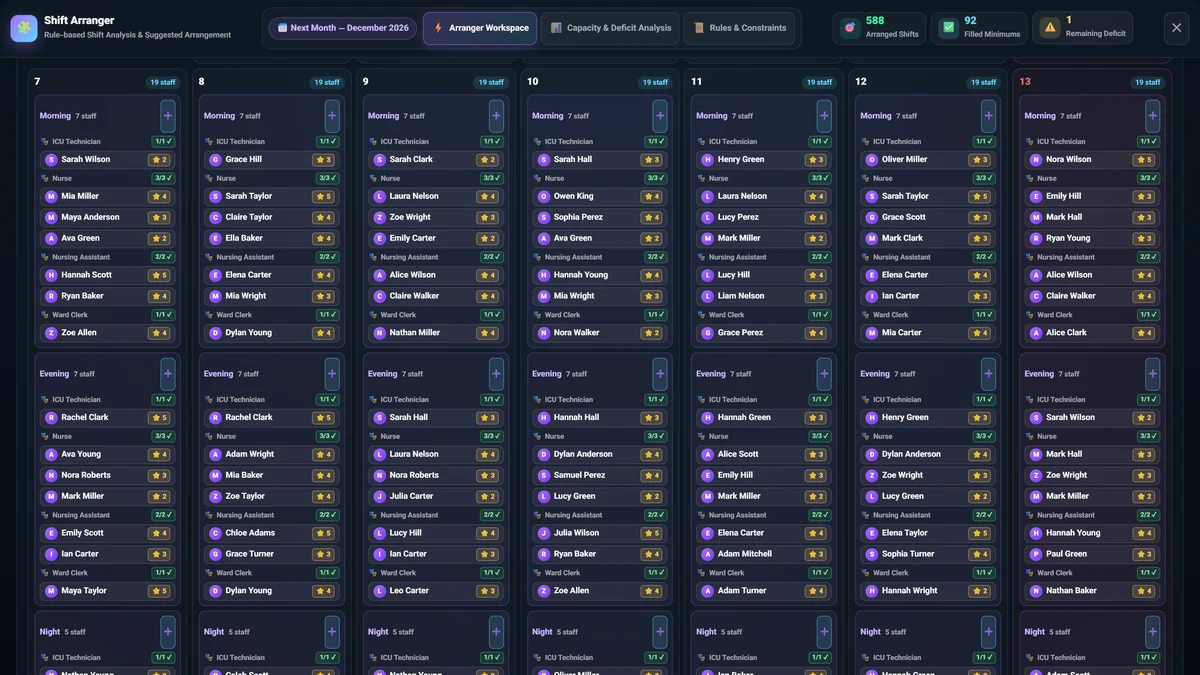
- The facility structure of wards, roles and shifts is defined once and the same rules run every rostering round.
- Each shift records minimum and maximum headcount, role and gender capacity and time ceilings so numbers stay controllable.
- Conflicts such as overlap, role gaps and ceiling breaches are checked before sign-off, not after complaints.
- If a shift cannot be completed under the defined rules, the system never breaks a rule and notifies the manager.
How should hospital shifts be set up?
When ward rules live inside one person's memory, every month repeats the same cycle of scattered chat requests, manual spreadsheet edits, and night-shift fairness disputes. In this focused 5-minute read, see how head nurses, matrons, and hospital leads move from manual table-building to clear oversight—and test a live ward right away in the interactive shift demo.
The first question of every hospital manager is this: how should hospital shifts be set up when each ward has its own rules and each staff group works to its own rhythm? The short answer is that hospital-level rostering is a structuring task, not a filling task. Until the facility structure of wards, roles, shifts and capacities is written down, every monthly roster starts from zero and last month’s back-and-forth repeats. Once that structure is recorded, each month’s roster runs on the same rails, and managers spend their energy on supervision and decisions instead of rebuilding tables. Experience from facilities that moved from scattered to structured methods shows the most time in the manual approach goes to collecting requests from different channels and verifying them, not to the final arrangement itself.
How should hospital wards and roles be defined once?
The system’s most important idea lives in this section: a rule is defined once but applied every month. Managers need not review every rule from scratch each month; the facility structure, wards, roles, shifts and limits are defined in the system, and later rosters apply those same rules during rostering. This moves planning knowledge from people’s memory into written rules, so the departure of one experienced manager does not erase a ward’s discipline. For a hospital with several different wards, that transferred knowledge is the most valuable asset.
The system is not limited to nurses and can serve any shift-based staff, including physicians, security, guards, support teams, shift-based office staff and other rostered workers. Each group gets its own ward, role and shift definitions so its working reality is preserved. At the same time, every group’s structure is recorded in one system, giving managers one unified structure for rules, planning, changes and reports instead of scattered processes. That combination of varied rules with unified visibility is the practical answer to hospital workforce planning.
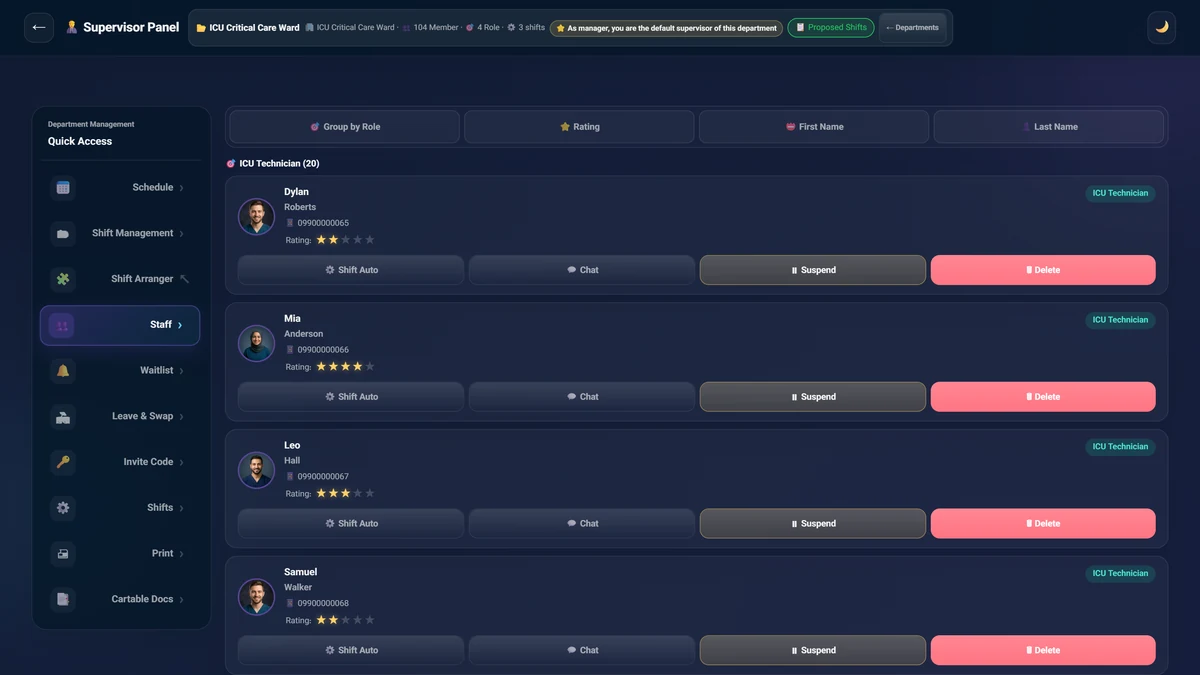
- Facility: register the hospital and the overall rule frame in one place.
- Wards: create each ward with the rules specific to that ward.
- Roles: specify each ward’s needed roles according to real demand.
- Shifts: build each ward’s turns for a role or the whole ward.
| Hospital Role | Core Monthly Priority | Manual Bottleneck Today | Practical Outcome in Axis Puls |
|---|---|---|---|
| Shift Nurse / Staff | Predictable schedule and fair night rotation | Sending WhatsApp notes with no confirmation trail | Submit ranked preferences and track approval status |
| Head Nurse (Ward Lead) | Safe coverage across every shift without conflicts | Days spent rebuilding spreadsheets after one leave | Define ward rules once, generate drafts fast, sign off |
| Matron (Nursing Director) | Cross-ward balance and overtime visibility | Chasing mismatched Excel sheets across 10+ wards | Unified multi-ward oversight and clean sign-off trail |
| Hospital / HR Director | Compliance, cost control, and staff retention | Late attendance reconciliations and payroll disputes | Role-based access, audit logs, and verified monthly rosters |
How should staff shortages in hospital shifts be handled?
Shortages are a reality nearly every hospital meets; responses differ. In manual practice shortages are often hidden by rule-breaking: unqualified placements, ignored ceilings, or sacrificed rest gaps so the table looks full. It looks complete but stores up next month’s complaints and fatigue. The honest response is transparency: knowing exactly which shift lacks what, and deciding managerially rather than bending rules to fill cells.
The key principle is this: the system never breaks rules to fill a shift by force. If no suitable person can be placed under the defined conditions, it reports the case to the manager instead of silently ignoring a rule — announcing that the shift cannot be completed as defined. That matters because system output must stay reviewable and trustworthy. A clear “cannot complete” notice signals reliability, and it tends to raise rather than lower a manager’s credibility.
Where should we start? Training, trial and criteria
No purchase decision is needed at the start. Onboarding runs in eight stages: understanding the facility structure, defining the hospital and wards, defining rules and limits, defining roles, defining shifts and capacities, adding staff, training users, and starting trial use. Initial training is provided for every facility, and the interface is designed for daily use; routine acts like shift or leave requests need no complex training. The start is therefore stepwise and manageable, not a risky leap.
New facilities receive the system for a two-month trial to test it under their real conditions and evaluate performance. After the trial, a usage contract follows only if the facility is satisfied. During the period, system performance can be compared with the previous method across reviewable criteria: roster preparation time, change counts, leave-handling time, manual swaps, limit-compliance states, staff adoption, reporting state, and head-nurse and manager experience.
| Mid-Month Change Scenario | What Happens via Phone & Paper | Structured Leave & Replacement Flow |
|---|---|---|
| Sudden sick call before a shift | Frantic phone calls to every off-duty nurse | Instant list of eligible staff matching role, rest, and hour caps |
| Planned leave for next month | Paper slip forgotten while building the Excel sheet | Logged ahead of scheduling and respected automatically |
| Peer-to-peer shift swap | Informal trade that accidentally triggers a night-to-morning violation | Rule & cap validation on both colleagues before head-nurse approval |
| End-of-month reconciliation | Wall printout no longer matches actual shifts worked | Single live schedule with full change history |
To connect this workflow with adjacent tools and real examples, explore Live Shift Arranger Demo, Nurse Shift Guide, Head Nurse Software, Matron Oversight Guide, Clinical Productivity Law, Excel vs. Shift Software.
❓ Frequently Asked Questions from Real Workflows
Run the whole hospital on one structured roster
Define structure and rules once and apply them every month; capacity, shortages, leave and reports live in one system.
Start your trialOr test a simulated ward right now without signing up in the Live Interactive Shift Arranger Demo.