
- The core message for directors is: the whole organization can use one shared system for shift programs; instead of scattered processes, keep one unified structure for rules, planning, changes and reports.
- Access can follow the org chart, for example hospital director - matron - head nurse - staff; levels are adjustable and the director observes management-activity reports.
- Each department's rules are defined once and applied in later programs; staff contribute with proposed shifts (priority 1-3) or preferred shifts from allowed options.
- Distinguish currently active features from features in development; patient management, bed and room management, and administrative-letter flows are in development.
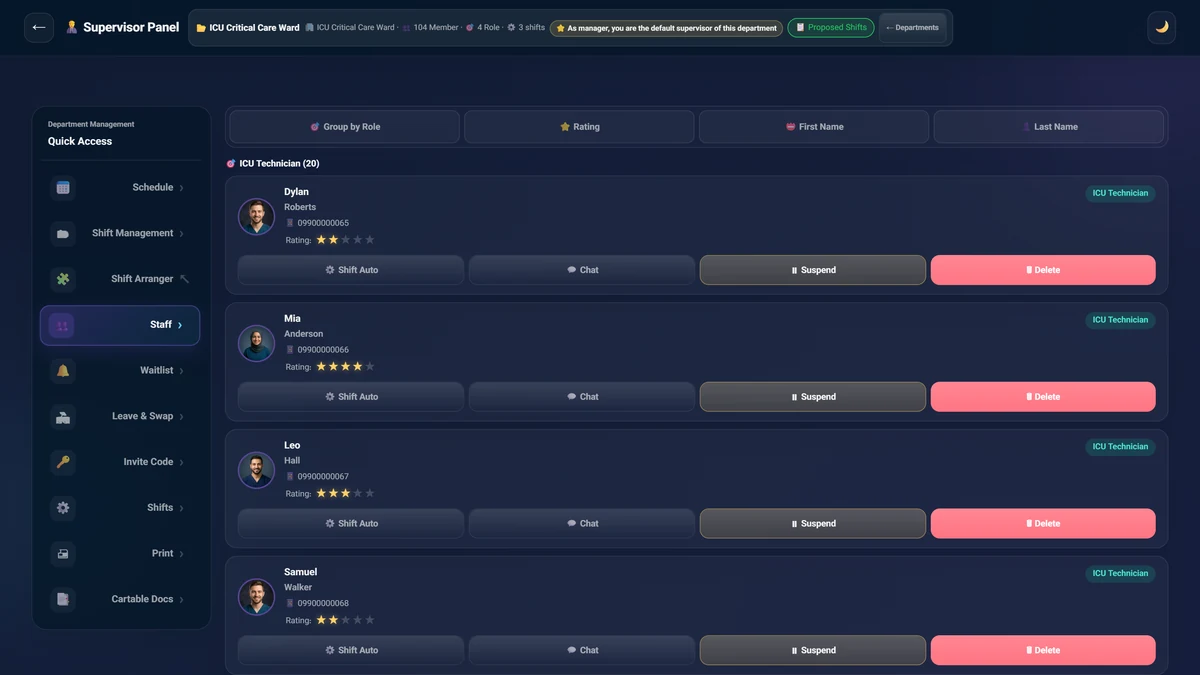
How should a director control staff shifts?
When ward rules live inside one person's memory, every month repeats the same cycle of scattered chat requests, manual spreadsheet edits, and night-shift fairness disputes. In this focused 5-minute read, see how head nurses, matrons, and hospital leads move from manual table-building to clear oversight—and test a live ward right away in the interactive shift demo.
The first question for any director is how to control staff shifts without intervening in daily unit work. The short answer is that managerial control means structured observation, not roster editing. A director does not need to know each nurse's exact shifts; the director needs to know whether each unit has rules, whether rosters follow those rules, whether changes are recorded and approved, and whether reports give a reliable picture of coverage and distribution. When these four hold, the director has control without becoming the unit manager.
Why is one unified structure the key message?
A hospital director should hear more than rosters get built faster. The core message is: the whole organization can use one shared system for shift programs. Instead of one person managing nurses, another planning physicians, another handling security, another guards and another services, all structures can be defined in one system. Each department's rules are defined once and applied in later programs.
The value is scale. In one unit, speed matters; across a hospital, consistency and comparability matter. With separate methods per unit, a director cannot tell which unit has clear rules, which grants most leave, which reworks most, or how nights spread organization-wide. With one structure, reports answer these questions. In sales terms: instead of scattered processes, keep one unified structure for rules, planning, changes and reports.
- Nurses and physicians with unit-specific roles and capacities.
- Security and guards with coverage shifts and their own rules.
- Services and office shift staff with different ceilings.
- Rules differ per unit, yet reports read as one picture.
| Hospital Role | Core Monthly Priority | Manual Bottleneck Today | Practical Outcome in Axis Puls |
|---|---|---|---|
| Shift Nurse / Staff | Predictable schedule and fair night rotation | Sending WhatsApp notes with no confirmation trail | Submit ranked preferences and track approval status |
| Head Nurse (Ward Lead) | Safe coverage across every shift without conflicts | Days spent rebuilding spreadsheets after one leave | Define ward rules once, generate drafts fast, sign off |
| Matron (Nursing Director) | Cross-ward balance and overtime visibility | Chasing mismatched Excel sheets across 10+ wards | Unified multi-ward oversight and clean sign-off trail |
| Hospital / HR Director | Compliance, cost control, and staff retention | Late attendance reconciliations and payroll disputes | Role-based access, audit logs, and verified monthly rosters |
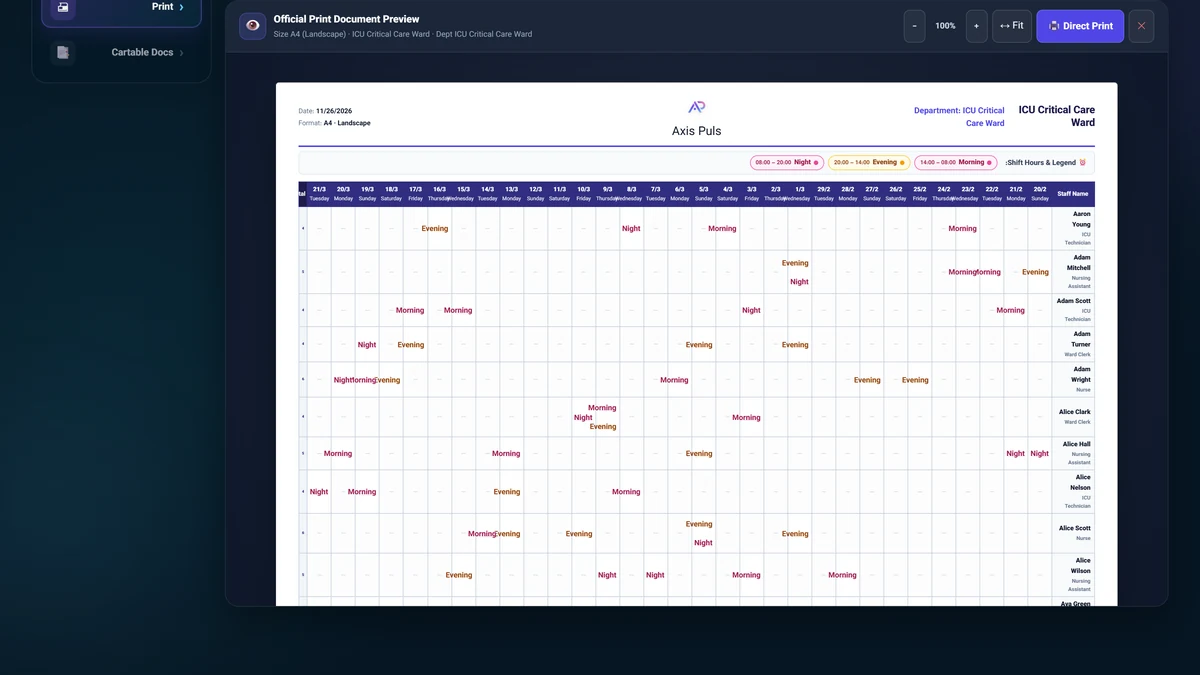
How does define-once, apply-monthly work?
The system does more than draw tables; it manages the shift-management process. Eight layers help directors remember: organization with hospitals and centers, structure with departments and roles, rules with limits and capacities, people with staff and roles, requests with proposed or preferred shifts, rostering with rule checks, change management with leave and swaps, and control with reports, access, logs and signing. Together they define who, in which unit, with which role, when, under what conditions and in what capacity can take a shift.
Setup has eight steps: understanding the organization, defining hospitals and departments, defining rules and limits, defining roles, defining shifts and capacities, adding staff, training users, and starting the trial. Order matters; writing rules before adding staff yields a cleaner first roster. Reversing the order spends the first month fixing rules, which is normal but slower.
Where to start? Test before deciding.
The whole guide condenses into eight practical steps: understanding the organization, defining hospitals and departments, defining rules and limits, defining roles, defining shifts and capacities, adding staff, training users and starting the trial. Nothing must be complete on day one; pilot one unit, read its report, then expand. A small start lowers decision risk.
A short boardroom intro reads: a smart shift planning and management system designed for hospitals and large organizations. Organization structure, departments, roles, shifts, capacities and rules are defined once. Staff register shift requests and the system reviews information against defined conditions for rostering. Two methods, proposed and preferred shifts, are supported, with roster updates after leave or swaps. Beyond planning, access management, reporting, notices, cartable, shift-list signing and user-activity control exist. The aim is not removing managers; it is turning a lengthy scattered process into a structured, controllable and faster one.
| Mid-Month Change Scenario | What Happens via Phone & Paper | Structured Leave & Replacement Flow |
|---|---|---|
| Sudden sick call before a shift | Frantic phone calls to every off-duty nurse | Instant list of eligible staff matching role, rest, and hour caps |
| Planned leave for next month | Paper slip forgotten while building the Excel sheet | Logged ahead of scheduling and respected automatically |
| Peer-to-peer shift swap | Informal trade that accidentally triggers a night-to-morning violation | Rule & cap validation on both colleagues before head-nurse approval |
| End-of-month reconciliation | Wall printout no longer matches actual shifts worked | Single live schedule with full change history |
To connect this workflow with adjacent tools and real examples, explore Live Shift Arranger Demo, Nurse Shift Guide, Head Nurse Software, Matron Oversight Guide, Clinical Productivity Law, Excel vs. Shift Software.
❓ Frequently Asked Questions from Real Workflows
See the whole organization in one structure
Define rules once and apply them every month; train first and compare for two months in real conditions.
Start your trialOr test a simulated ward right now without signing up in the Live Interactive Shift Arranger Demo.