- Issue: In shift sets, not knowing the members, roles and accesses causes errors in planning and information leakage.
- Solution: The list of members is managed with the role of user, manager and admin, the workplace with the invitation code and the department with a specific shift in a system.
- control: The request for membership and promotion of the role is checked and approved by the administrator, and each person has access to his own section only.
- Reminder: The personnel performance evaluation section is currently not active and will be added soon.
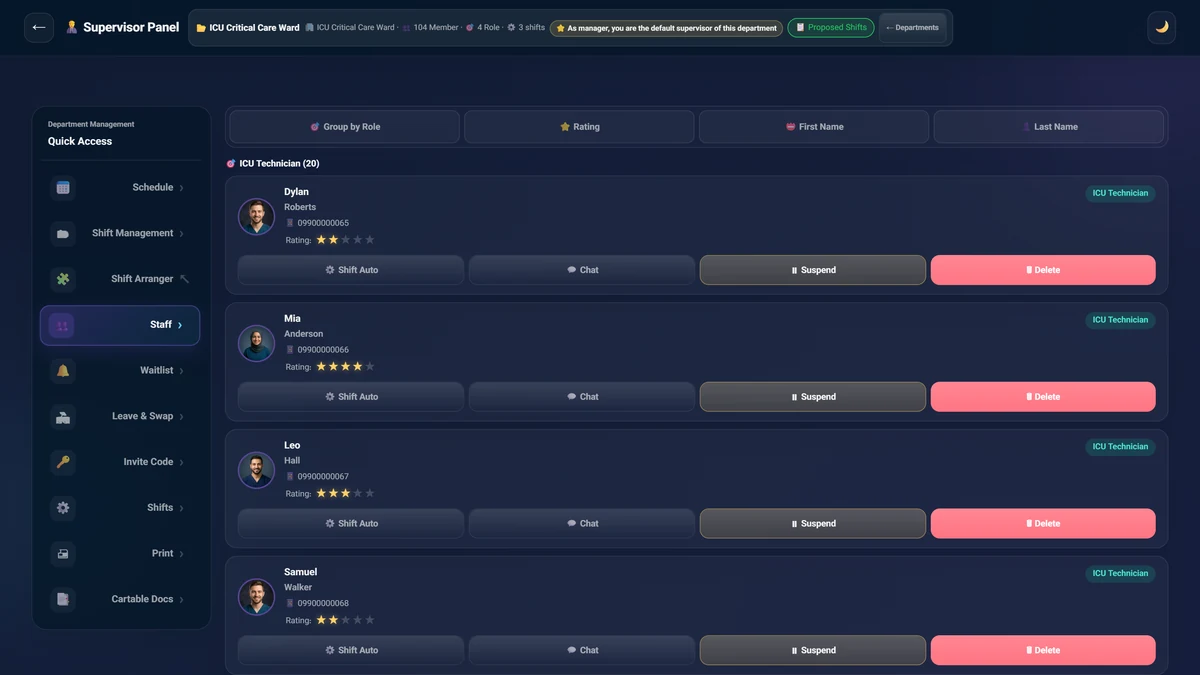
Why does the shift group need integrated member management?
When ward rules live inside one person's memory, every month repeats the same cycle of scattered chat requests, manual spreadsheet edits, and night-shift fairness disputes. In this focused 5-minute read, see how head nurses, matrons, and hospital leads move from manual table-building to clear oversight—and test a live ward right away in the interactive shift demo.
When the number of forces increases and different departments and shifts are put together, HR management with scattered lists and verbal messages does not work. Not being clear about who is a member of which department, what role they have, and what information they have access to, both makes the shift program prone to errors and lowers information security. Human resource capability Axis Puls was built for this need: a clear picture of all members, roles, workplaces and departments directly connected to the shift process.
List of members, roles and activity status
The heart of this feature is the member list: the administrator can see members, add a new member, remove members and manage each person's active and inactive status. A force that has been transferred or is not in the set for a while is deactivated so that it is not included in the layout and reports; Without losing its records. This simple separation avoids many programming errors.
Access to its own department and tasks; register shift offers and view the schedule and personal reports.
| Hospital Role | Core Monthly Priority | Manual Bottleneck Today | Practical Outcome in Axis Puls |
|---|---|---|---|
| Shift Nurse / Staff | Predictable schedule and fair night rotation | Sending WhatsApp notes with no confirmation trail | Submit ranked preferences and track approval status |
| Head Nurse (Ward Lead) | Safe coverage across every shift without conflicts | Days spent rebuilding spreadsheets after one leave | Define ward rules once, generate drafts fast, sign off |
| Matron (Nursing Director) | Cross-ward balance and overtime visibility | Chasing mismatched Excel sheets across 10+ wards | Unified multi-ward oversight and clean sign-off trail |
| Hospital / HR Director | Compliance, cost control, and staff retention | Late attendance reconciliations and payroll disputes | Role-based access, audit logs, and verified monthly rosters |
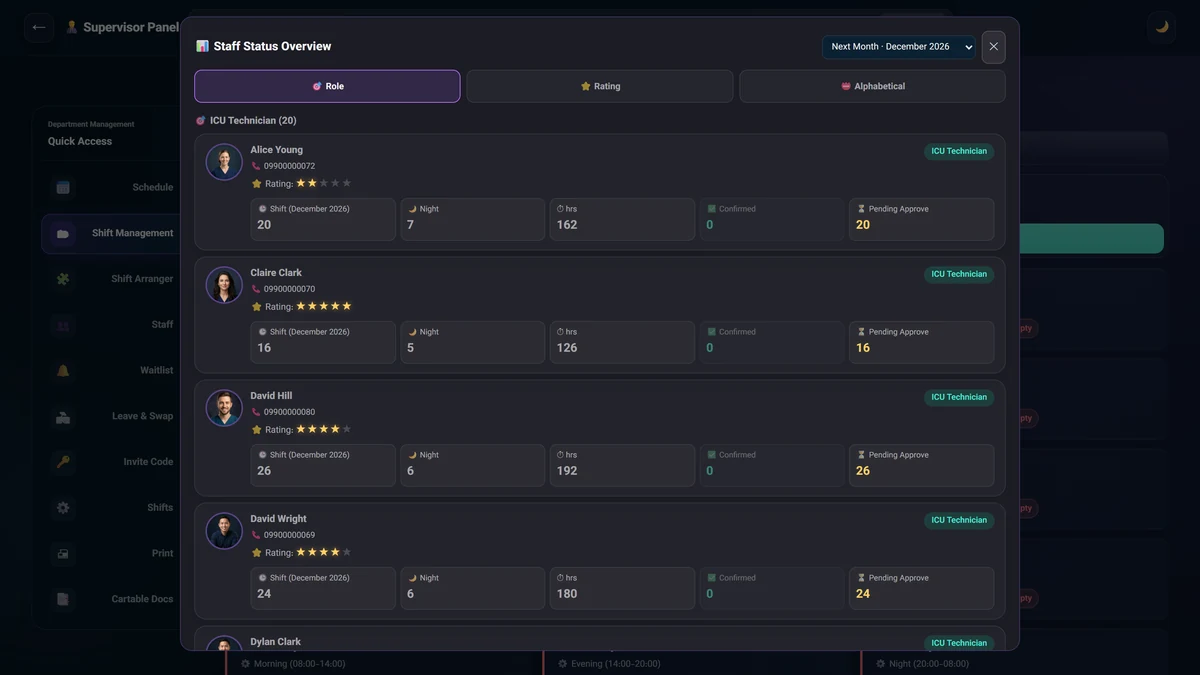
Workplace, invitation code and membership in the department
Workplace is created in the system with a specific name and description, and an exclusive invitation code is generated for each department. The membership path is clear: the employee enters the code of the desired department, sees the information of that department and chooses his role; The administrator then reviews the request, corrects the role if it is incorrect, and finally approves. In this way, no one enters the section without the manager's approval, and the manager is always in control of the composition of each section.
Departments are the next organizational layer: the manager creates departments and places members in them. A shift head is designated for each department to review that department's shift proposals. This structure — workplace, section, department and shift — is the same one used for scheduling and verification in Shift Management; in other words, HR and shifts are not two separate islands but one chain.
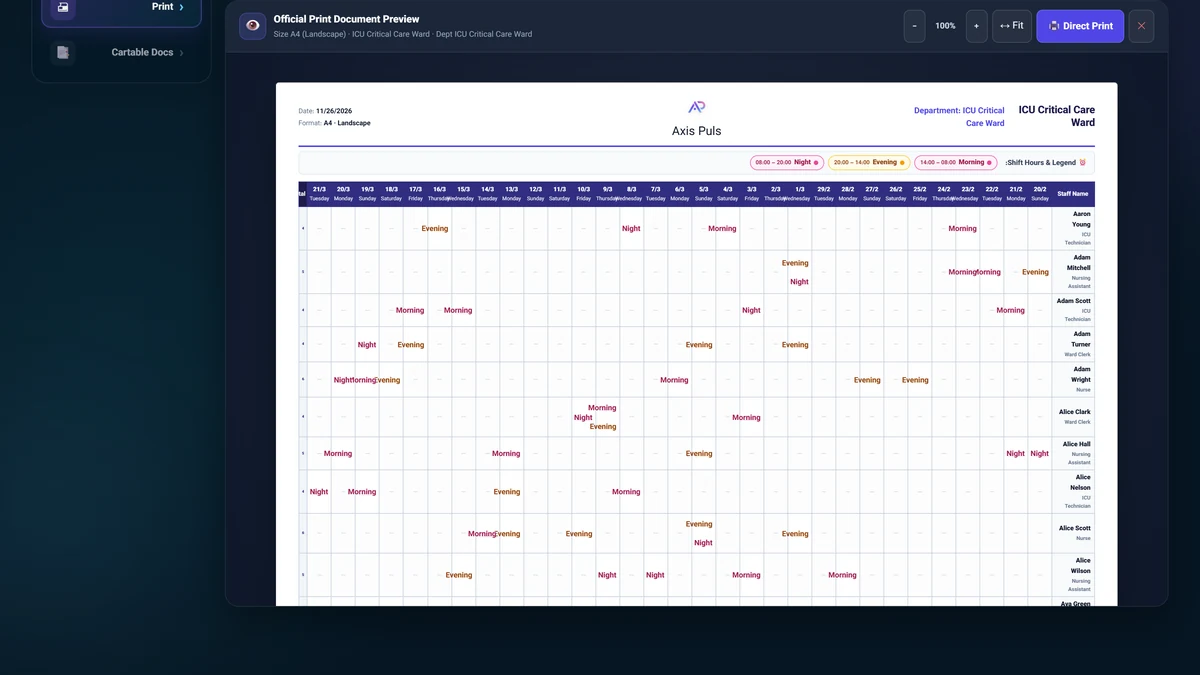
Connecting human resources to the next shift and step
The real value of this feature is seen when it is connected to a shift: the specified shift head in this section checks the shift offers; The members included in the layout are the active members of this list; And the reports are separated based on these roles and accesses. Logging into the system is also done with a mobile number, and meetings and devices can be managed so that information is only available to authorized people. We also clearly answer a frequently asked question: Personnel performance evaluation is currently not active and will be added soon.
To get started, simply record the structure of the collection: workplace, sections, departments, and roles. Employees then log in with the invitation code and the manager approves the composition of each department. New collections Two months on a trial basis In real conditions, they use the system and according to the current model, for capacity Up to 75 people 2,500,000 Tomans per month and 19,000,000 Tomans per year is paid; Other capacities are determined according to the contract.
| Mid-Month Change Scenario | What Happens via Phone & Paper | Structured Leave & Replacement Flow |
|---|---|---|
| Sudden sick call before a shift | Frantic phone calls to every off-duty nurse | Instant list of eligible staff matching role, rest, and hour caps |
| Planned leave for next month | Paper slip forgotten while building the Excel sheet | Logged ahead of scheduling and respected automatically |
| Peer-to-peer shift swap | Informal trade that accidentally triggers a night-to-morning violation | Rule & cap validation on both colleagues before head-nurse approval |
| End-of-month reconciliation | Wall printout no longer matches actual shifts worked | Single live schedule with full change history |
This capability is especially important for hospitals and medical centers that have several departments with different rules. The manager sees what members each department has, what role each person is logged in, and whether their activity status is active or inactive. It is from this structure that shift proposals, shift reviews and reports make sense; Because every action is tied to a specific person with a specific role. The result is organizational discipline that makes the shift schedule reliable.
Department management; reviewing memberships and proposals, assigning shifts and overseeing the department's schedule.
General workplace settings, member management and set access levels at the collection level.
To connect this workflow with adjacent tools and real examples, explore Live Shift Arranger Demo, Nurse Shift Guide, Head Nurse Software, Matron Oversight Guide, Clinical Productivity Law, Excel vs. Shift Software.
❓ Frequently Asked Questions from Real Workflows
Make the structure of manpower orderly and reliable
Try for two months in the real conditions of your collection and then decide.
Start of trial periodOr test a simulated ward right now without signing up in the Live Interactive Shift Arranger Demo.