
- Manual hospital shift planning wastes 20 to 40 hours a month of matrons' and supervisors' time.
- AI-based shift management software cuts planning time by 70% and brings human error and staff complaints close to zero.
- The ideal system must cover health-ministry rules, the 1.5× night factor, leave requests and a staff app.
Why traditional Excel-based scheduling no longer works in hospitals
Choosing shift scheduling software gets tricky when every vendor promises effortless automation, yet your head nurses still face complex night rotations, holiday multipliers, and sudden sick calls. In this practical 5-minute guide, we break down what actually matters on a real ward—and how to test your own staffing mix in the live Shift Arranger demo before committing.
Choosing shift scheduling software gets tricky when every vendor promises effortless automation, yet your head nurses still face complex night rotations, holiday multipliers, and sudden sick calls. In this practical 5-minute guide, we break down what actually matters on a real ward—and how to test your own staffing mix in the live Shift Arranger demo before committing.
Vital features every modern scheduling software must have
When choosing a shift management system, don't look only at basic features. A standard platform needs the following specialist capabilities:
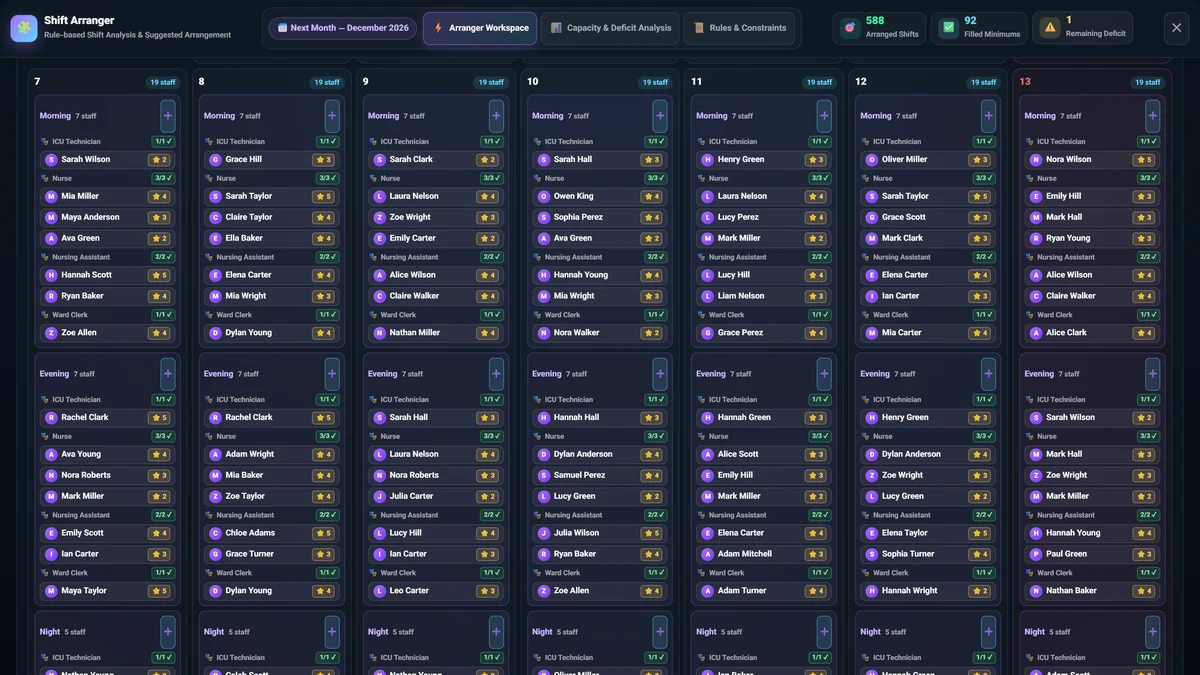
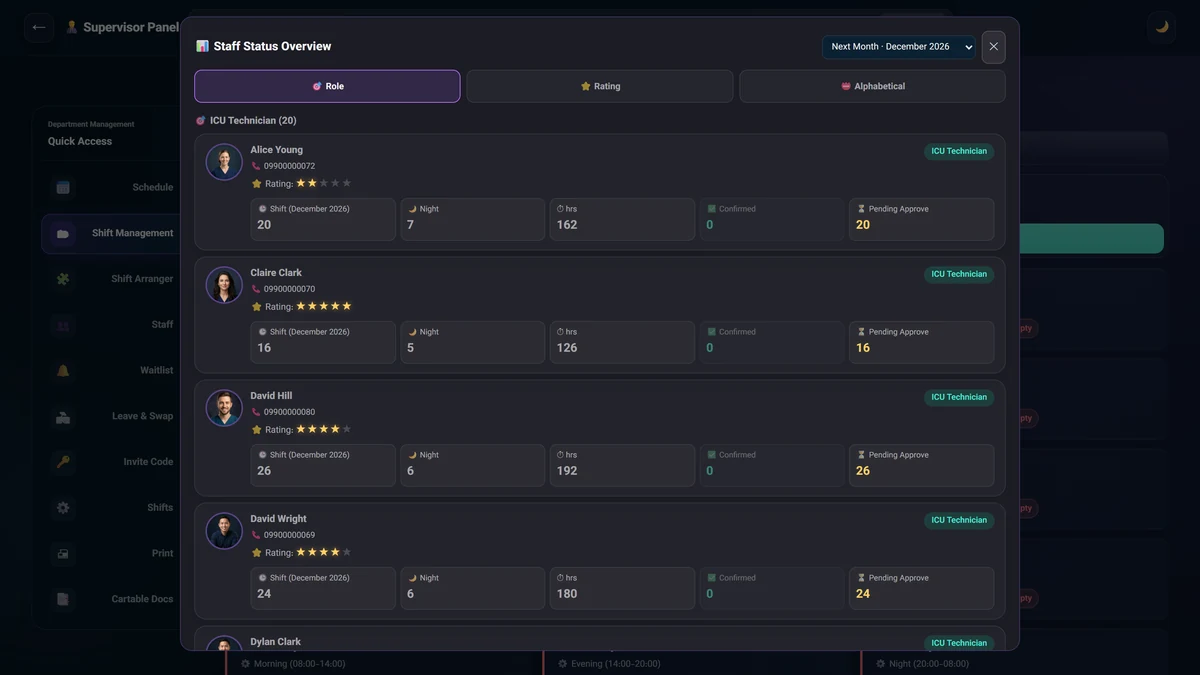
The system must take each ward's skills, records and required shifts and produce an optimized, conflict-free rota matching staff preferences within seconds. The AI engine of the Axis Puls shift management platform does exactly this automatically.
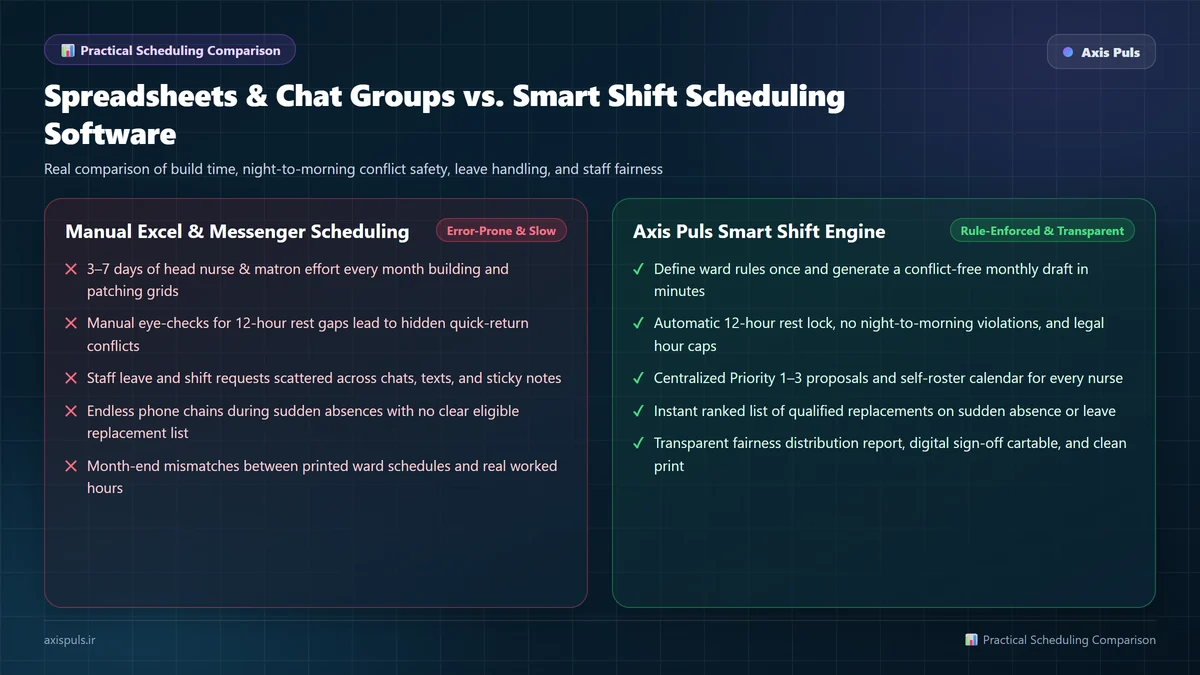
| Buyer Criterion | Excel & Chat Apps | Generic Time-Clock Tools | Clinical Shift Platform (Axis Puls) |
|---|---|---|---|
| 12h Rest & No Night-to-Morning | Manual visual checks prone to fatigue | Logs punches only after violations happen | Preventive rule check before roster sign-off |
| 1.5x Night/Holiday Factor & Hour Caps | Fragile hand-written formulas | Lacks ward-specific clinical rules | Configurable per ward, role, and seniority |
| Staff Shift Preferences | Scattered across paper notes and DMs | Rigid or nonexistent | Priority 1–3 requests inside one calendar |
| Pre-Purchase Validation | No automated constraint check | Requires server setup & sales call | Instant live Shift Arranger demo + 2-month pilot |
Shift software evaluation checklist before buying
- Is the software cloud-based with no expensive on-premise server needed?
- Is a mobile or responsive web app (PWA) available for staff?
- Are nursing regulations and automatic duty-cap calculation built in?
- Is there an AI algorithm for automatic shift generation?
- Is the software cloud-based with no expensive on-premise server needed?
- Is a mobile or responsive web app (PWA) available for staff?
- Are nursing regulations and automatic duty-cap calculation built in?
- Is there an AI algorithm for automatic shift generation?
- No grasp of dynamic dependencies: if a nurse suddenly takes sick leave the evening before, manually editing the rota requires hours of recalculating colleagues' hours.
- Error-prone coefficient math: in Excel, hardship, night and holiday coefficients depend on hand-written formulas that commonly cause gross payroll errors.
- Tension and perceived unfairness: when undesirable shifts are divided by hand, suspicions of bias and favoritism arise, severely damaging motivation.
- Is the software cloud-based with no expensive on-premise server needed?
- Is a mobile or responsive web app (PWA) available for staff?
- Are nursing regulations and automatic duty-cap calculation built in?
- Is there an AI algorithm for automatic shift generation?
- Fewer needless overtime hours: up to 15% staff-cost savings from balanced planning.
- Freed matron and supervisor time: 30 hours a month back per head nurse to focus on care quality.
- Lower turnover: less fatigue and unfairness keeps experienced nurses at the hospital longer.
- Buying on price, not legal fit: the cheapest option that doesn't know health-ministry coefficients will cost you at the first audit.
- Ignoring head nurses: the end user is the head nurse, not the IT manager. Without them in the evaluation, even great software gathers dust.
- Expecting miracles without clean data: staff records (seniority, skills, contracts) must be cleaned before rollout; garbage in, garbage out.
- Launching in every ward at once: always start with one pilot ward, then expand.
Common buying mistakes hospitals make
Most failed deployments are not the software's fault; they are the buying process's fault. We have seen these five mistakes again and again:
Before signing, ask the vendor to build a sample rota with your real ward data — not their polished demo. Hesitation at that simple test tells you everything. And remember: the cheapest option that fails the first legal audit is the most expensive one you will ever buy.
| Hospital Role | Core Monthly Priority | Manual Bottleneck Today | Practical Outcome in Axis Puls |
|---|---|---|---|
| Shift Nurse / Staff | Predictable schedule and fair night rotation | Sending WhatsApp notes with no confirmation trail | Submit ranked preferences and track approval status |
| Head Nurse (Ward Lead) | Safe coverage across every shift without conflicts | Days spent rebuilding spreadsheets after one leave | Define ward rules once, generate drafts fast, sign off |
| Matron (Nursing Director) | Cross-ward balance and overtime visibility | Chasing mismatched Excel sheets across 10+ wards | Unified multi-ward oversight and clean sign-off trail |
| Hospital / HR Director | Compliance, cost control, and staff retention | Late attendance reconciliations and payroll disputes | Role-based access, audit logs, and verified monthly rosters |
Every head nurse or supervisor faces an exhausting multi-variable puzzle at month's end: how to build a rota that never leaves sensitive wards (ICU, emergency) empty, respects staff duty-hour caps, answers leave requests — and misses no regulation?
Although some centers still use Excel files, as staff numbers grow and changes multiply, Excel quickly becomes a high-risk bottleneck:
Defining rotating shifts (morning, evening, night, long, off), on-call shifts, and separating special-ward shifts from general ones.
Nurses must be able to file leave requests or swap proposals with colleagues from a mobile app. After two-sided approval plus supervisor consent, the rota updates with no phone calls.
The system must block intense, dangerous shifts (like a morning shift right after a heavy night) to prevent clinician fatigue and medication errors.
Precise reports on overtime hours, per-shift coverage rates, absence statistics, and integration with HR and payroll systems.
Automatic delivery of the final rota to staff plus reminder SMS before each shift to minimize delays.
To connect this workflow with adjacent tools and real examples, explore Live Shift Arranger Demo, Nurse Shift Guide, Matron Oversight Guide, Clinical Productivity Law.
❓ Frequently Asked Questions from Real Workflows
Start your hospital's smart scheduling today
The Axis Puls platform, powered by the strongest shift-scheduling AI engine, is ready to solve your center's rota challenges for good.
Start using Axis Puls freeOr test a simulated ward right now without signing up in the Live Interactive Shift Arranger Demo.
Disclaimer: this article is educational content on hospital management and is not a substitute for specialist managerial or legal advice.
Sources
- World Health Organization — Health workforce: who.int — health workforce
- Specialist productivity & AI blog
- Shift planning & rostering
- Hospital shift management