
- In Axis Puls chat is not just messenger, but The interaction layer. It is and it is done where it is said.
- You can talk from the inside. Make a daily schedule.With a message. A reminder Record and New job. Describe it.
- The group program. It is created with an invitation card inside the chat and each member identifies their status with confirmation or rejection.
- The conversation. Individual, group, and channel.They're low-volume voice mail, secure files, message scales and search, complete the management.
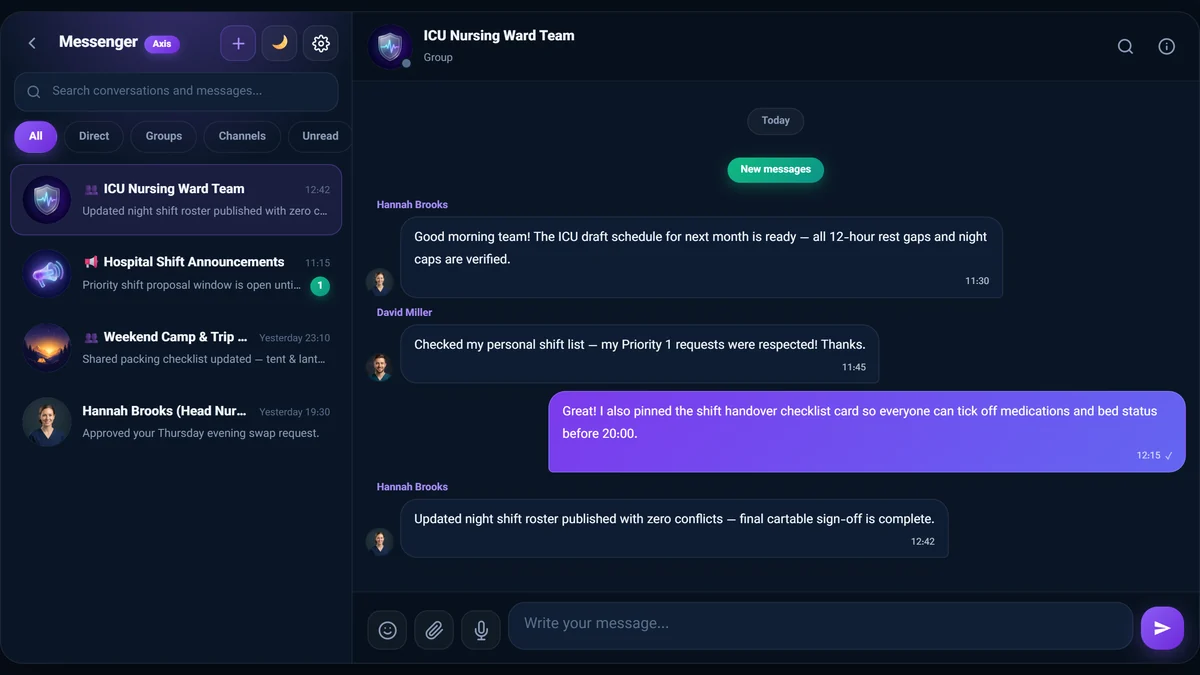
Chat, the interaction layer of Axis Puls
Team messaging only helps when decisions actually turn into follow-through—yet in consumer chat apps, critical action items vanish within hours. In this 5-minute guide, see how structured channels and plan-linked conversations keep everyone aligned without notification fatigue.
Team messaging only helps when decisions actually turn into follow-through—yet in consumer chat apps, critical action items vanish within hours. In this 5-minute guide, see how structured channels and plan-linked conversations keep everyone aligned without notification fatigue.
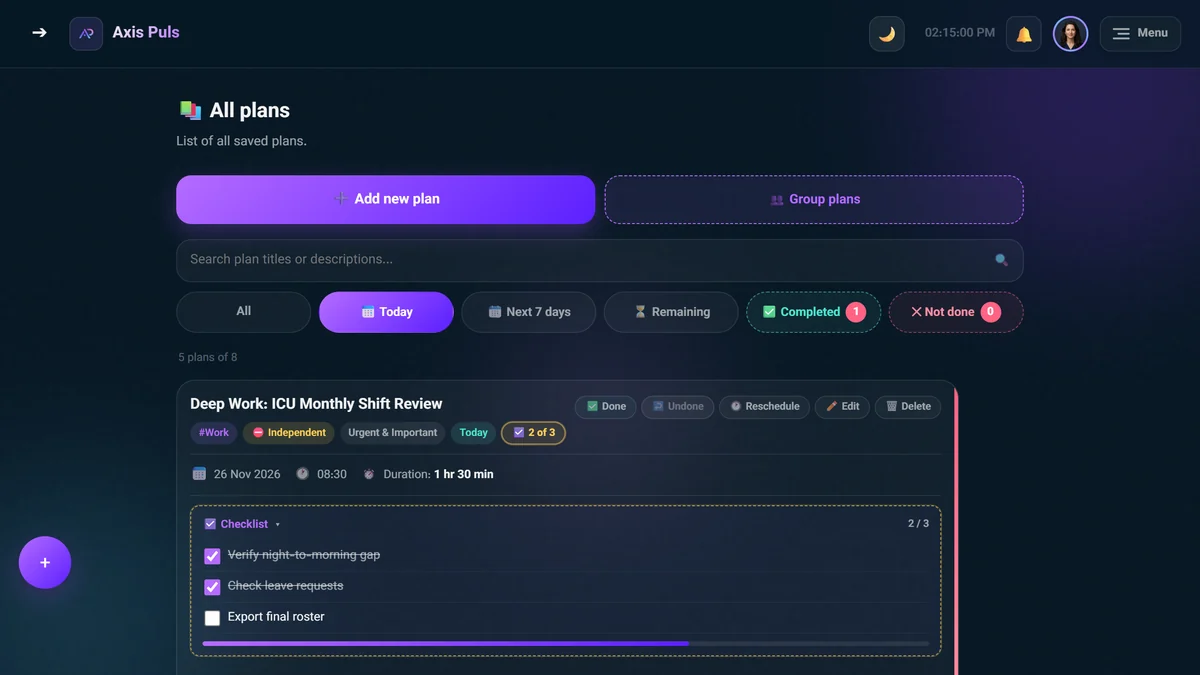
Create a daily schedule with chat.
The daily schedule is the backbone of personal discipline, and most people make it where their minds are free. Often the idea of a schedule is formed in the middle of a conversation with someone. Your friend says, "Let's go to the club tomorrow", and you decide. In the traditional model, you have to remember this and record it later, but memory is not reliable.
This is especially great for people who don't have time to plan in the morning. Many people spend their day on the way to work, the night before or even the morning of the same day, texting themselves or their coworkers. Because chat is always available, planning doesn't become a separate task. Instead, in the context of normal conversations, your day is shaped. This style of planning is more natural and sustainable, because it moves with the real rhythm of your life.
| Everyday Team Moment | Generic Consumer Messengers | Integrated Chat & Channels in Axis Puls |
|---|---|---|
| Turning Talk into Action | 'Can someone handle this Friday?' vanishes under 80 replies | Capture the task with a clear date and priority right alongside chat |
| Important Ward / Team Notices | Critical schedule updates get buried under casual banter | Dedicated broadcast channels separated from discussion groups |
| Work-Life Boundaries | Late-night work pings mixed right into personal family chats | Focused workspace tied to organizational roles and permissions |
| Following Up on Decisions | Endless scrolling to remember what was actually agreed | Plans, checklists, and team context live under one roof |
Chatting with friends
The best memories usually come from friendly chats, but most of them stay the same and never become real. A few people in the group say we should go on a trip and everyone gets excited, but three months later they still haven't done anything. The problem is that there's not one person to turn the conversation into a program.
Friends live with shared memory, and shared memory needs a schedule. A group that just talks and never gets around gets cold. But a group that has a real schedule every month gets closer. Interactive chat reduces the distance between idea and execution to the point where there's no excuse to postpone.
Instead of designing an elaborate system you abandon by Thursday, spend just three minutes each evening closing open loops and picking tomorrow's top three items inside your personal planner. Small, steady habits beat occasional perfection every time.
Cards, announcements, team order in chat.
We've talked about programming and recalling and working, but Axis Puls chat has more special tools. Group program invitation cards, shift shift cards and assignments, manager public messages, and announcement and tick systems all live in these conversations. These tools turn chat from a simple messenger to a team command center. In this section, we'll take a full look at each and show how team order comes from the heart of these messages.
What all these tools have in common is that they're in the conversation and they use context. The shift card is meaningful in team therapy conversations and it's a public message on the official channel. Both the announcement and the tick are everywhere and keep the situation clear. This integration keeps you from going out of the chat for anything. Team command is where the conversation is.
| Group Coordination Dimension | Scattered Messenger Group Chats | Structured Group Plan in Axis Puls |
|---|---|---|
| Headcount Confirmation | Vague 'maybe' replies buried under 200 off-topic messages | Clear invite flow with explicit Accept / Decline status |
| Shared Gear & Task Split | Two people buy charcoal while nobody brings the first-aid kit | One shared checklist attached directly to the event |
| Time or Venue Updates | Latecomers miss changes scrolled out of view | Single source of truth for date, time, and plan notes |
| Splitting Shared Costs | Awkward spreadsheet math days after the trip ends | Built-in group expense tracking and simplified settlement |
Most messengers just talk and don't do anything. You chat in one app and record things in another app. This separation makes many decisions not turn into action. Axis Puls looks different and views chat as the whole interaction layer of the system. That is, the user manages the other parts of the conversation from within the conversation and does not need to switch between tools. When you chat about an app, the same message can be recorded in the chat headset. When you talk about a shift, the same shift is made. This connection can speed up the team action and reduce forgetting errors.
Instead of designing an elaborate system you abandon by Thursday, spend just three minutes each evening closing open loops and picking tomorrow's top three items inside your personal planner. Small, steady habits beat occasional perfection every time.
The interaction layer means that each conversation is a gateway to action. Personal conversation with a colleague is a shared work recording path. Group conversation is the coordinating point of collective applications. The communication channel is the path of the manager's public message. The user does not need to know which capabilities are hidden in which menu, because everything starts where it is being spoken. This design is especially valuable for those who exchange messages over the course of days and do not have the opportunity to open complex menus. Chat is always open and always available, so the best place to start anything is the same place.
To connect this workflow with adjacent tools and real examples, explore Personal Planner, Eisenhower Matrix, Time-Blocking Guide, Weekly Planning, Smart Checklists, Group Planning.