- Issue: Money comes and goes from several accounts and at the end of the month it is not clear where exactly it was spent.
- Solution: Define accounts (wallet, bank, credit, crypto) and record each transaction by income, expense or transfer type and category.
- control: Monthly budgets set limits for each category, and savings goals show progress by amount and deadline.
- Transparency: The financial smart assistant is currently “coming soon”; Report, chart and Excel output with Toman unit are active today.
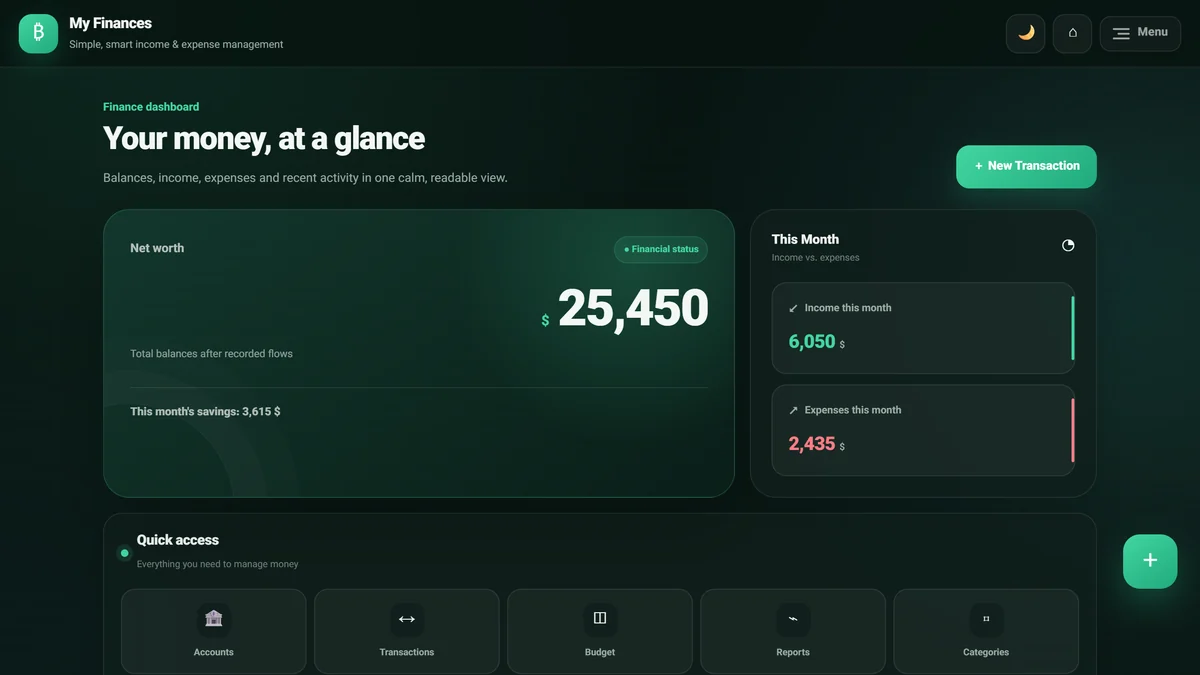
Full control of money with regular recording of transactions
A good workflow tool removes daily mental clutter instead of becoming another chore to maintain. In this clear 5-minute overview, see what is live today, how it compares side-by-side against manual habits, and get straight answers to common user questions.
Personal financial management means knowing where your money comes from, where it goes and how much is left at the end of the month. Most of us do not have this picture — not because we spend a lot, but because we don't log our spending. The Axis Puls financial module is made for this: a Persian-language environment with Toman unit in which you define the accounts, record every receipt and payment by category, and in the dashboard, you can see the total balance, income and expenses of the month, and the status of the savings or deficit of the month in one place.
Accounts and recording of income, expenditure and transfer transactions
The first step is defining your accounts: Four account types are supported in Axis Puls: wallet (cash and pocket money), bank account, credit card and Crypto account. You can have several accounts at the same time; For example, two bank cards, a cash wallet and a cryptocurrency account. Each account has a separate balance and the financial dashboard shows your total balance across all accounts; So you have both the details of each account and the overall picture.
Cash and daily pocket expenses; Suitable for quick registration of small expenses that are usually forgotten.
| Module Capability | Current Live Status | Day-One Problem Solved | Best Fit For |
|---|---|---|---|
| Structured Logging & Unified Dashboard | Live & ready today | Replaces scattered paper notes and buried chat threads | Individuals, teams, and clinical staff |
| Calendar & Clear Priority Tagging | Live (installable PWA) | Prevents schedule clashes and keeps high-impact work visible | Shift nurses, ward leads, and households |
| Role Permissions & Invite Workflows | Live with invite codes | Protects sensitive records while keeping team status transparent | Head nurses, HR leads, and project groups |
| Advanced AI Assistant & Full Offline Mode | Coming soon (in development) | Communicated honestly upfront with zero exaggerated claims | Transparent evaluation before rollout |
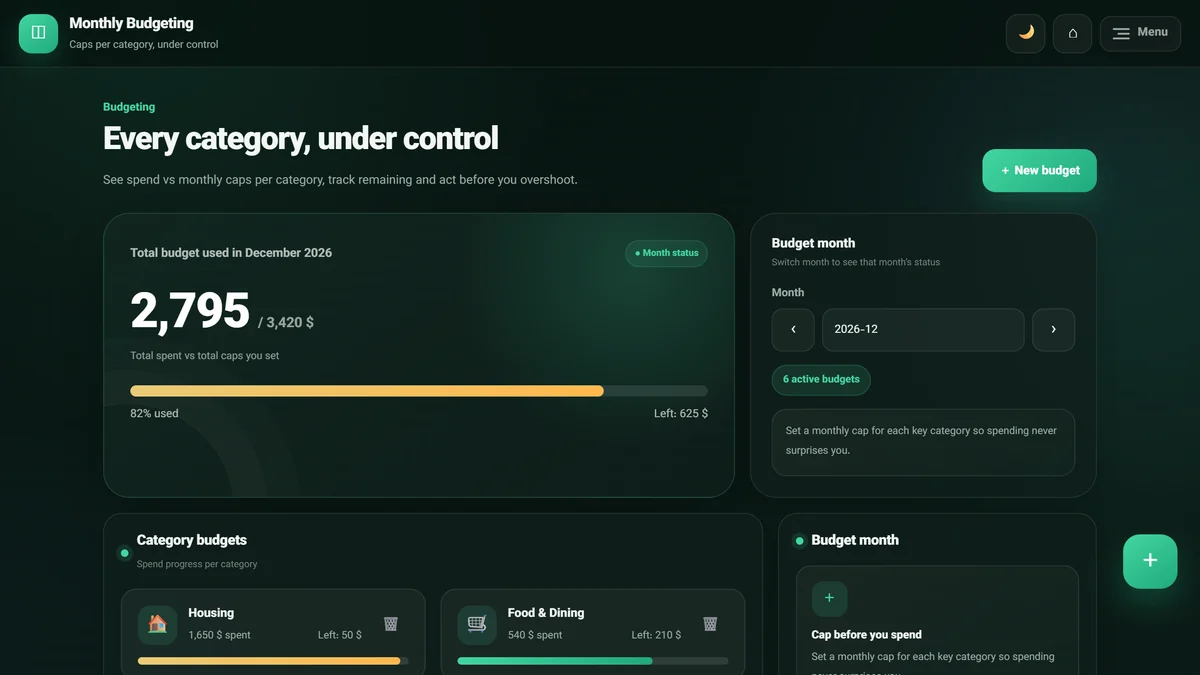
Monthly budget and savings goals
Monthly budgeting That is, before the month begins, you decide the maximum expense for each category. For example, you specify the food ceiling, the transportation ceiling, and the entertainment ceiling, and you can see how much was consumed from each ceiling during the month. These ceilings are realistic, not austerity: after one or two months of recording transactions, you will understand what the logical number of each category is, and you will close the next month's budget with the same experience. The result is effortless control over mindless spending.
Savings goals On the other side of the coin: instead of hoping something is left at the end of the month, you set an amount and a deadline for each goal and record your deposits; For example, the purpose of the trip, advance payment for a purchase or emergency fund. The progress of each goal can be seen separately and you will know how close you are to the final amount. This simple structure turns savings from aspiration into a plan.
- Define your accounts (bank, wallet, credit, crypto) with current balance.
- Record every income and expense by category for two weeks.
- Based on these two weeks, set a budget limit for each category for the next month.
- Create a small savings goal with an amount and deadline and register the first deposit.
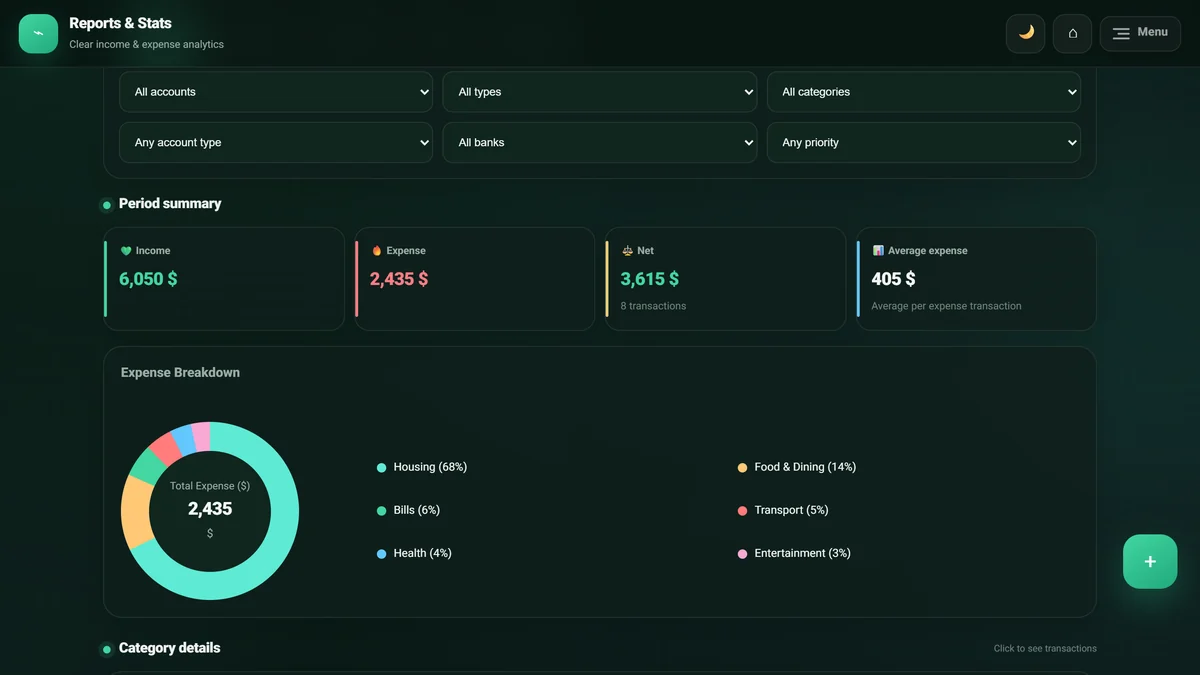
Financial dashboard, report, chart and Excel output
Financial dashboard Showcase your numbers: total balance, monthly income, monthly expenses, and monthly savings or deficit status. Every time you log in, you'll find out how you're doing this month without creating any reports. For deeper analysis, the Reports and Statistics section charts how your money moved across categories and periods; Comparing months side by side reveals patterns that cannot be seen by looking at individual transactions.
If you want to archive the data or do other analysis yourself, Excel export is available, and data backup is also available to preserve your financial records. All amounts with Toman unit are displayed, and the dashboard also shows exchange rates so you can follow the general market mood. Read more about income and expense analysis in the Income and Expenditure article.
The strength of this module is the simplicity of its cycle: Account definition → Transaction registration → Monthly budget → Savings goal → Excel report and output. You don't have to be an accountant; It is enough to record every purchase and every receipt at the same moment or at the end of the night. After a few weeks, your spending pattern will reveal itself: which category has the largest share, which month you had a deficit, and how much you actually saved. If you want to start with the basics, read the Personal Accounting and Income and Expenditure articles.
This module makes sense alongside the Personal Planner: Financial goals (like saving up for a specific purchase) create daily motivation, and a daily schedule keeps transactions logged. Both are available in one user account and with a single login.
Bank accounts and cards; Salaries and incomes usually enter these accounts first.
Credit and debit card purchases; to monitor its repayment and settlement.
Your crypto assets; To have a more complete picture of the balance along with other accounts.
To connect this workflow with adjacent tools and real examples, explore Live Shift Arranger Demo, Nurse Shift Guide, Head Nurse Software.
❓ Frequently Asked Questions from Real Workflows
Register your first transaction today
Create your accounts and take your budget and savings seriously from this month.
Start managing your finances